Driving your vehicle
1746
Remote Smart Parking Assist (RSPA)
2. Press and hold the Parking/View ( )
button to turn on Remote Smart Park
-
ing Assist.
僅
Agree
must be selected on the info
-
tainment system screen and the info
-
tainment system has to operate
properly to use Smart Exit function.
僅 Drive below 5 km/h (3 mph) with the
vehicle on and shift the gear to N
(Neutral), Smart Exit function can be
used.
僅 If the function is turned on again after
parallel parking is completed by
Remote Smart Parking Assist, Smart
Exit function can be used.
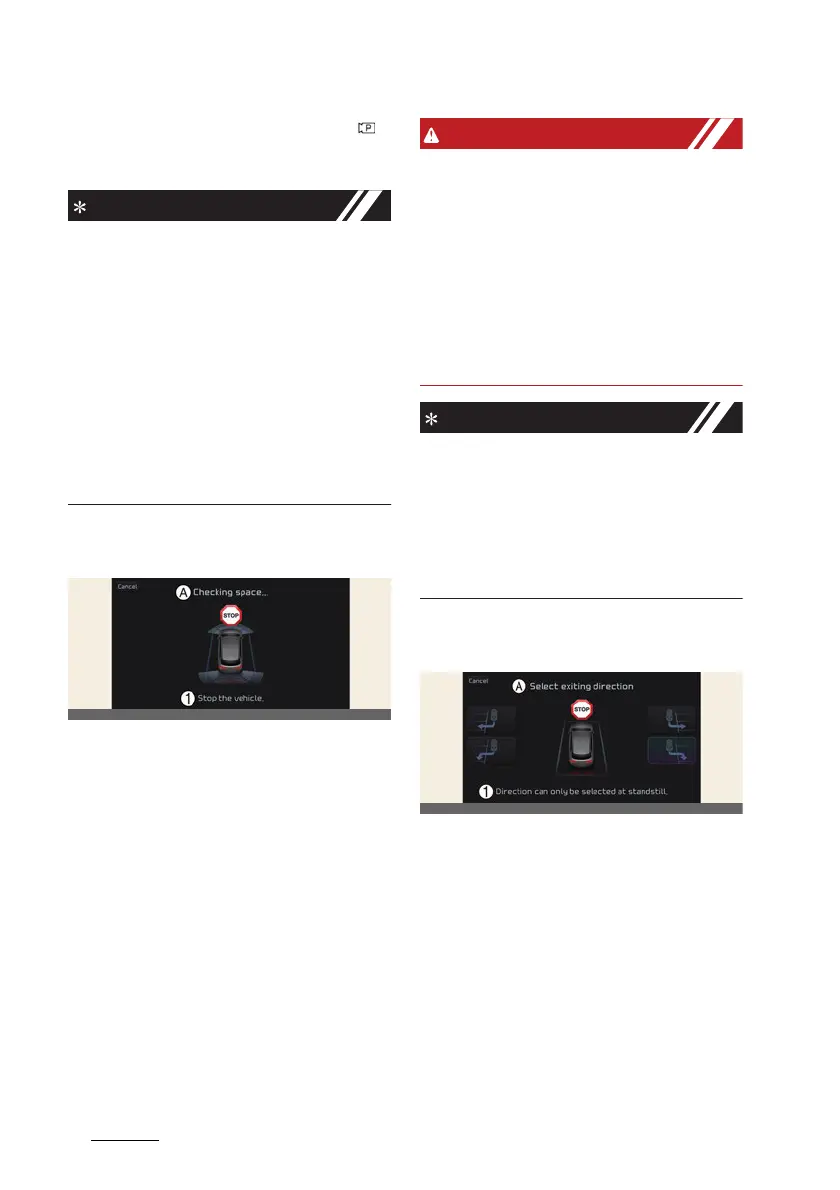
2. Checking space
A:
Checking space...
1 Stop the vehicle.
1. When the vehicle is stopped by
depressing the brake pedal, the vehi
-
cle sensors will detect the distance
from nearby objects and check for
space to exit.
2. When checking for space is complete,
a message will appear on the infotain
-
ment system screen with an audible
sound to notify the search is com
-
plete.
僅 While checking for space, if there is a
risk of collision with pedestrian, ani
-
mal or object in the direction of vehi
-
cle exit, for your safety, Smart Exit
function can be turned off.
僅 Even if check for space is completed,
objects in the blind spot area cannot
be detected by the sensors. The driver
must directly check the blind spot
area and continue using the function.
Due to abnormal performance of the
ultrasonic sensor or the influence of the
surroundings, Parking function may not
be able to search for a parking space
even if there is a parking space, or may
search for a space that is not suitable for
parking.
3. Select exiting direction
A:
Select exiting direction
1 Direction can only be selected at
standstill.
1. With the vehicle stopped by depress
-
ing the brake pedal, the infotainment
system screen displays the possible
directions for parallel exit.
2. Touch the infotainment system screen
to select the desired exit direction.



 To Next Page