KIC 2000 v2.4.0.x
KIC 2000 User Manual 9
KIC Explorer Hardware Configuration
Important: You must install the KIC 2000 software before
connecting your KIC Explorer to the computer.
Failing to install the KIC 2000 software prior to connecting your KIC Explorer to the computer will render
the KIC Explorer unusable.
1. Install the KIC 2000 Software.
2. Connect the KIC Explorer hardware to the computer.
3. Install USB drivers
If you have any questions or need assistance connecting your KIC hardware contact KIC Technical Support
tech@kicmail.com
.
RF Mode
The KIC Explorer can communicate wirelessly with your KIC 2000 software on your computer. Wireless
(RF) communication gives the user the ability to view the profile in real-time. All KIC Explorers can be
used in RF mode.
Note: The KIC Explorer Base Station is needed to activate the RF function.
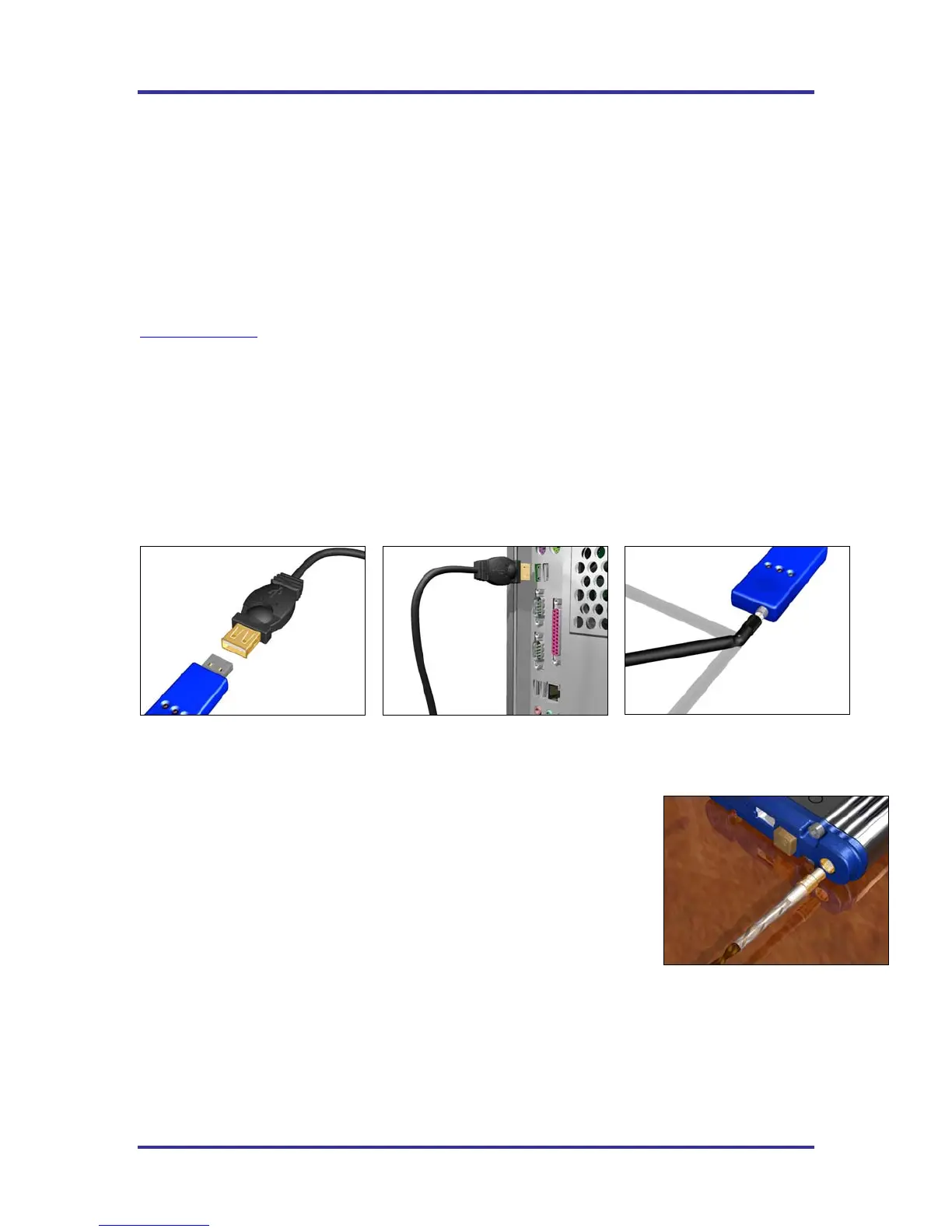
The KIC Explorer Base Station connects to the USB extension cable and the cable is connected to a USB
port on the computer. See Figure 9 and Figure 10. A USB extension cable is used to allow positioning for
best reception. Connect the Base Station and KIC Explorer antennas. See Figure 11 and Figure 12.
Figure 9
Figure 10
Figure 11
Note: For Best results; when selecting a USB port for your KIC Explorer or
KIC Explorer Base Station, KIC suggests utilizing a port that is in the back of the
computer—connected to the main board. These USB ports are better grounded
than front-USB ports.
A 6-foot USB port extension cable is included with your KIC Explorer so that the
user can place the Base Station in a viewable location and remain connected to
the rear USB ports.
By connecting the Base Station and KIC Explorer antenna the KIC Explorer
device becomes an intentional radiator of RF. See page 96.
Figure 12



 To Next Page