KIC 2000 v2.4.0.x
24 KIC 2000 User Manual
Separate Specs
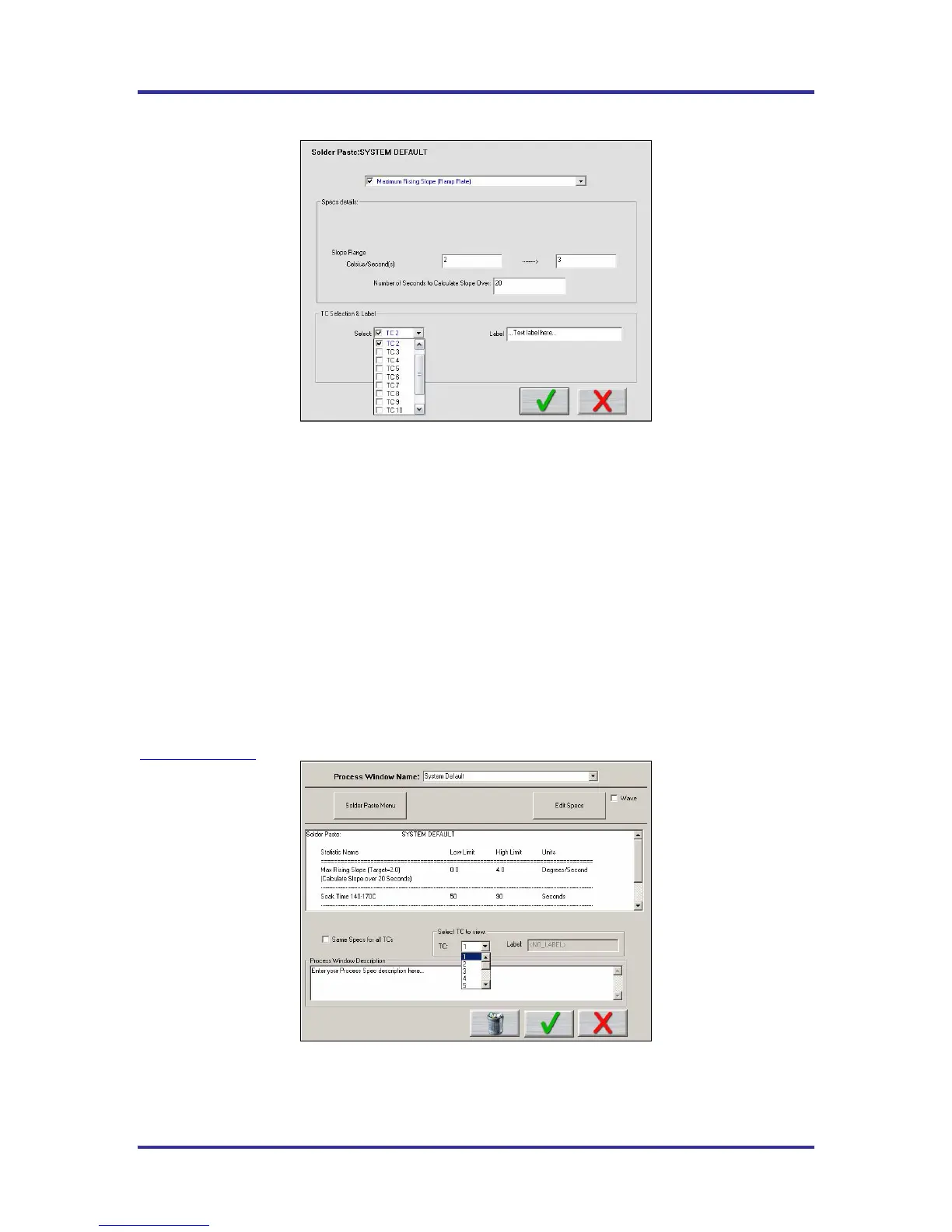
Figure 31: Process Window – Separate Specs
TC Selection & Label
If you choose to assign separate specs for each TC, click the Edit Specs button and the screen will now
appear with an additional area for TC Selection & Label. See Figure 31.
o Select - Use the Select drop-down menu to select the TC whose specifications you wish to view/edit.
The Spec Details for the selected TC is displayed.
• TC Label – This area will allow you to type in a description or label to identify that particular TC. If
left blank, the TC’s will simply be identified as TC2, TC3, etc.
When separate specs are being used, this is the only place where you can select or deselect which TC’s
will be used for a profile.
Once you have completed all edits of the specs you can click on the Green Check button and your changes
will be applied. Clicking on the Red X (Cancel) button will cancel your changes and exit. See Figure 31.
If you are having trouble defining your process specifications, contact KIC and we will try to help.
tech@kicmail.com
Figure 32: Process Window – Separate Specs – Select TC’s
Select TC to View – Drop-down menu containing the TC’s that have already been defined. (Previous step)
See Figure 32.



 To Next Page