KIC 2000 v2.4.0.x
28 KIC 2000 User Manual
Auto-Focus, Product Dimensions
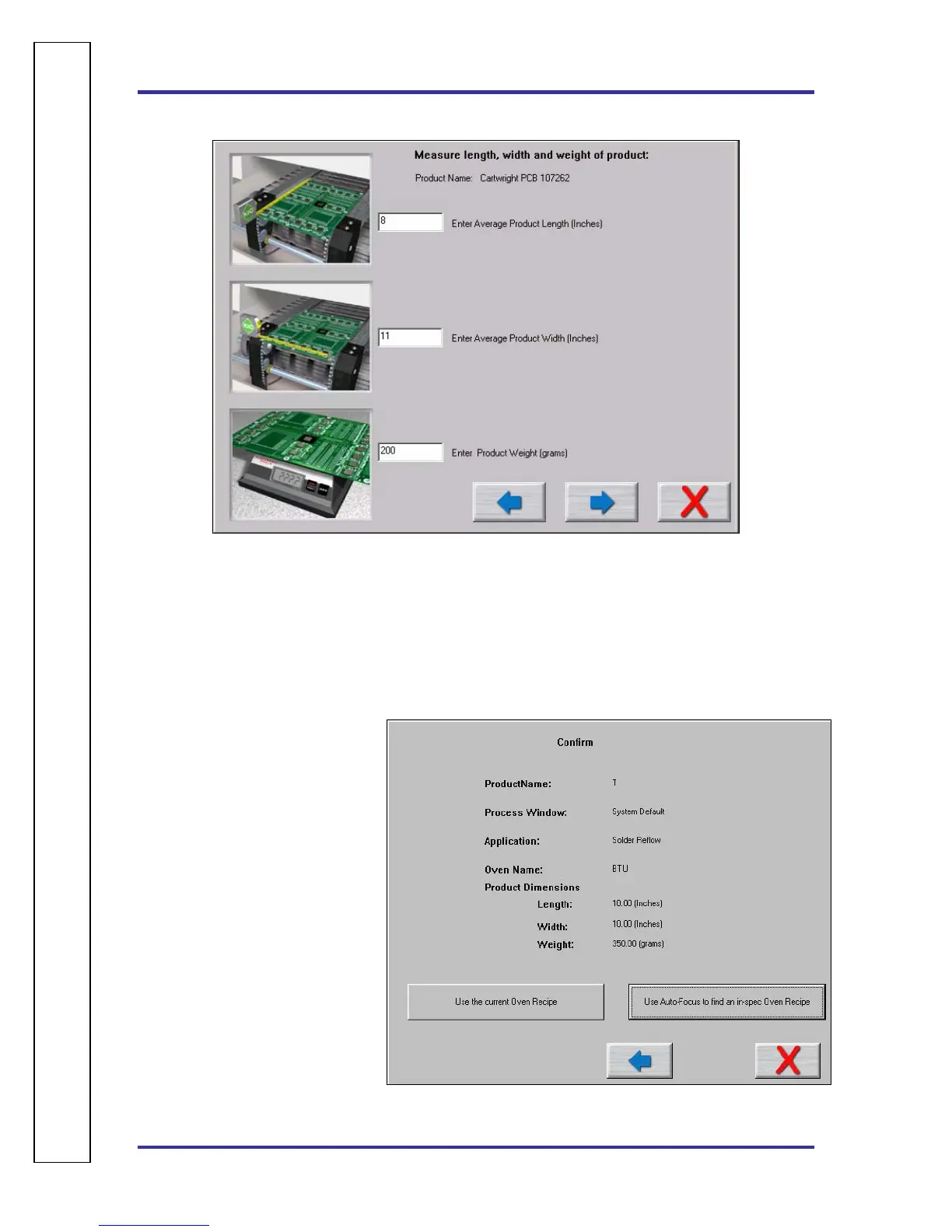
Figure 37: Run a Profile – Auto Focus screen #1
If you have purchased the Auto-Focus software option, this screen will appear. Enter the Length, Width,
and weight of your product, and then choose the Forward Arrow button. See Figure 37.
• This product will be included in the Auto-Focus library from this point forward.
• Make sure to measure using the correct units of measurement.
Auto-Focus, Confirm
This screen is displayed in order to
confirm the product measurements
as entered by the user.
See Figure 38.
The user has two options:
1. Use current Oven Recipe – use
the most recent oven recipe
setting for this product.
The next screen will display the
most recent set points and
conveyor speed for this product.
2. Use Auto-Focus to find an in-
spec Oven Recipe – This will
initiate the Auto-Focus option
for this product.
Figure 38: Run a Profile – Auto Focus screen #2
A
U
T
O
⎪
F
O
C
U
S
S
P
E
C
I
F
I
C



 To Next Page