KIC 2000 v2.4.0.x
KIC 2000 User Manual 29
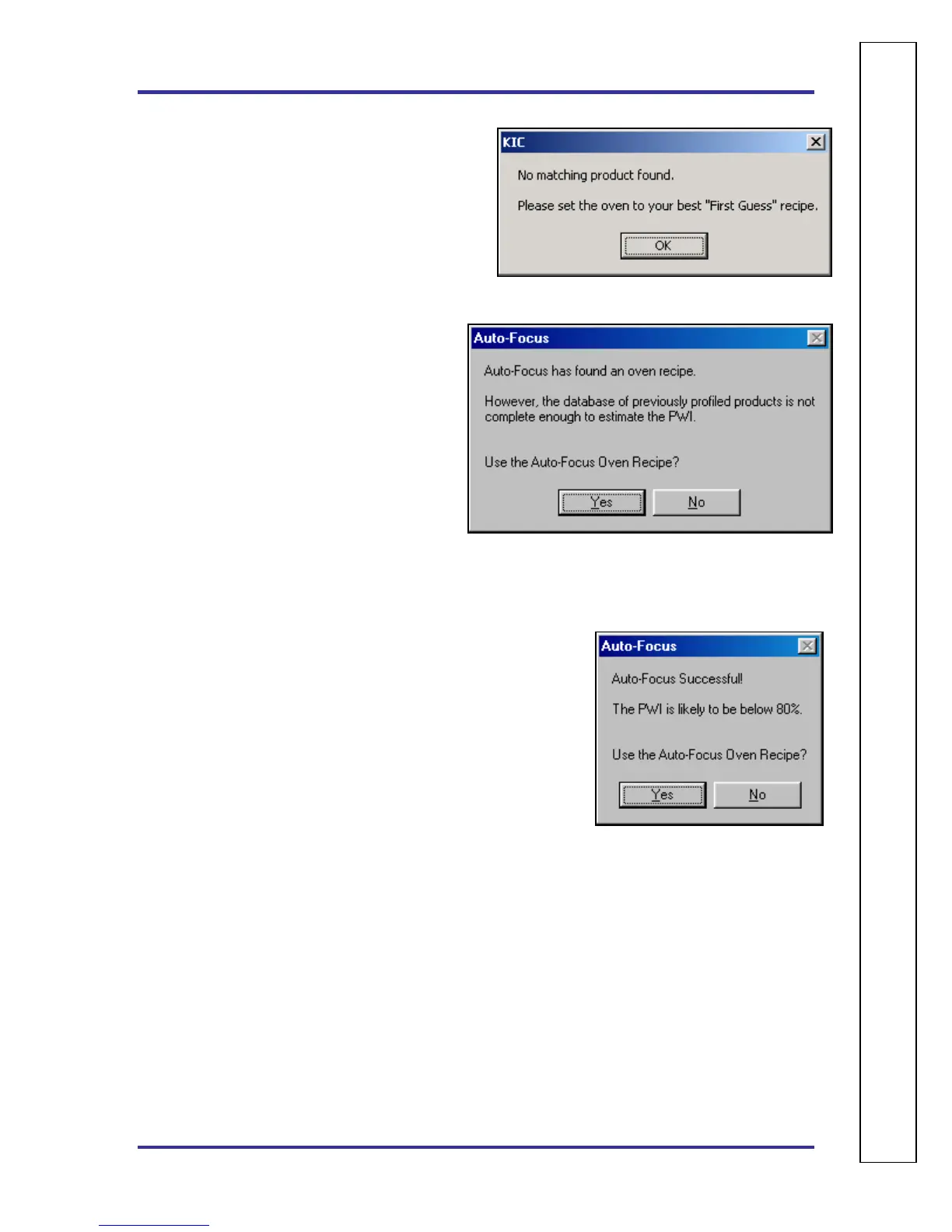
If the Use Auto-Focus… button is selected and no
matching product is found, this dialog box will
appear, choose the OK button. See Figure 39.
The user will be returned to the Confirm screen.
Select the Use Current Oven Recipe button and enter
the oven set points and conveyor speed you want to
start with.
If the Use Auto-Focus… button is selected, but
there are not enough products in the database to
confidently give an expected PWI, this dialog box
will appear: See Figure 40.
If the user selects Yes, the next dialog box shows
the Auto-Focus–First Guess recipe in order for
the user to confirm.
If No, the user will be returned to the Confirm
screen. Select the Use Current Oven Recipe
button and enter the oven set points and conveyor
speed you want to start with.
If the Use Auto-Focus… button is selected and there are a sufficient number of boards in the data base, the
following dialog box will appear: See Figure 41.
If the user selects Yes, the next dialog box shows the Auto-Focus –
First Guess recipe in order for the user to confirm.
If No, the user will be returned to the Confirm screen. Select the Use
Current Oven Recipe button and enter the oven set points and
conveyor speed you want to start with.
Figure 39
Figure 40
Figure 41
A
U
T
O
⎪
F
O
C
U
S
S
P
E
C
I
F
I
C



 To Next Page