KIC 2000 v2.4.0.x
32 KIC 2000 User Manual
Zone Length and Minimum/Maximum Temperature Settings
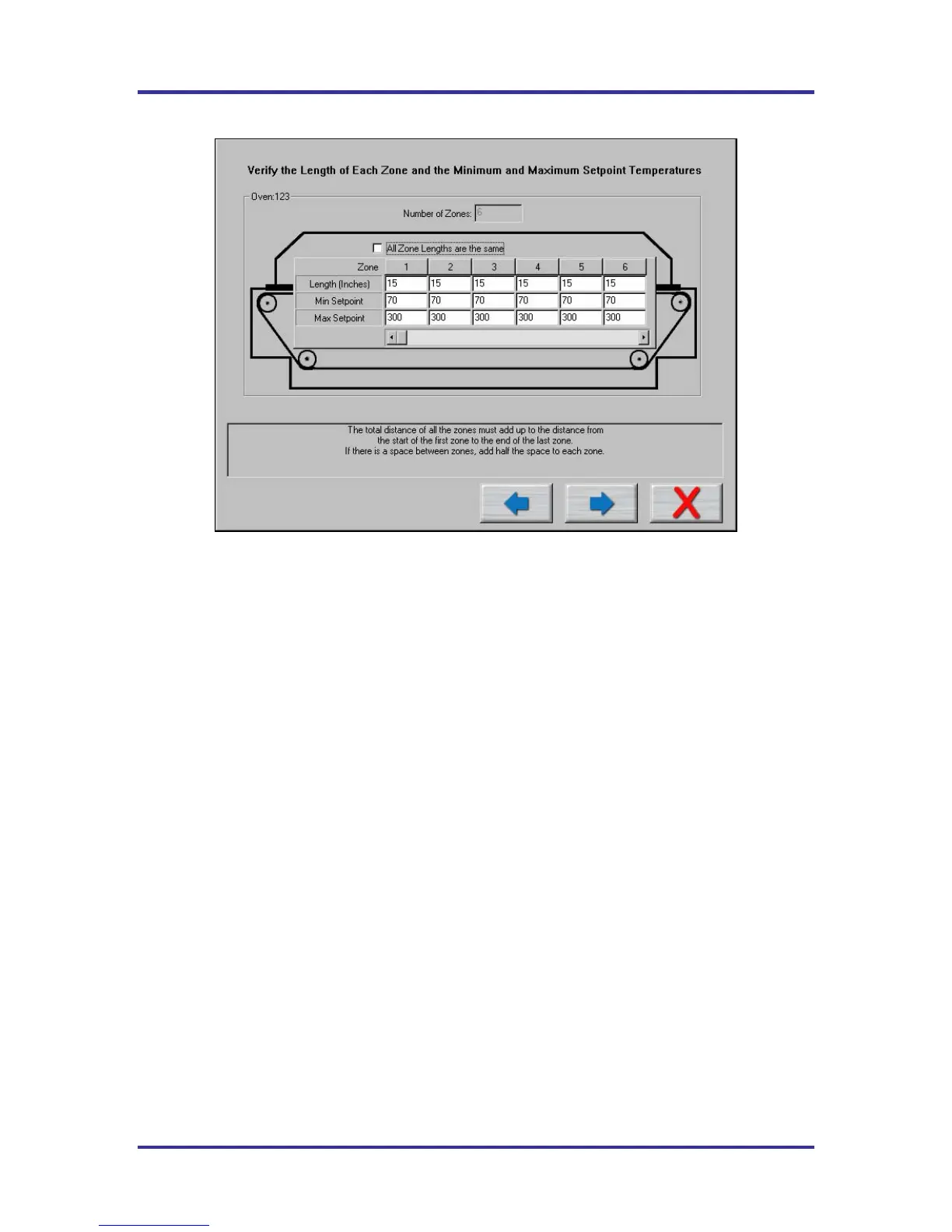
Figure 45: Run a Profile screen #3
By defualt the KIC 2000 software assumes each temperature zone in your oven is the same length. For
better profile display and profile prediction capabilities (Navigator) the user can manually enter the correct
zone lengths. See Figure 45.
Minimum and Maximum Set point Temperatures
This setting is used by the Navigator option as limits for it’s prediction results. The KIC 2000 softawre
uses default settings of: 70ºC min, and 300ºC max.
Enter the Minimum and Maximum temperature settings that your oven can control to. See Figure 45. This
will help the Navigator option maximize it’s prediction results.
Zone lengths – Deselct the chcek box if your zone lengths are not the same. Enter the acutal length for
each zone.
If your oven has non-uniform sized zones or has a large gap between some of your zones you will need
to edit the lengths to increase the accuracy of the predictions of the KIC 2000 software.
Oven Initialization File
For every oven you create a name for in the software an initialization file is created. This file is given the
name that you give your oven with a .kiccfg extension. This file will be located in
C:\KIC Profiler 2000\Ovens.
This file holds information about the zones in your oven, for the use by the KIC 2000 prediction algorithm.
By default the software will start with the following assumptions unless changed by the user:
• The zones are uniform and consecutive with no large gaps between them.
• The maximum rising temperature difference between any two consecutive heated zones is 50 degrees
Celsius.
• The maximum falling temperature difference between any two consecutive heated zones is 20 degrees
Celsius.
• The maximum valley temperature difference between any 3 consecutive heated zones is 20 degrees.



 To Next Page