TERRA 4K Operation Manual(KineOS 6.2)
©2019 Kinefinity Inc. Page 11 / 60
2. QUICK GUIDE
2.1 Power Supply
The camera allows different types of power supplies:
GripBAT 45Wh (compatible with BP-U30) fits TERRA with SideGrip.
Single GripBAT 45Wh is able to power TERRA for 100 mins. SideGrip is
connected to the "SideGrip Port" on camera body by three M2.5
screws, which enables a kind of “DSLR”shooting style.
Supper Compact V battery KineBAT 120Wh (compatible with V-
mount batteries) fits TERRA with KineBACK-W. Single KineBAT 120Wh
can power TERRA for more than four hours. KineBACK-W only comes in
a V-mount version, and does work with other V-mount batteries.
KineBACK-W has one EXT port providing 12V outputs and two D-TAP
ports. For the definition of EXT port, please refer to Chapter 5.2.3.
Use different power cords to the 2-pin power port of camera body:
D-Tap Power Cord: connect the D-Tap plug to the D-Tap socket of battery/battery plate, and
connect 2-pin push-pull plug to the 2-pin power socket of camera body;
XLR Power Cord: connect the 4-pin standard XLR plug to the XLR socket on storage battery
(11~19V), and connect the 2-pin push-pull plug to the 2-pin power port on camera body;
Kine AC Power Adapter: connect the adapter to a power bar, and plug 2-pin push-pull plug to the
2-pin power socket of camera body.
CAUTION The input range for TERRA is 11~19V, or the camera might be burned.
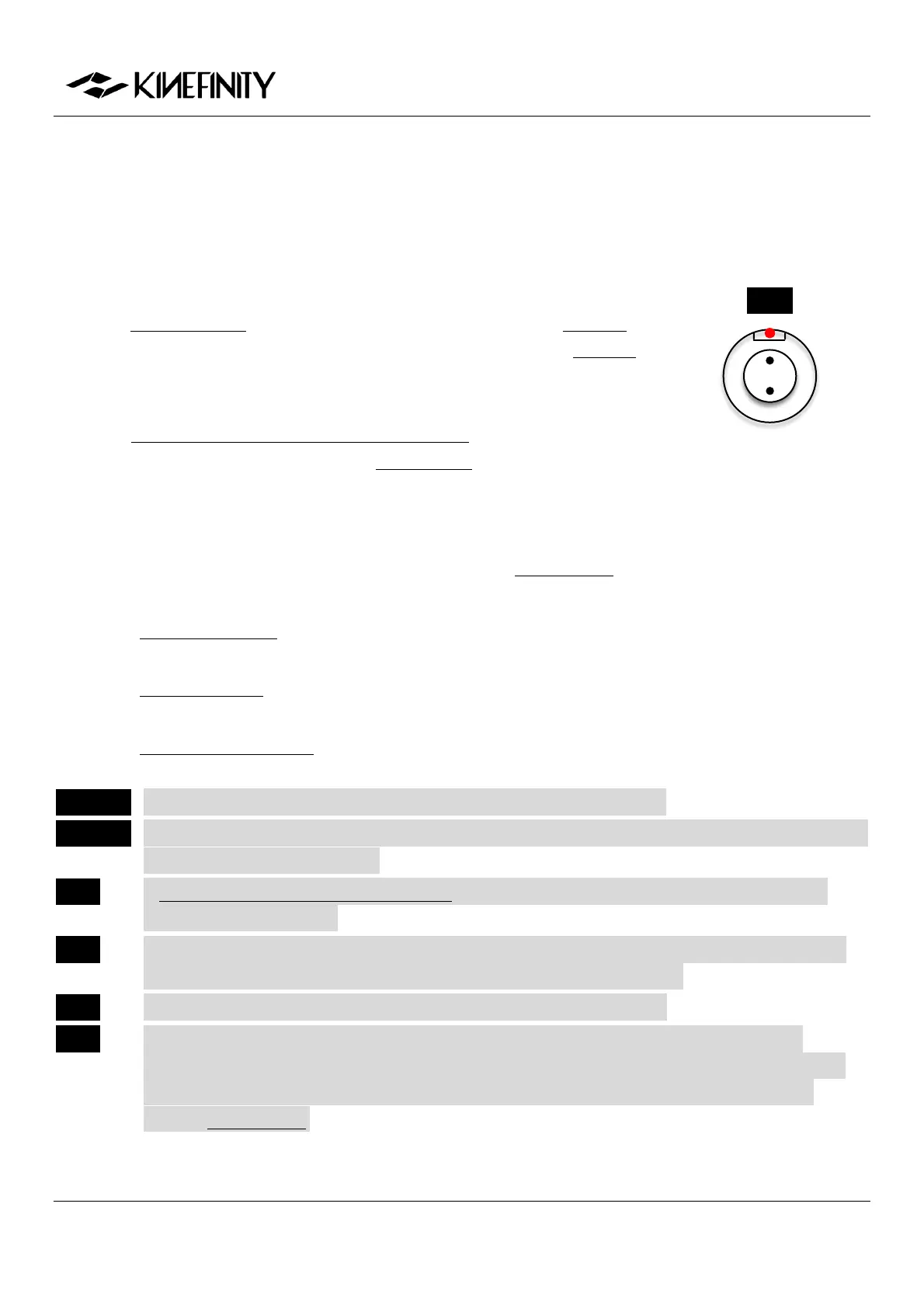
CAUTION Please pay attention to the direction of 2-pin DC IN port on camera body when pull/plugging the
power cords: align the red dots.
NOTE A V-mount to Anton-Bauer Plate Adapter is needed if you want to use Anton-Bauer (golden
mount) broadcast battery.
NOTE When two of the three power supplies are available at the same time, TERRA will automatically
choose the source with higher voltage, and allows hot-swap of batteries.
NOTE To save power, use other power supply for monitors and turn off WIFI.
NOTE Since KineOS 6.2, if the voltage detected is too low to continue shooting, the camera will
automatically stop recording to avoid damage on the clip. But for sudden power failure due to
accident during the recording of a file, the last clip might be damaged, and please refer to
Chapter 2.5 SSD MAG.
DC IN
1. DC IN as VDD
2. Ground


 To Next Page