TERRA 4K Operation Manual(KineOS 6.2)
©2019 Kinefinity Inc. Page 3 / 60
SAFETY TIPS
Please read all contents of the manual carefully:
Pay attention to the CAUTION and NOTE;
Do not use the camera near water in case of water droplets splash on the camera body;
Do not expose the camera to severe vibration;
Do not use camera under direct sunlight; operating temperature should be from 0 ℃ to 40℃;
Do not use the camera near strong magnetic field, pretty dust, high humidity or lighting storm places;
Avoid condensation during transportation or transitions;
Do not block the vent, or it will cause overheating and damage to the camera;
Do not face the LCD/OLED screen to direct sunlight, and do not squeeze or hit the monitor in case of
any damage to the screen;
Only use accessories recommended by Kinefinity.
While using the camera, please:
Please turn off the camera when you try to attach or detach a lens Mount, KineBACK-W or HDMI
monitor;
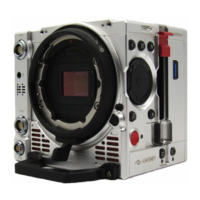
Avoid touching the OLPF when attach or detach an adapter, as the optical element is fragile. TERRA 4K
delivered after May 2018 is with new structure, and OLPF can be changed by customers;
KineMOUNT plus EF mounting adapter is a lever-locking (cine-type) EF mount. When mounting a lens
to the camera, the position of red dot in the mount is DIFFERENT from DSLR camera. Secondly, it is
LOCKING RING rotation, NOT lens rotation to make sure EF lens locked firmly and to be contacted well
with pogo-pin contact inside of EF mount in any case (According to the direction of the arrow);
Hold tight the lens to prevent dropping when loosening the locking ring to remove the lens.
Strongly recommend inserting or removing the SSD after camera powers down. If you like to hotswap,
you must Deactivate the SSD at first (SSD section in UI shows SSD: Ins), and then push up the SSD latch
to get the SSD out.


 To Next Page