TERRA 4K Operation Manual(KineOS 6.2)
©2019 Kinefinity Inc. Page 9 / 60
1.3 Interface and Parameters
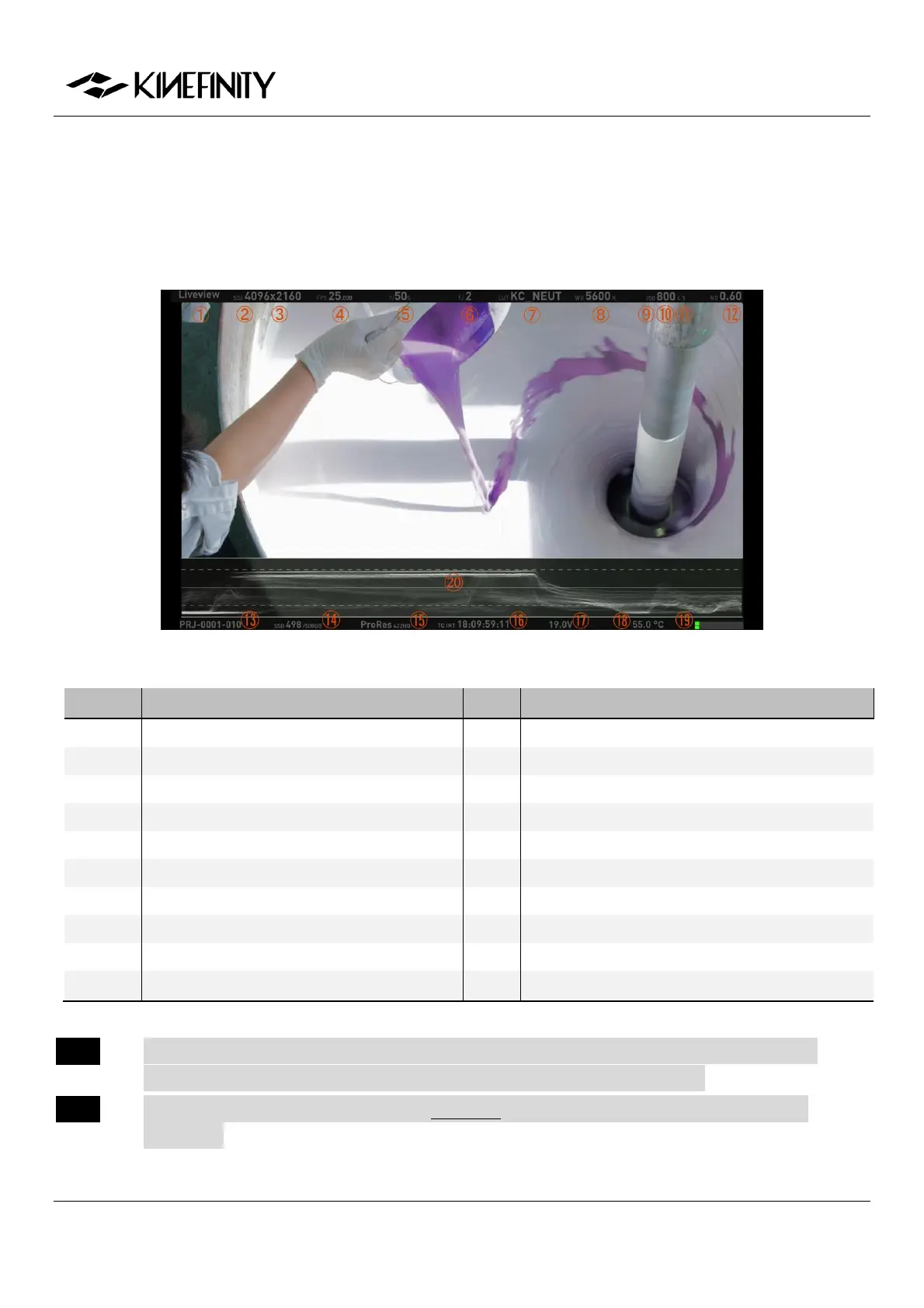
Once the camera is powered on, it enters into the Liveview mode right away: parameters of current scene are
displayed on the top and bottom. Press [Multifunction WheelCentral Button] to show/hide Waveform.
Display Mode: Liveview/Playback/REC
ND Value (only with e-ND adapter)
Shutter Speed/Shutter Angle
Iris Number (If Applicable)
Real-time Core Temperature
NOTE CMOS Imaging Sensor FPS is the actual capturing FPS of the sensor, set by [Multifunction
Wheel]; Project FPS is the playback FPS in post work, set by [Configuration].
NOTE EF Iris control is only for lenses in the White list; other lenses might not be recognized or
controlled.


 To Next Page