TERRA 4K Operation Manual(KineOS 6.2)
©2019 Kinefinity Inc. Page 13 / 60
2.3 Lens
No matter attaching a DSLR still lens or PL cine lens, TERRA employs Lever-locking (Cine-style) mounting
system, rather than DSLR camera mount.
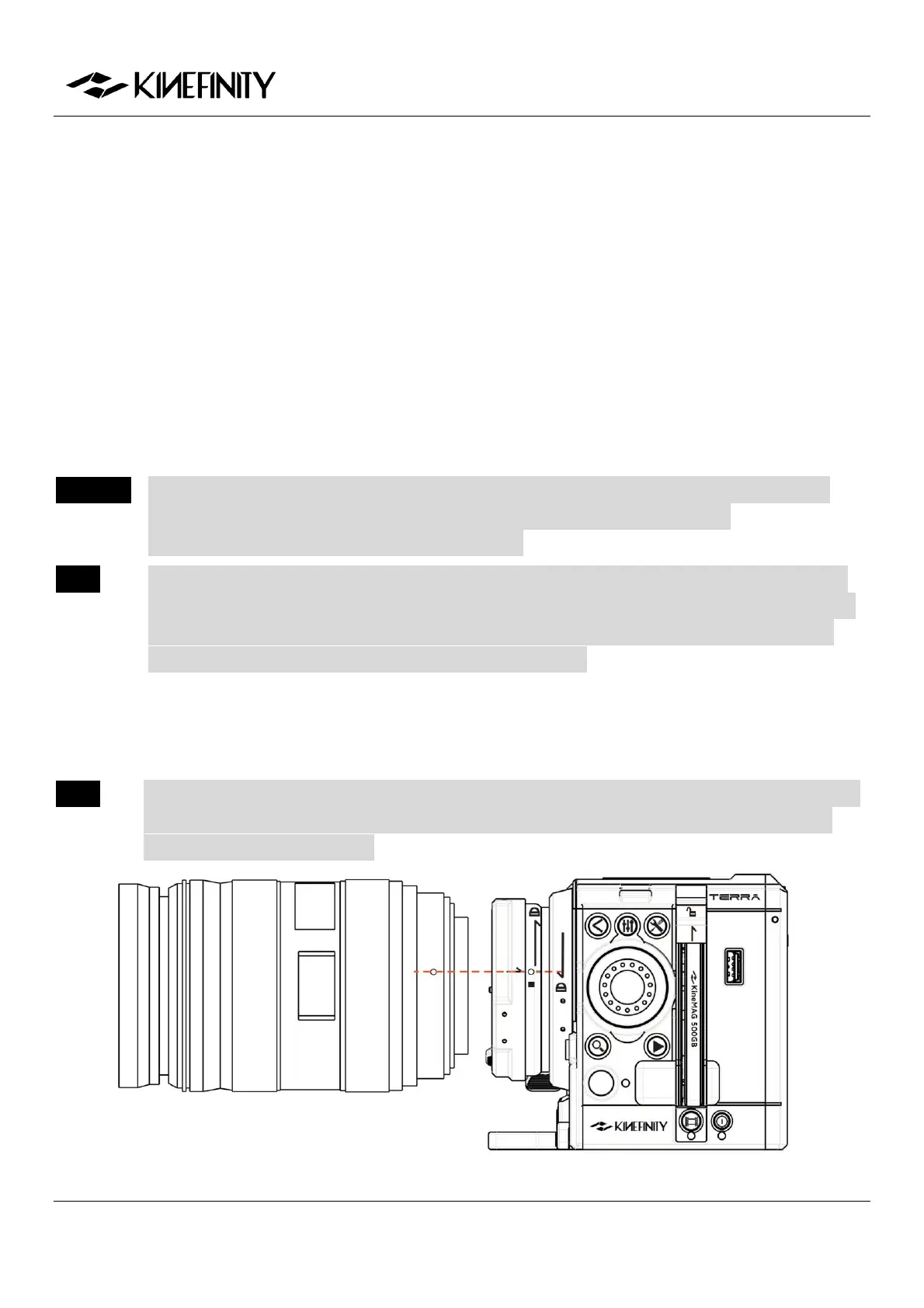
Steps to attach EF lenses
1. Release: Rotate the locking ring of the EF mount clockwise, take off the cover and lens cover;
2. Install: Align the "red dot" on the lens with the "red dot" on the mounting adapter. Make sure that
the pin on mount engages with the hole in the mount of the lens. For EF-S lens, align the white
square on lens with the one on the mount.
3. Lock: Rotate locking ring (NOT lens) counter-clockwise (follow the arrow of "lock sign" on mount)
until it is fastened firmly.
CAUTION The mounting adapter might be burned if a lens/adapter with all-metal rear end is attached
directly to the camera body. In this case, please keep electronic iris control off:
[ConfigurationSetting Active MountDisable].
NOTE The following mount lenses with electronic contacts: Sigma18-35 T2.0 and Canon18-80 T4.0,
may show iris value on UI, but please do not change the value by the Wheel, or it will cause the
malfunction of the camera or the lens, we strongly recommend turning off the electronic iris
control. [ConfigurationSettingsActive MountDisable].
KineEnhancer
TERRA 4K can use adapters with KineEnhancer and turns sub S35 into a larger format than S35 (crop factor is
1.3) with shallower depth of field, and even one more stop on max aperture.
NOTE EF-S lens can NOT be used on KineEnhancer as it has longer rear end than EF lens and will touch
and damage the optical glass. Lenses that need to move the rear under for focusing also can
NOT be used on KineEnhancer.


 To Next Page