TERRA 4K Operation Manual(KineOS 6.2)
©2019 Kinefinity Inc. Page 8 / 60
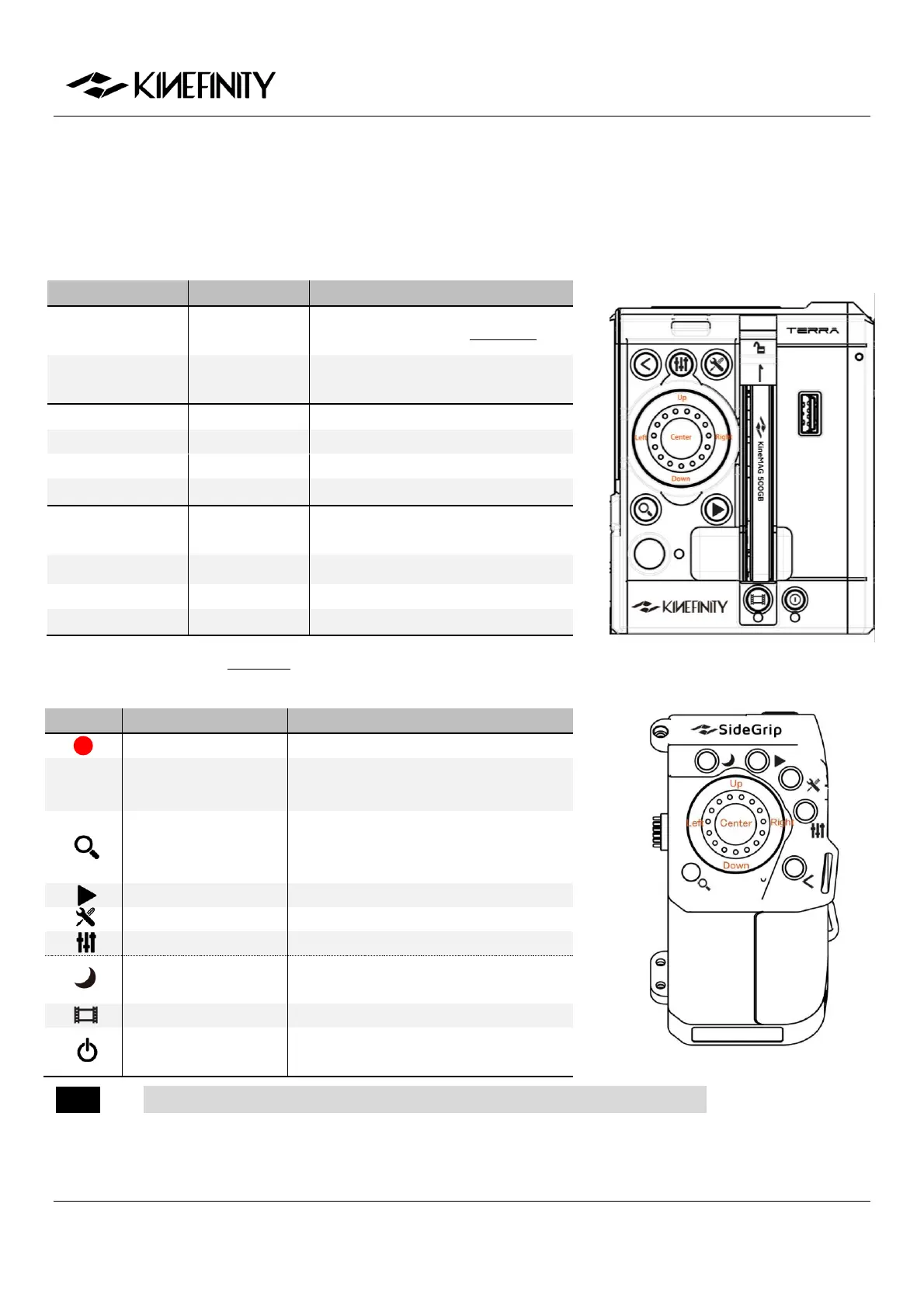
1.2 Functions of Buttons
Under Liveview Mode, set the parameters by [Multifunction Wheel]; under Playback Mode, select and switch
between clips by [Multifunction Wheel]. Detailed instructions as follows:
Only for Lenses in White List
Display with core parameters ->
Display with Waveform , or Confirm
Set ND (only with e-ND adapter)
Set Complete List by menu
Shooting (Sensor) FPS different from
Project FPS
Choose LUT (with e-ND adapter)
HS stands for HiSpeed Mode
Buttons and wheel on SideGrip are basically the same as on the body,
functions:
REC; Switch from Playback to Liveview
Also play footage under Playback or
cancel operation
Switch between 1:1/1:2/1:8, or disable
the zoom in menu; press for 3 seconds
to enter/quit lock mode
Also play footage under Playback mode
Only on SideGrip, low-power standby
mode
Activate, deactivate or format SSD
Press twice to power off; press for 5 sec
+ to power off compulsorily
NOTE SSD Button is only on camera body; Sleep Mode Button is only on SideGrip.



 To Next Page