SANARIUM M, S
PAGE 13
5070189/02.03
5. Operation
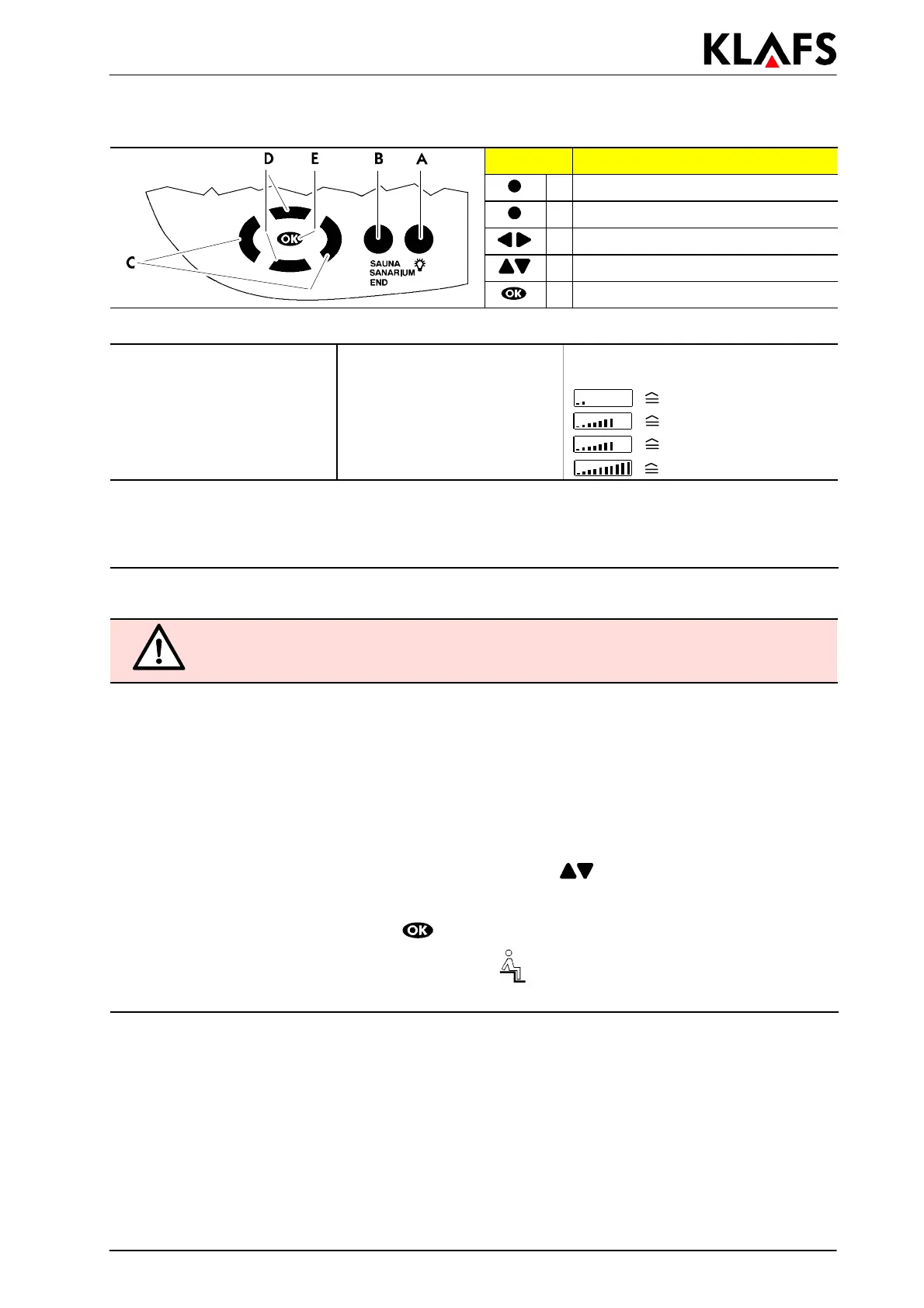
Button: Description:
A Cabin light button
B Operatingmodebutton
C Left/Right buttons
D Up/Down buttons
E OK button
Programs:
Sauna temperature:
SANARIUM temperature: Humidity
1 Individual program 1 Individual program Individual program
280°C 250°C
approx. 35 g/m
3
390°C 355°C approx. 50 g/m
3
495°C 460°C approx. 70 g/m
3
570°C approx. 70 g/m
3
Prerequisite/note for the operation described below:
d The control unit is in standby mode. The time appears in the display.
. The selected program starts automatically three seconds after the last press of a button.
5.6. Starting SANARIUM operation
RISK OF FIRE!
Before operating the control unit, always make sure that there are no combustible
objects on or near the sauna heater.
' Put the evaporator into operation as described in 5.10.
1. Press the B button.
. The operating mode selected most recently and its settings appear in the display.
2. If necessary, press the B button again until SANARIUM appears in the display.
' If the values for the selected program are to be changed - see Chapter 6.
Or:
3. Select the desired SANARIUM program using the up/down
buttons.
. Each further press of the button displays the next SANARIUM program.
4. Start SANARIUM operation using the
button.
. At the end of the heating phase the bathing visitor
symbol appears in the display. The
SANARIUM is ready for bathing.



 To Next Page