§2.2.2 Blue-tooth connection
The short-range wireless Bluetooth communication facilities are for the
wireless exchange of information among a variety of Bluetooth-enabled devices.
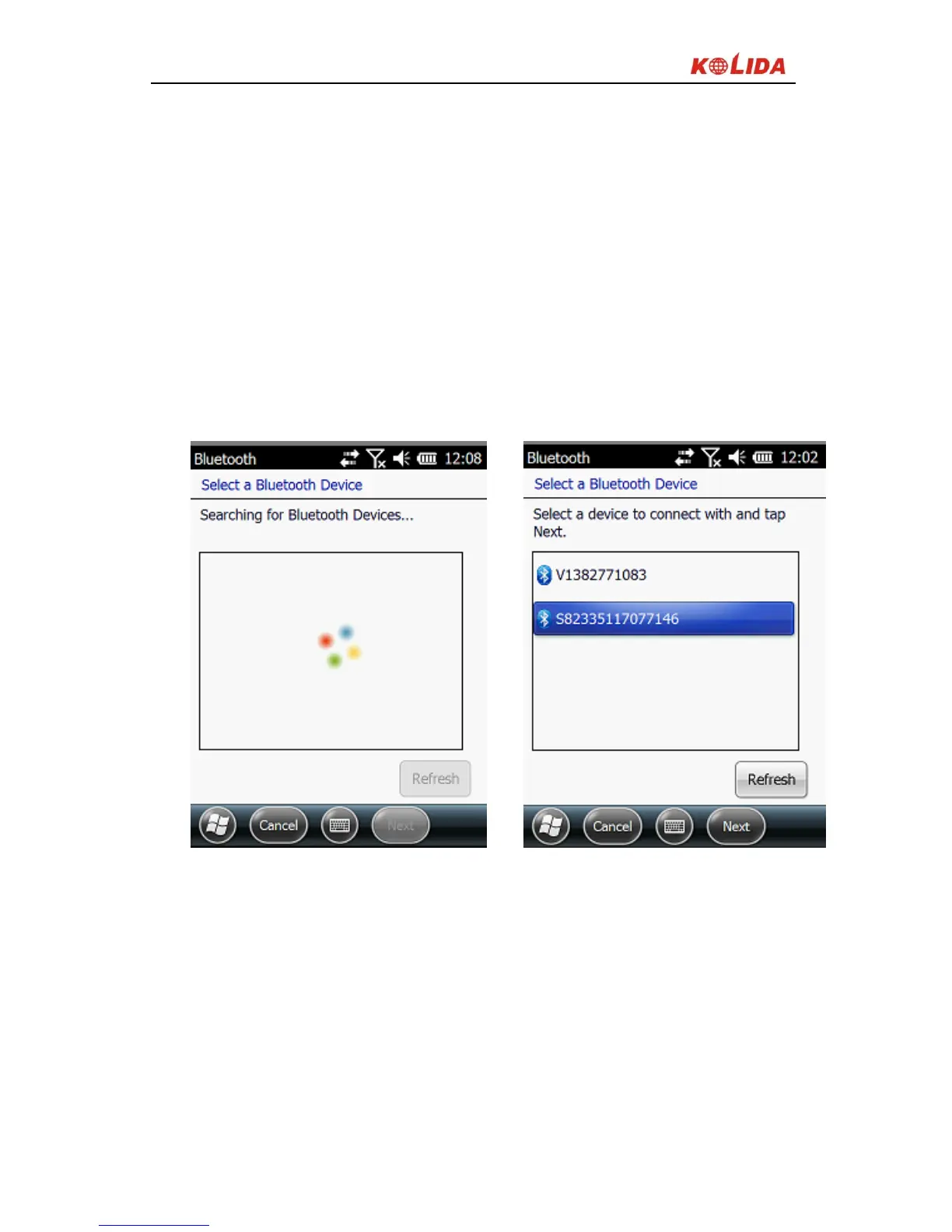
Tap on the Start menu (Settings) → (control panel) to open (Bluetooth Device
Manager). tap on the(scanning device) after setting the Bluetooth device, and
the surrounding Bluetooth devices will be listed in the search list. And then
input the password 1234 to make pairing between controller and receiver. As it
shown below:
Figure 2-14


 To Next Page