K5 Plus GNSS
- 46 -
§3.3.1 Base and Rover installation
RTK network mode and radio mode is different on the transmission mode, so
the installation is in a similar way, except that:
1) When the Base station is switched to the Base GPRS mode, needn’t to install
external radio, you need to install the GPRS differential antenna;
2) When the Rover station is switched to the Rover GPRS mode, you need to
install the GPRS differential antenna.
§3.3.2 Base and Rover settings
The setting of RTK GPRS Base station is the same with Rover station, you can
first set Base station and then Rover and the steps are as follows:
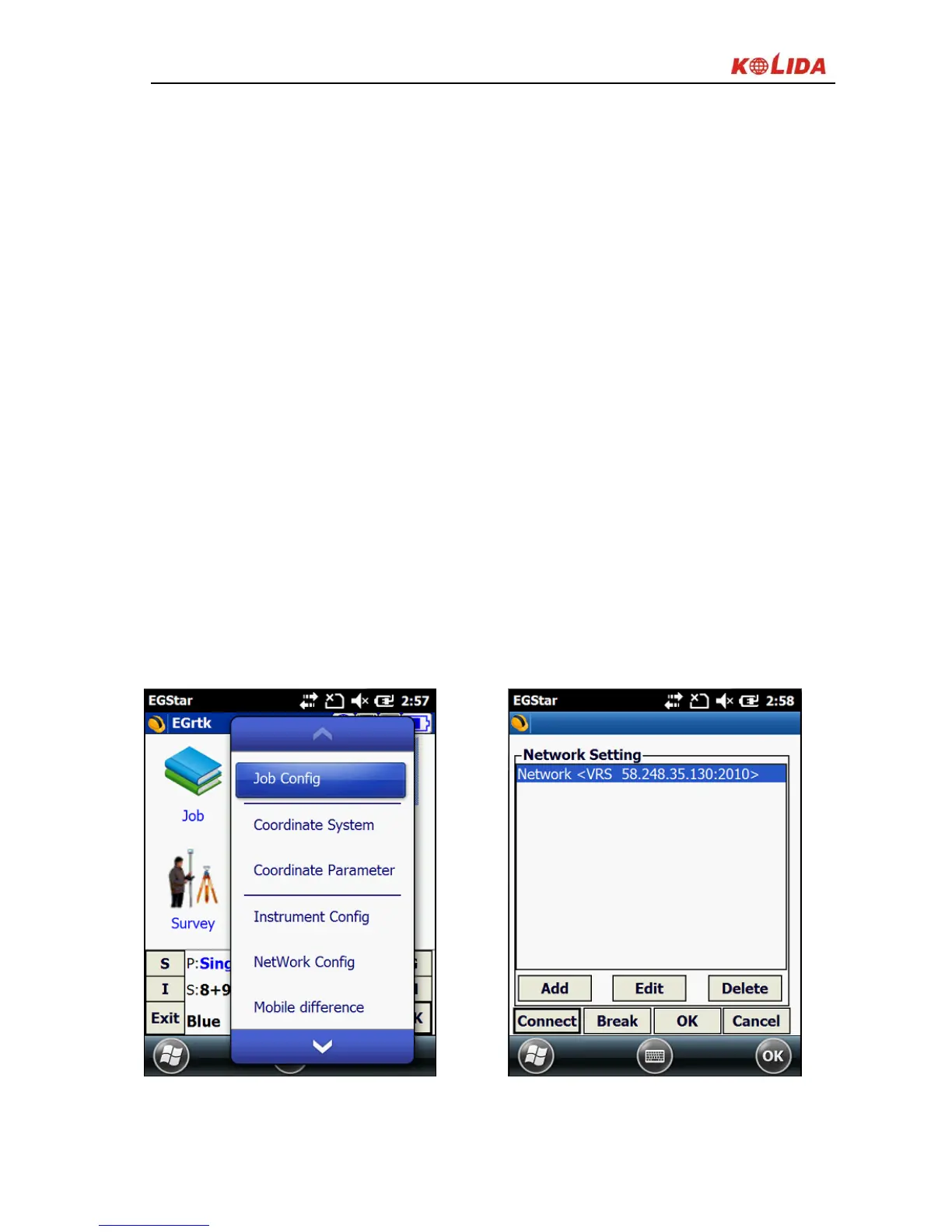
1) Setup: Config →GPRS Config
2) New network link should be added here, click “Add” to enter the setting
interface.
Figure 3-9



 To Next Page