K5 Plus GNSS
- 58 -
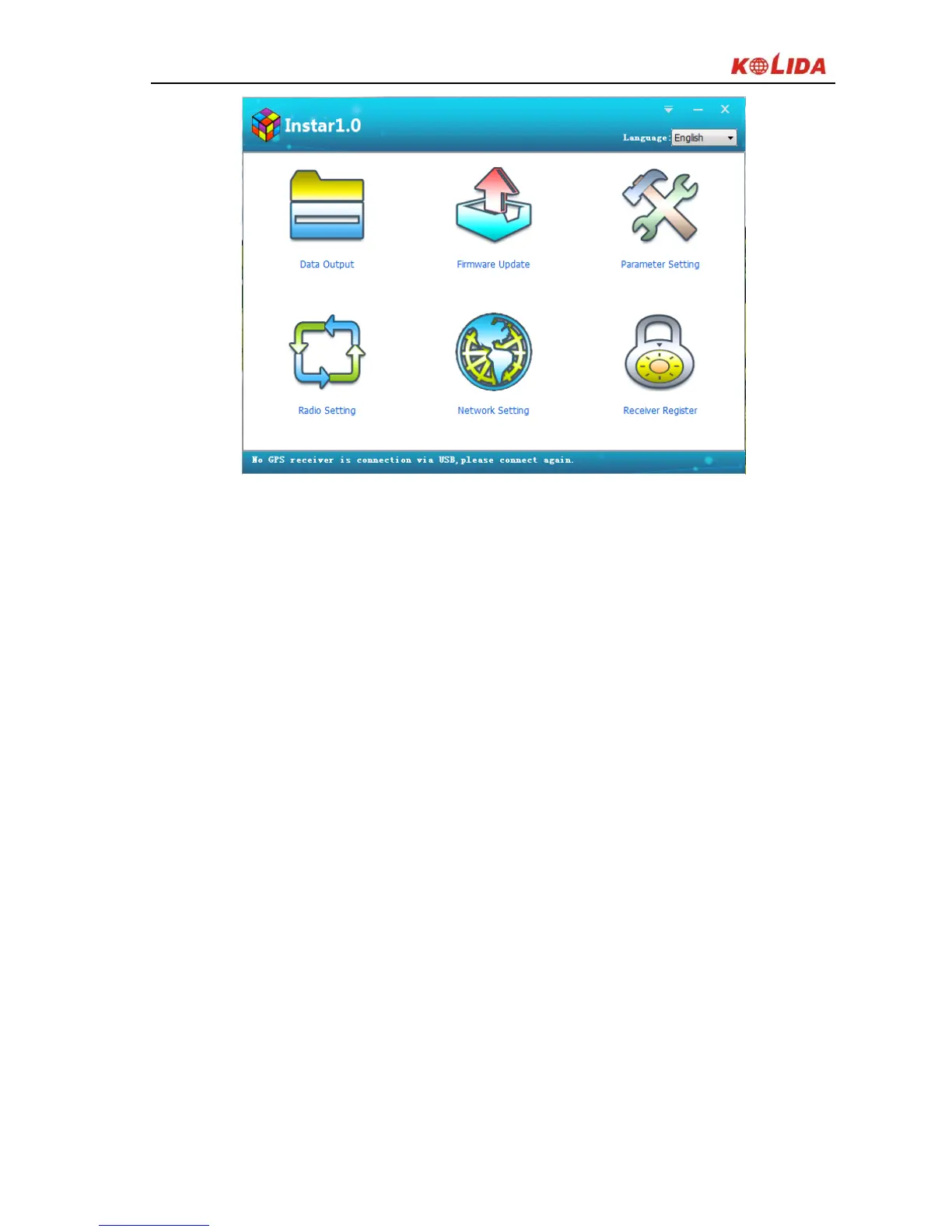
Figure 4-3
Data Output: to copy static data from receiver (USB port);
Firmware Update: to upgrade firmware for receiver (COM port);
Parameter Setting: to configure some basic collection parameters of receiver
(USB port);
Radio Setting: to configure radio module of receiver (COM port, radio direct-on
mode);
Network Setting: to configure network module of receiver (COM port, network
direct-on mode)
Receiver Register: to input register code (COM port);
§4.2.1 Data Output
Power on K5 PLUS receiver and run INStar program first, and then connect it to
PC with L797Y USB port, the receiver type and SN will show at the bottom.


 To Next Page