K5 Plus GNSS
- 62 -
§4.2.3 Parameter setting
As the same with operating on data output, power on the receiver and run
INStar program first, then connect it with L797Y USB port
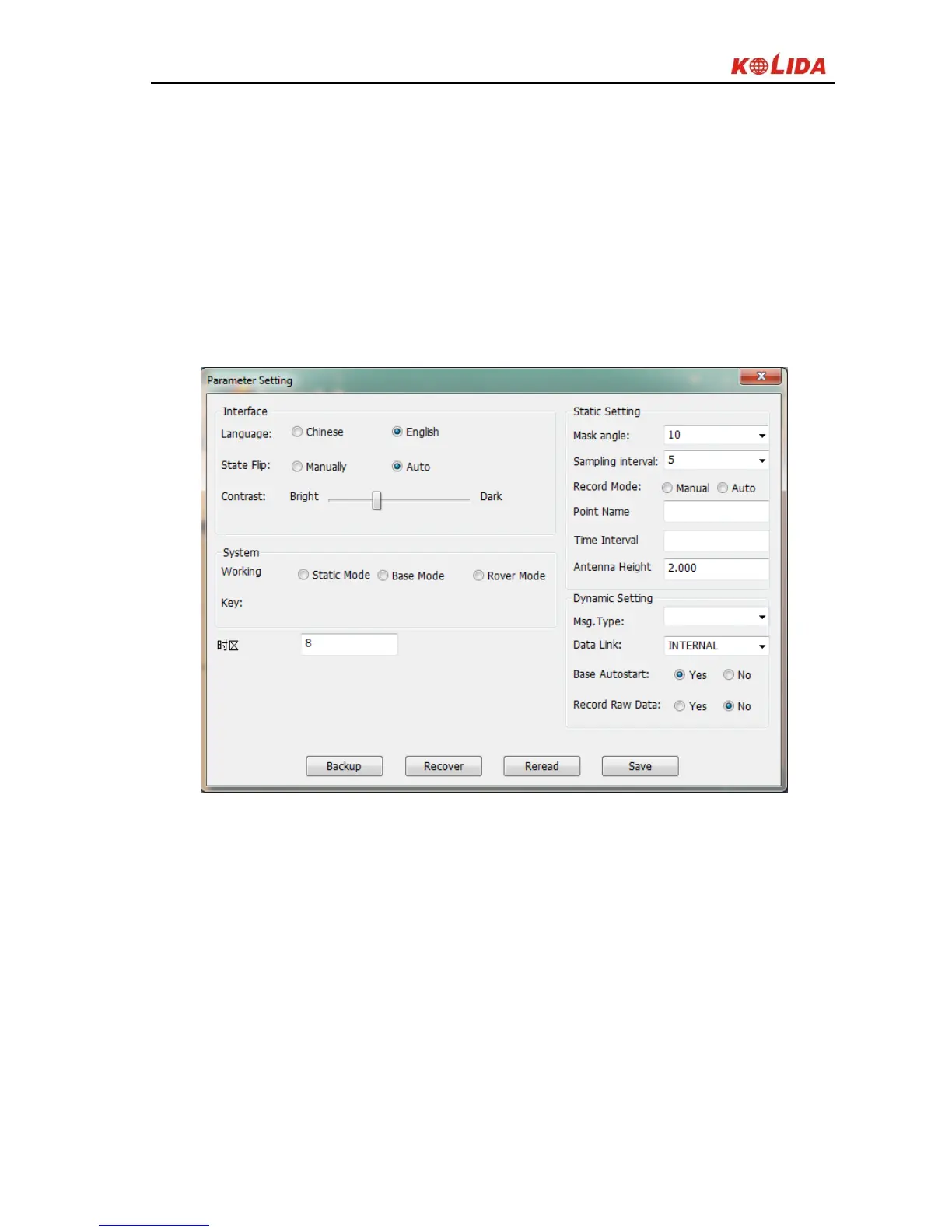
In Parameter Setting, you can edit the mask angle and sample interval in static
survey and differential message type, data link, whether to record raw data in
dynamic survey.
Figure 4-9
§4.2.4 Radio setting
Power on the receiver and switch it to radio mode, connect to PC through L797Y
COM port, select the right port and baud rate 19200, then click on Open button
you can read the radio frequency and current channel, switch channel, setting
configuration.


 To Next Page