K5 Plus GNSS
- 28 -
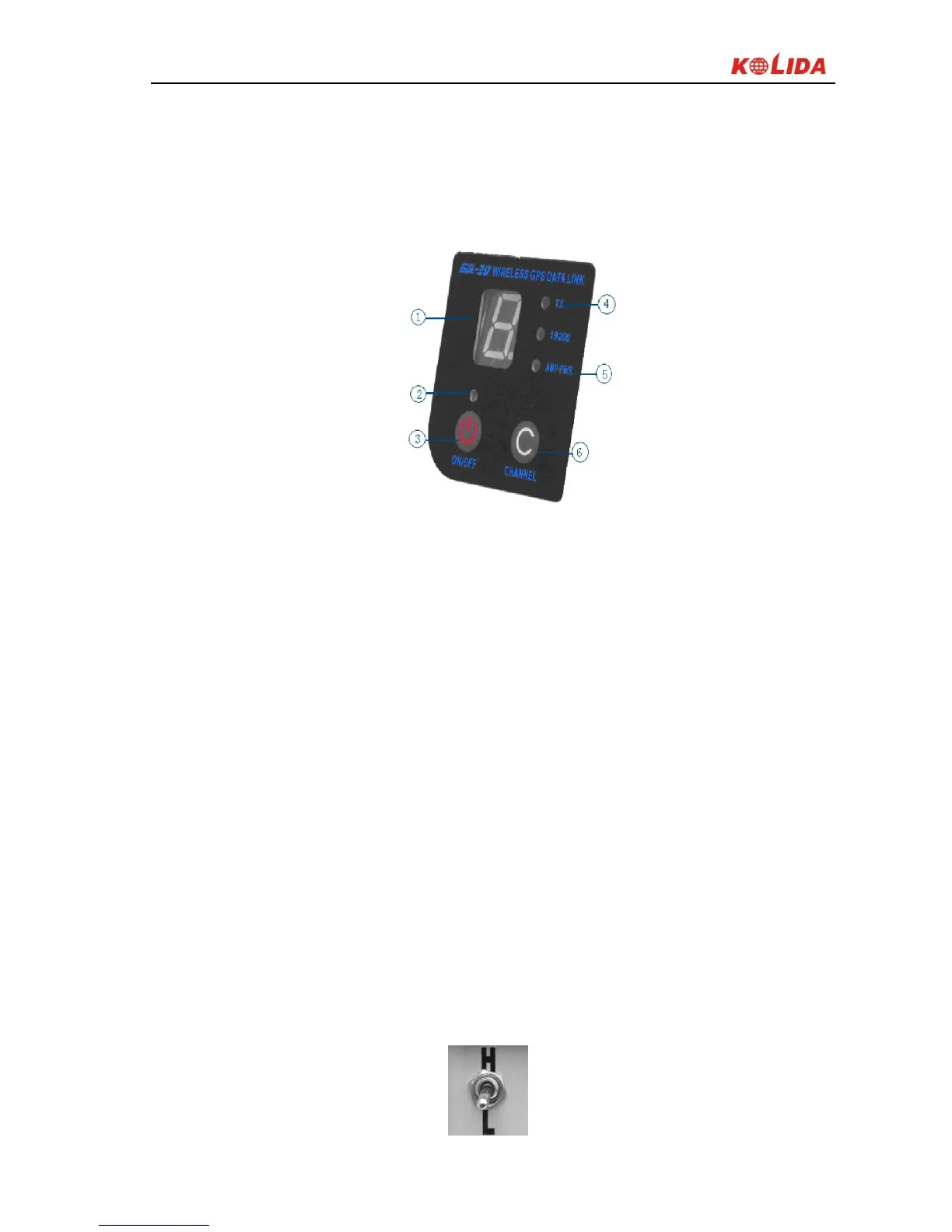
Control Panel: control panel lights display the status of the radio, the key
operation is simple and convenient, one-to-one interface can effectively prevent
connection errors.
Figure 2-23 Control panel
① Channel indicator light.
② Power indicator light,
③ ON / OFF power key: This key controls the unit's power switch. The red light
on the left indicates the power status of the machine.
④ TX red light indicator: This indicator flashes once per second means that the
radio is transmitting data with the transmitting interval in 1 second;
⑤ AMP PWR indicator: Indicates the level of radio power, light on indicates
low-power, light off indicates high-power
⑥ CHANNEL button: By pressing this switch, you can switch channels 1-8.
Power switch (Shown in picture below): switch to adjust the radio power, AMP
PWR lights on the panel indicate the radio power level, light on indicates low
power, lights off high power.


 To Next Page