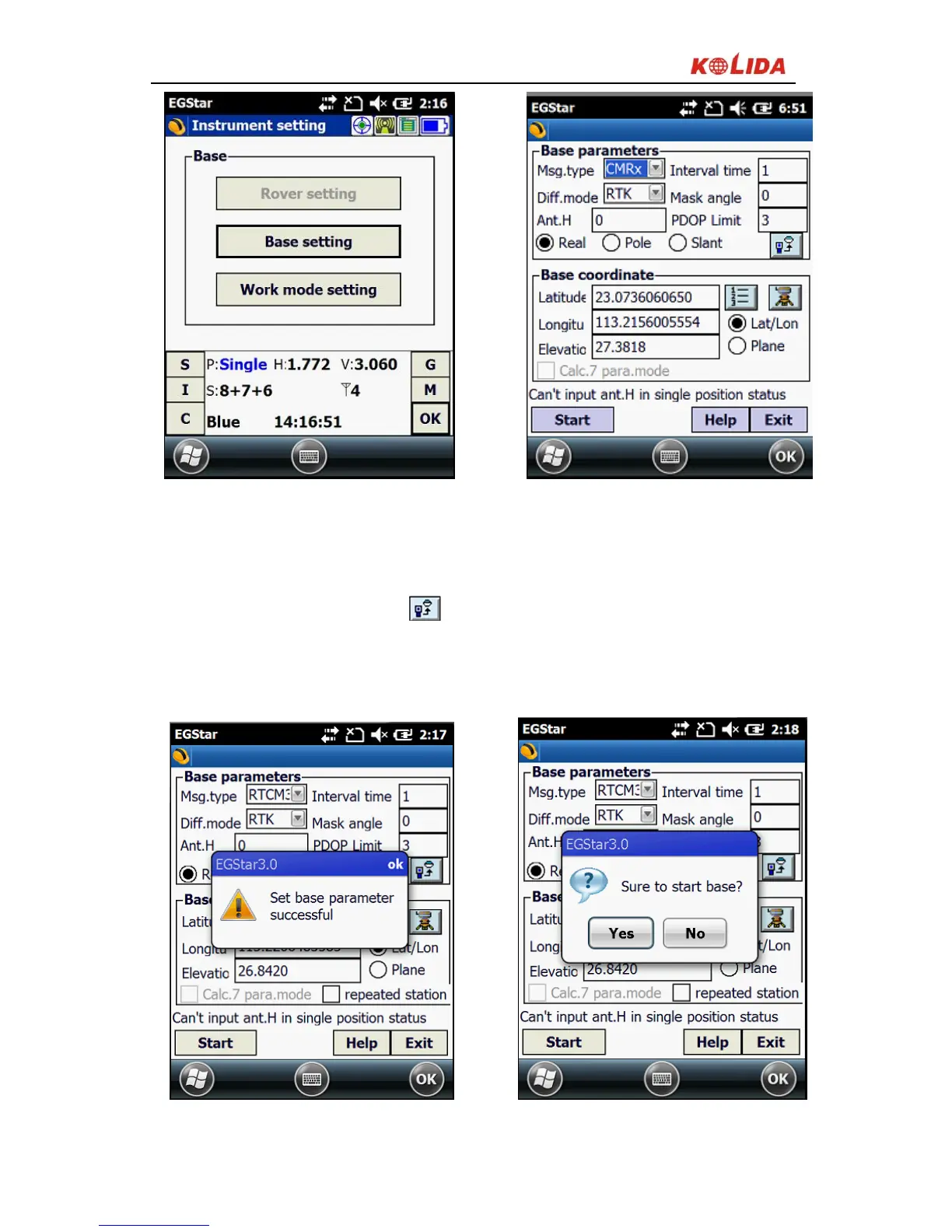
Figure 3-2
3)Set the base station parameters. Normally you only need to set difference
mode(that is Diff.mode) in parameter settings while others using the default
parameters. After setting click , the Base station setting finish.
4)After setting the parameters, click "Start” (in general, the Base station are
arbitrarily set up, Base coordinates do not need to be input)
Figure 3-3


 To Next Page