2
Precautions
2-18 7216/7220
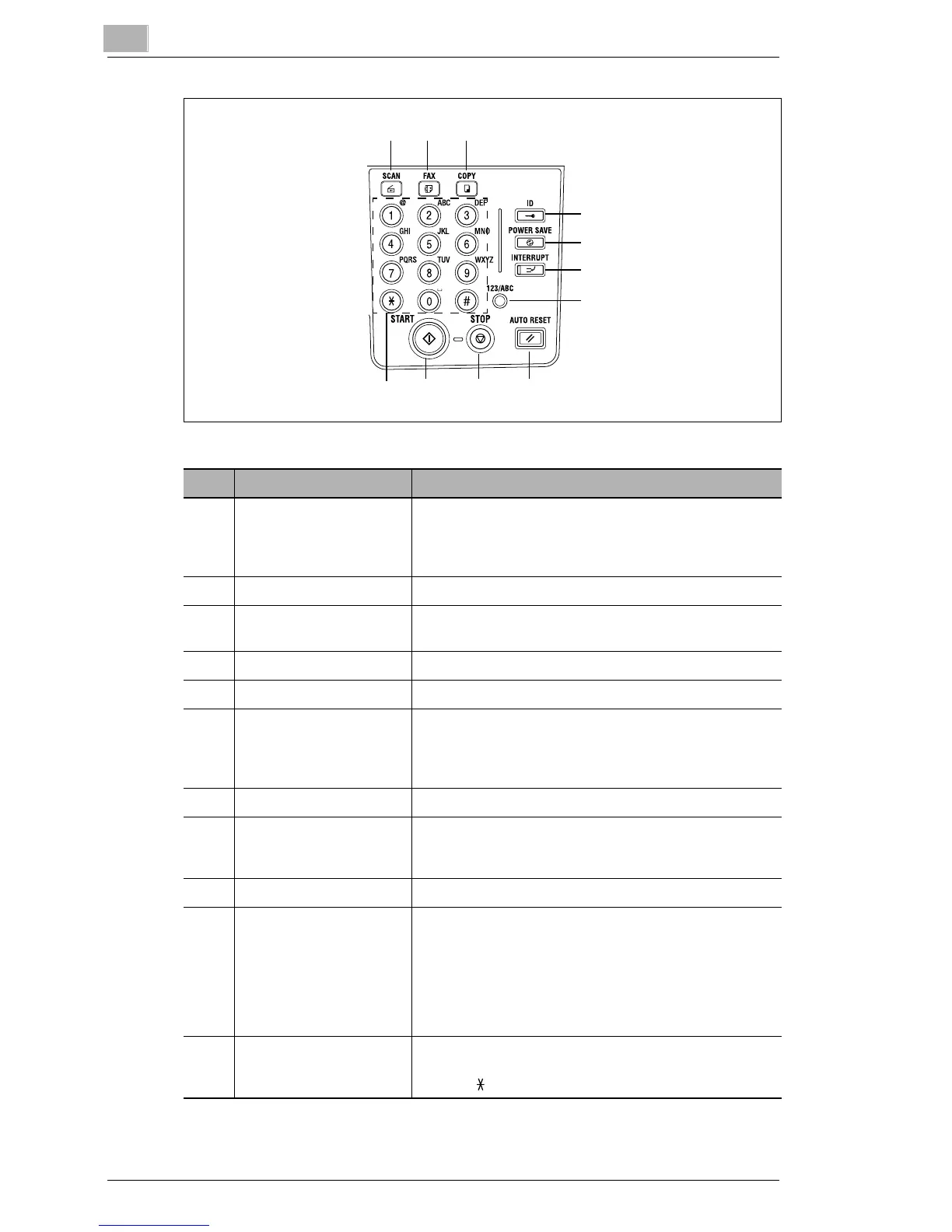
21 22 23
24
25
26
27
28293031
No. Part Name Function
21 [Scan] key Press to enter Scan mode. The indicator lights up in
green to indicate that the machine is in Scan mode.
(Available only when the NIC KN-419 and the Internet
Fax Kit IF-118 are installed.)
22 [Fax] key Does not function on this machine.
23 [Copy] key Press to enter Copy mode. The indicator lights up in
green to indicate that the machine is in Copy mode.
24 [ID] key Used with user management. (p. 6-9)
25 [Power Save] key Press to enter Power Save mode. (p. 2-21)
26 [Interrupt] key Press to enter Interrupt mode. The indicator lights up in
green to indicate that the machine is in Interrupt mode.
Press again to cancel Interrupt mode and return to the
mode before Interrupt mode was entered. (
p. 5-27)
27 [123/ABC] key Does not function on this machine.
28 [Auto Reset] key • Cancels all copy functions and returns them to their
default settings.
• Deletes all queued jobs.
29 [Stop] key Stops the multi-page copy operation.
30 [Start] key • Starts copying.
• Queues a copy job if pressed while the machine is
warming up. (
p. 2-22)
• The indicator lights up in green to indicate that the
machine is ready to start copying, or it lights up in
orange to indicate that the machine is not ready to
start copying.
31 10-Key Pad • Used to specify the number of copies.
• Used to enter setting values.
• The [ ] and [#] keys do not function on this machine.





 To Next Page