2
Precautions
2-20 7216/7220
2.7 Power Supply
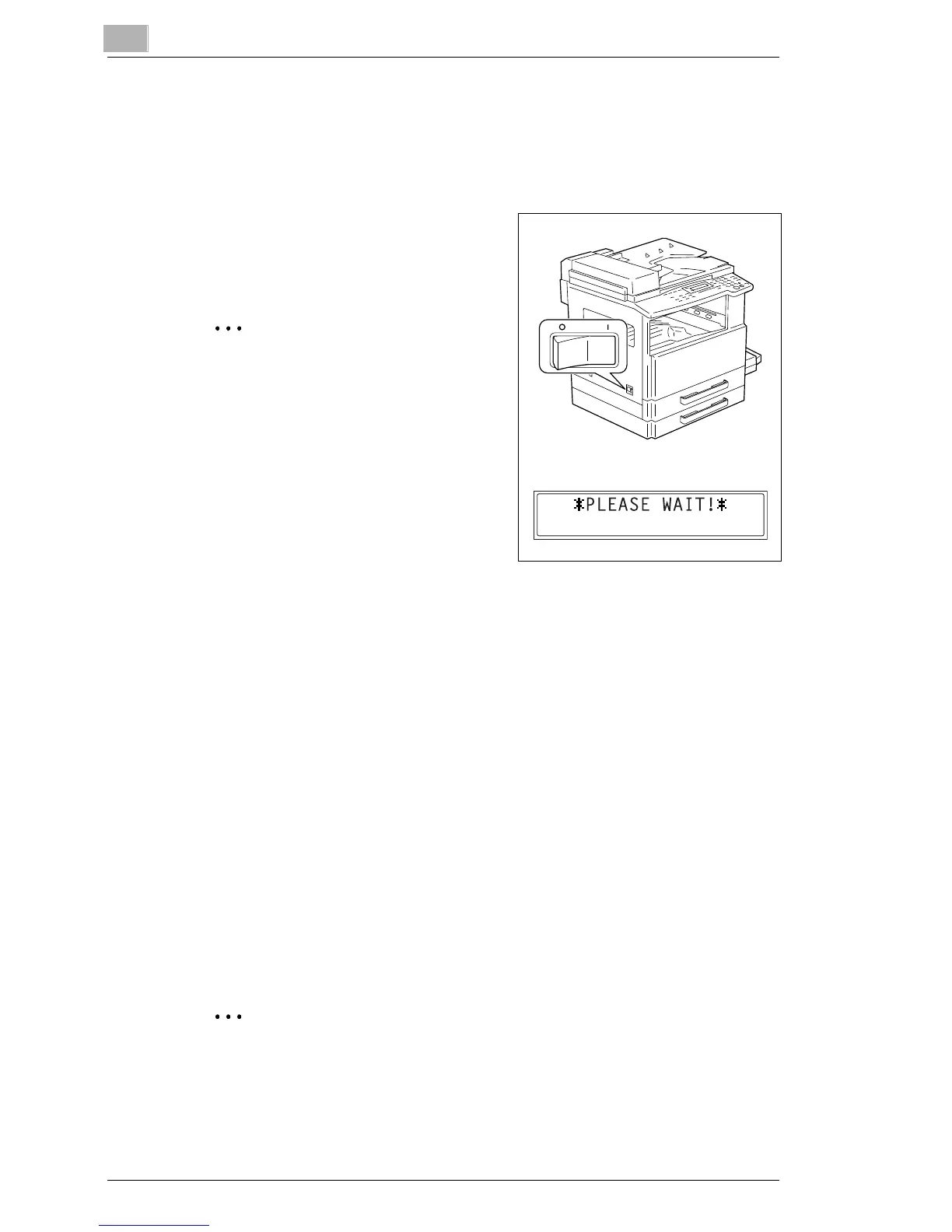
To turn on the machine
Set the Power Switch to “I”.
The indicator on the [Start] key lights up
in orange, and the message “PLEASE
WAIT!” appears in the display.
Note
If the [Start] key is pressed while the
indicator is lit in orange, the copy job
is queued. When the indicator on
the [Start] key lights up in green, the
loaded document is scanned and
copies are produced.
To turn off the machine
1 Check that all jobs are finished.
H If printed pages remain in the Copy Tray, remove them.
2 Set the Power Switch to “2”.
Default Settings
The settings that are automatically selected when the machine is turned
off or the [Auto Reset] key is pressed are called the “default settings”.
These settings serve as a reference for all functions.
Copy mode
G Number of copies: 1
G Copy density: AUTO
G Zoom ratio: Full size (× 1.00)
G Paper source: AUTO (with the Document Feeder installed)
G Output function: Non-sort
Tip
The default settings can be customized using the functions in the
Utility mode (“7
Utility Mode – Copy Functions”).










 To Next Page