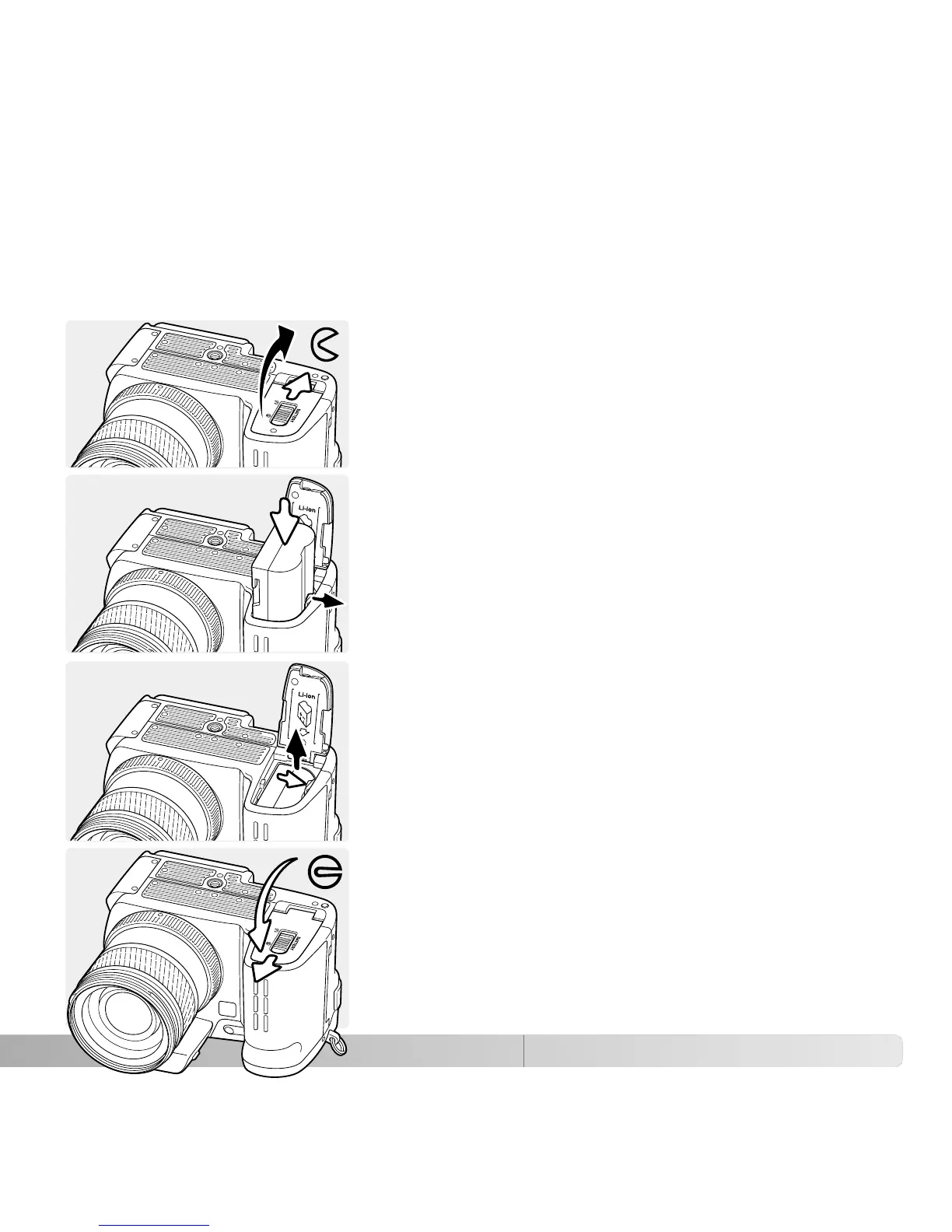
INSTALLING AND CHANGING THE BATTERY
Open the battery-chamber door by sliding the battery-
chamber lock to the open position.
Insert the battery with the battery contacts first. Insert the
battery so that it slides past the battery latch in the
chamber. Push the battery into the chamber until the
latch clicks into place.
This digital camera uses one NP-400 lithium-ion battery. Before using the battery, read
the safety warnings on pages 4 of this manual. When replacing batteries, the camera
should be off.
To remove a battery, slide the battery latch to the side of
the battery chamber; the battery will spring out.
Close the battery-chamber door and slide the battery-
chamber lock to the close position.
23















 To Next Page