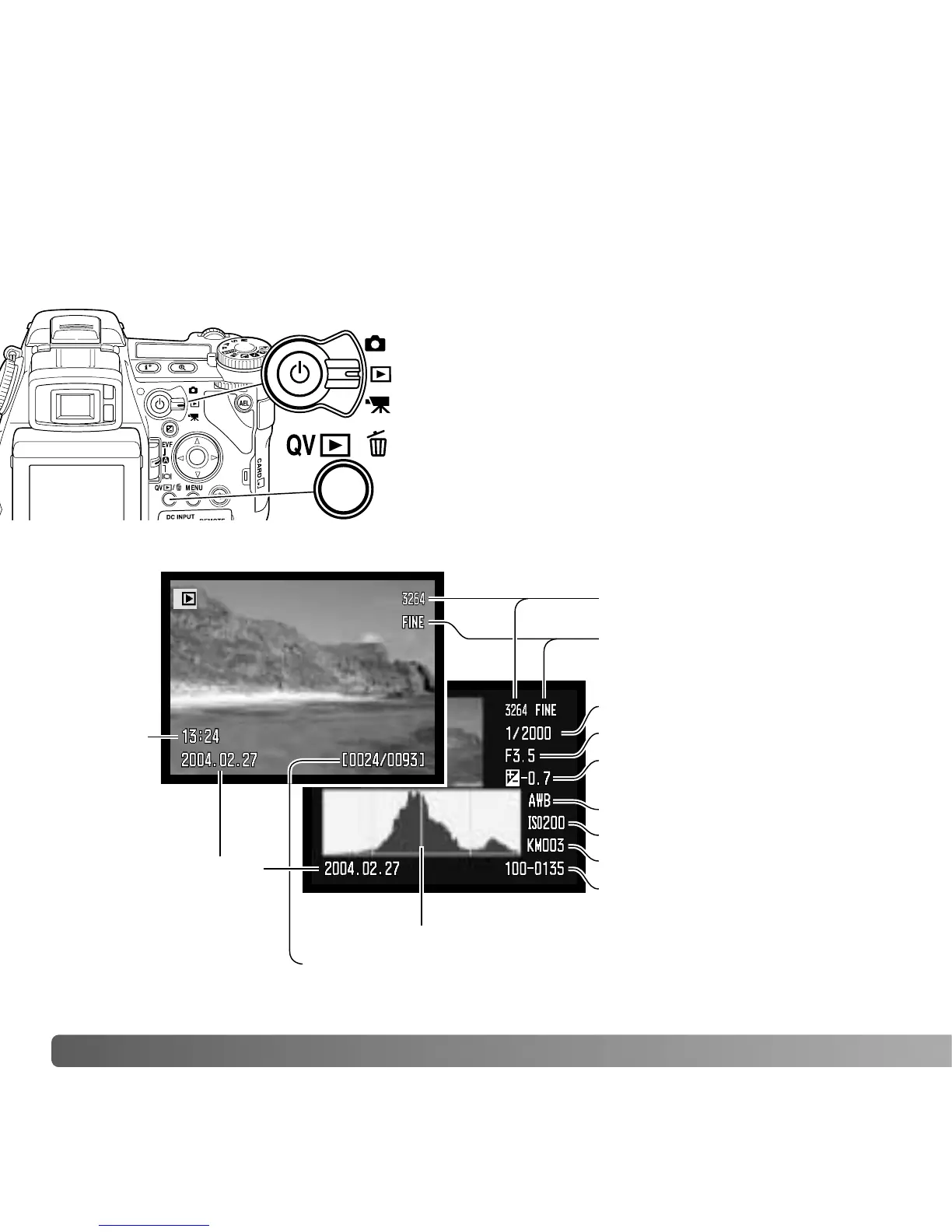
To view images from the playback mode, turn the
mode switch to the playback position.
To view images from the recording or movie
recording modes, press the Quick View / delete
button.
40
B
ASIC PLAYBACK
SINGLE-FRAME PLAYBACK AND HISTOGRAM DISPLAY
Date of capture
Frame number/ total number of images
Image size (p. 82)
Image quality (p. 82)
Time of
capture
Sensitivity setting (p. 74)
Degree of exposure
compensation (p. 59)
Folder name (p. 137)
Folder number -
image file number
Histogram (p. 19)
Images can be viewed in the Quick View or playback modes. This section covers the
basic functions in both modes. The playback mode has additional menu functions, see
page 116.
BASIC PLAYBACK















 To Next Page