29
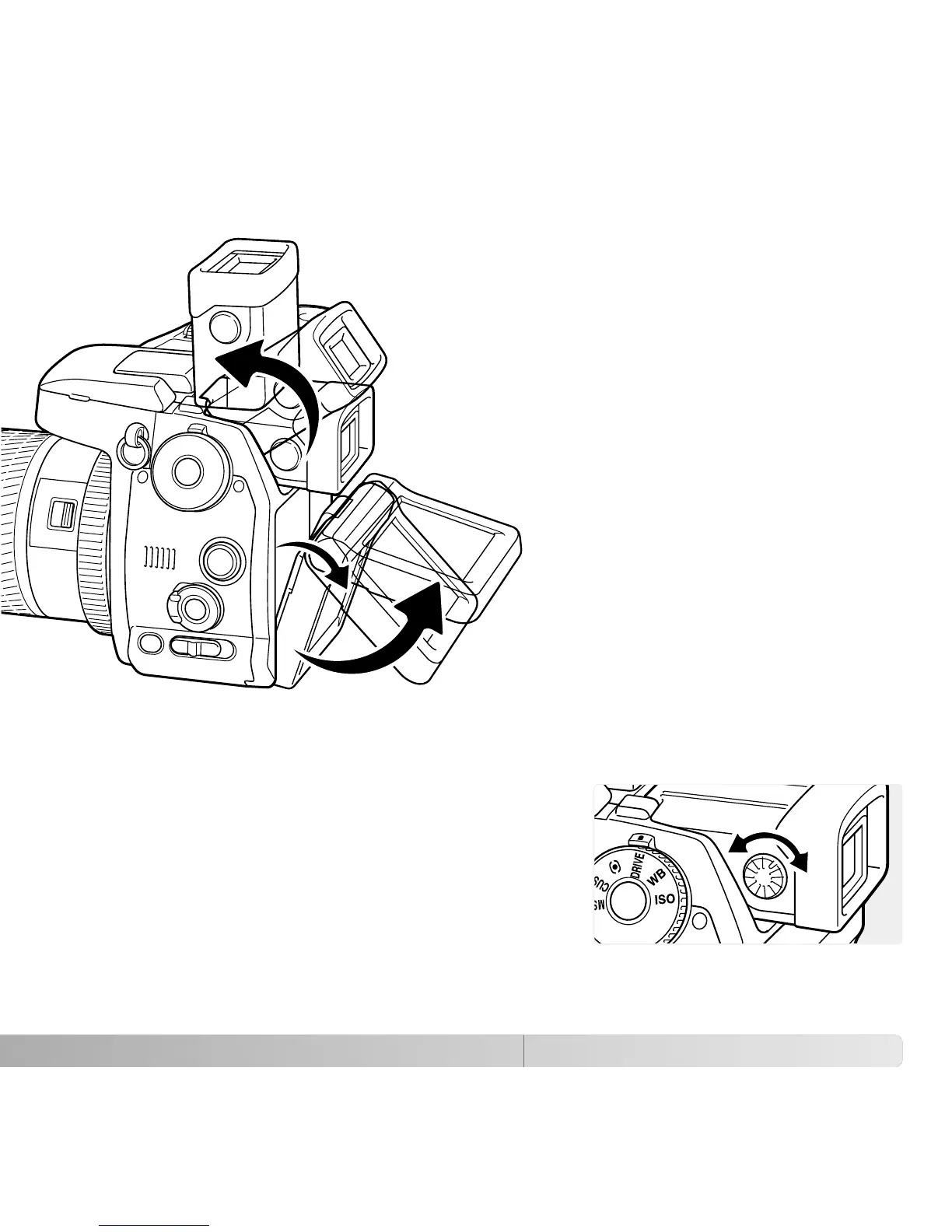
The EVF has a built-in diopter that can be adjusted
between –3.5 to +1.5. While looking through the EVF,
turn the diopter-adjustment dial until the viewfinder
image is sharp.
The electronic viewfinder can be tilted between 0°
and 90°. Simply grip the finder between your fingers
and move it to the position desired.
DIOPTER ADJUSTMENT
ADJUSTING THE VIEWFINDER AND MONITOR
Always store the camera with finder and monitor against the body.
The LCD monitor can be tilted
between –20° and +90°. Grip the top
of the monitor and pull to tilt it down.
The bottom of the monitor can then
be swung up.















 To Next Page