Replacing Consumables
133
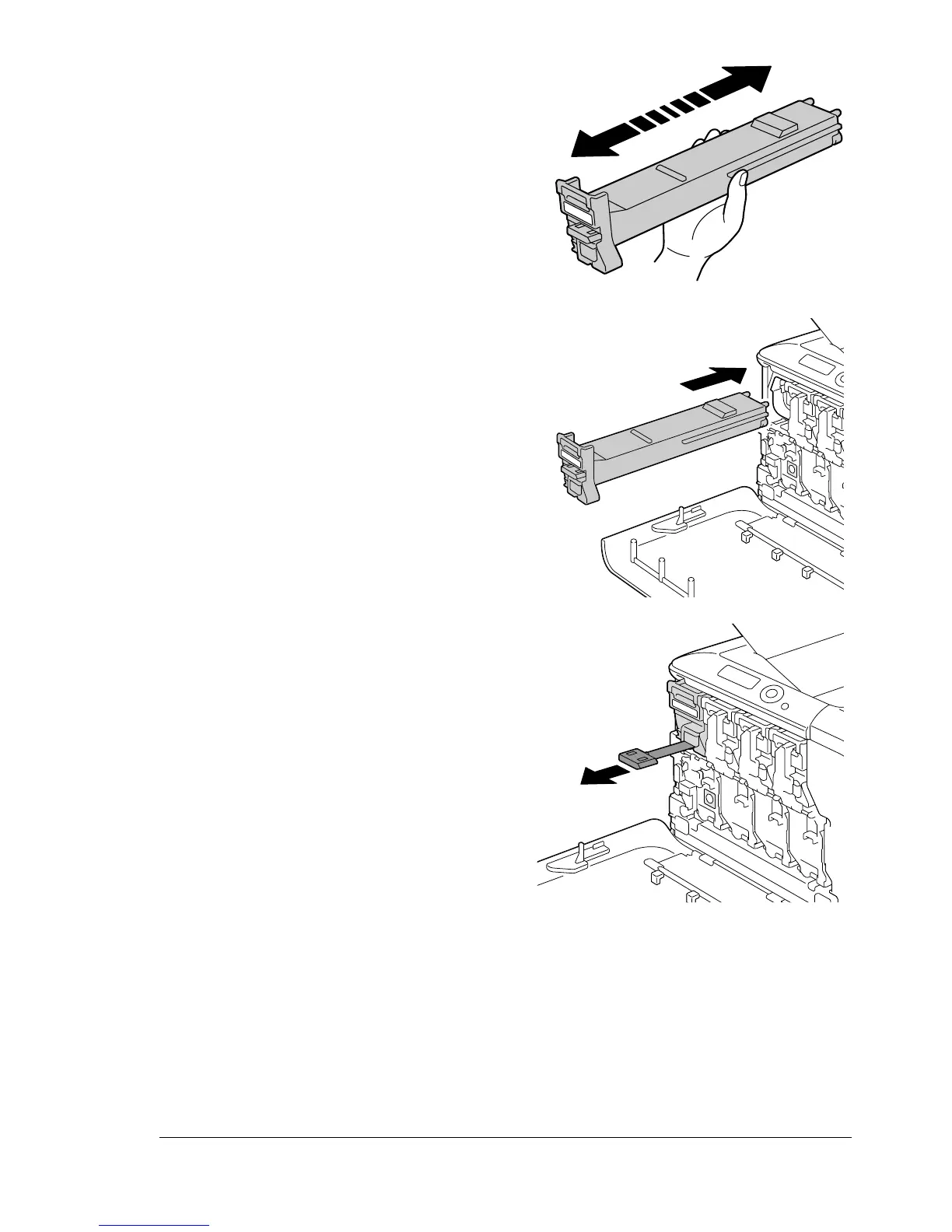
7 Shake the cartridge to distribute
the toner.
8 Make sure that the toner car-
tridge is the same color as the
printer compartment, and then
insert the toner cartridge into the
printer.
9 Make sure that the toner car-
tridge is securely installed, and
then peel off the protective film.
Y
3 ×
Y
Y
Y














 To Next Page