About the Control Panel
27
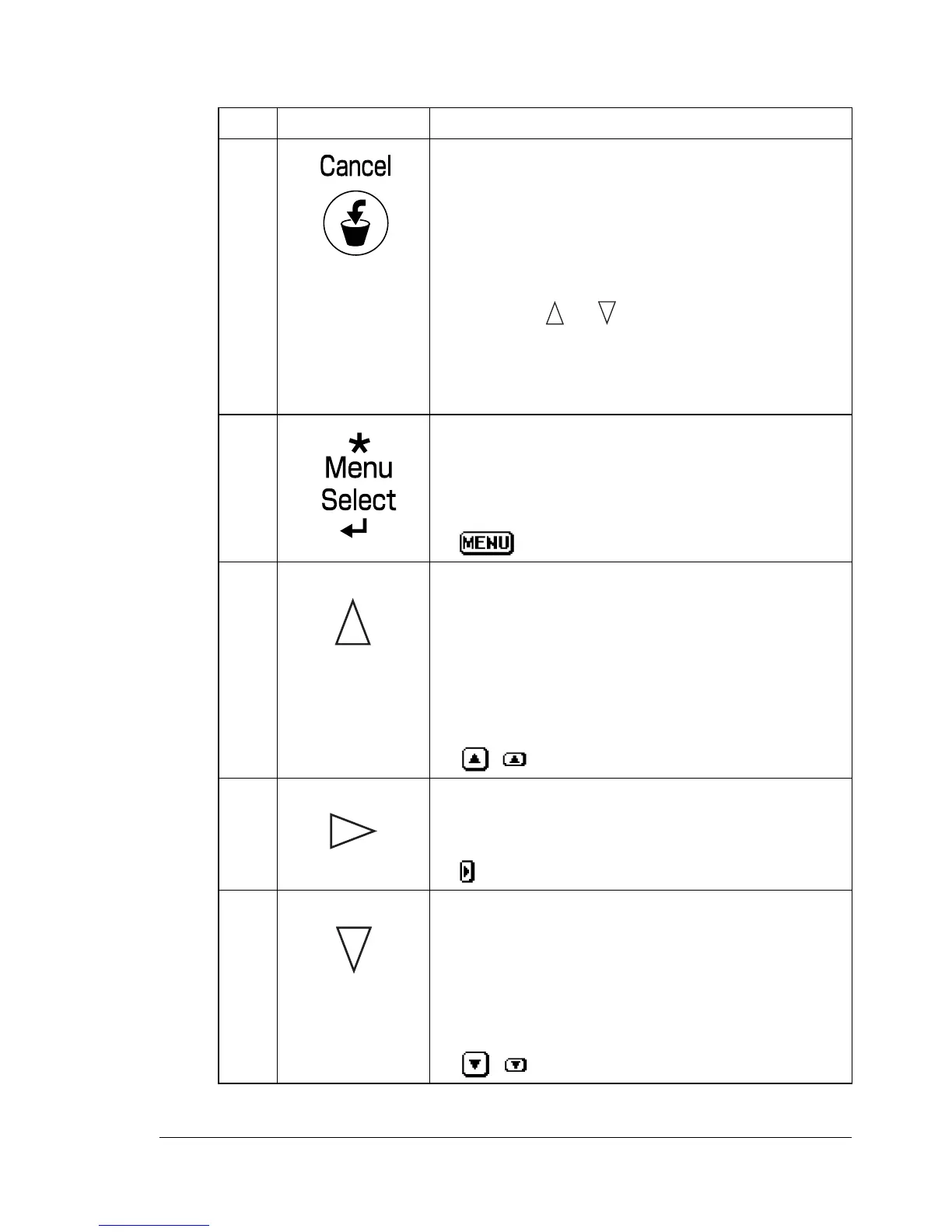
Control Panel Indicators and Keys
No. Key Function
1 Cancels the currently displayed menu or menu
choice
Allows you to cancel one or all print jobs that
are currently being printed or processed:
1. Press the Cancel key.
2. Press the or keys to select either
CUR-
RENT JOB
or ALL JOBS.
3. Press the Menu/Select key.
The print job(s) is (are) cancelled.
2 Enters the menu system
Moves down in the menu structure
Applies the selected setting
appears in the message window
3 Moves the cursor up
Returns to the status screen from the help
screen
Within a menu choice that is changeable char-
acter by character, scrolls upward through the
available characters
, appears in the message window
4 Moves the cursor to the right
Displays the next help screen
appears in the message window
5 Moves the cursor down
Displays the help screen when an error occurs
Within a menu choice that is changeable char-
acter by character, scrolls downward through
the available characters
, appears in the message window














 To Next Page