Duplexing122
Duplexing
Duplex (double-sided) printing can be done with magicolor 4650DN, which
has the duplex unit built in as a standard. If the paper has low opacity (high
translucency), then the printed data from one side of the page will show
through to the other side. Check your application for margin information. For
best results, print a small quantity to make sure the opacity is acceptable.
Note
Only plain paper, 60–90 g/m
2
(16–24 lb bond) can be autoduplexed. See
“Media Specifications” on page 100.
Duplexing envelopes, labels, postcards, thick stock, glossy media or
transparencies is not supported.
How do I autoduplex?
Duplex (double-sided) printing can only be performed with the magicolor
4650DN.
Check your application to determine how to set your margins for duplex
(double-sided) printing.
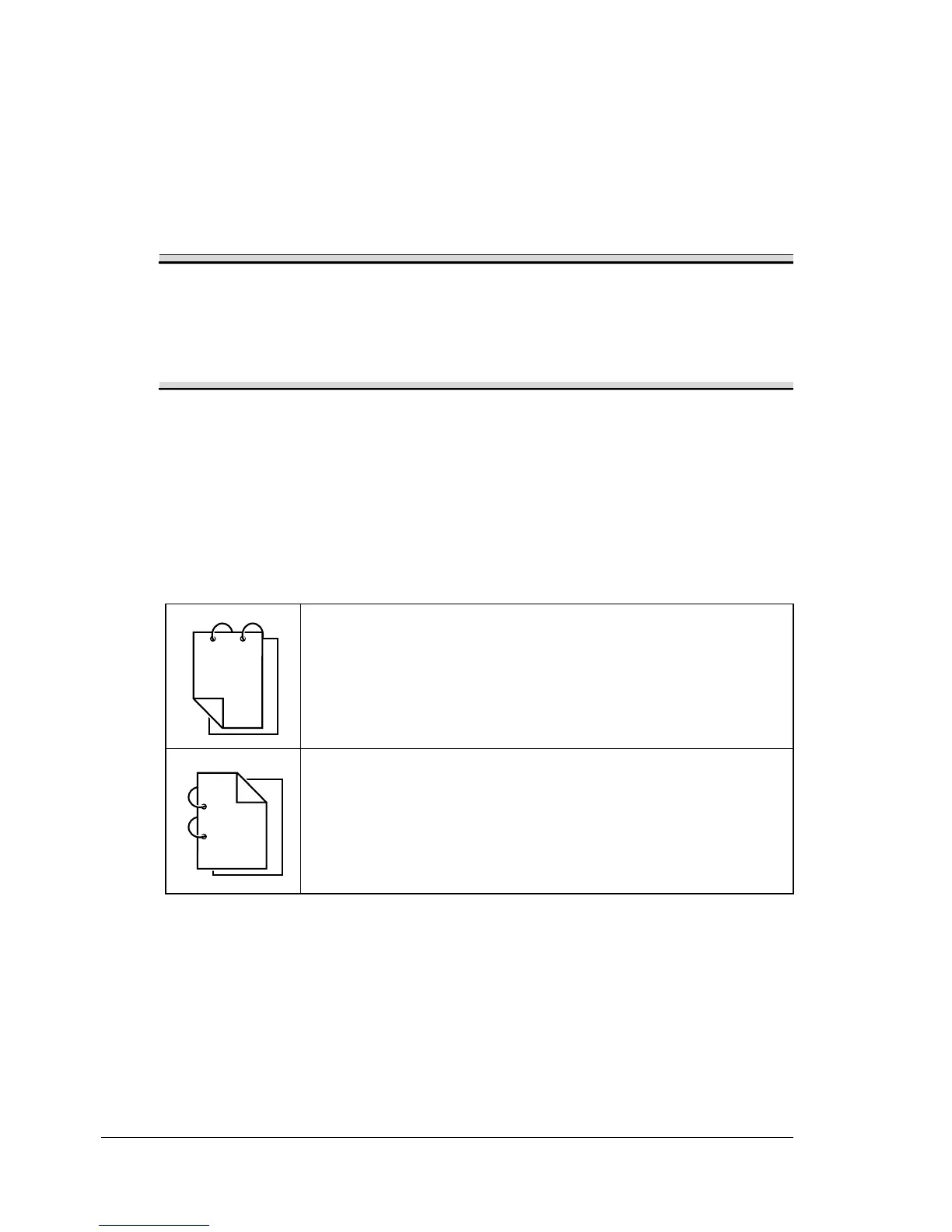
The following Binding Position settings are available.
If “Short Edge” is selected, the pages will be laid out to flip
at the top.
If “Long Edge” is selected, the pages will be laid out to flip
at the side.
1
3
1
2
1
1
1
1
1
2
3














 To Next Page