Hard Disk Kit
225
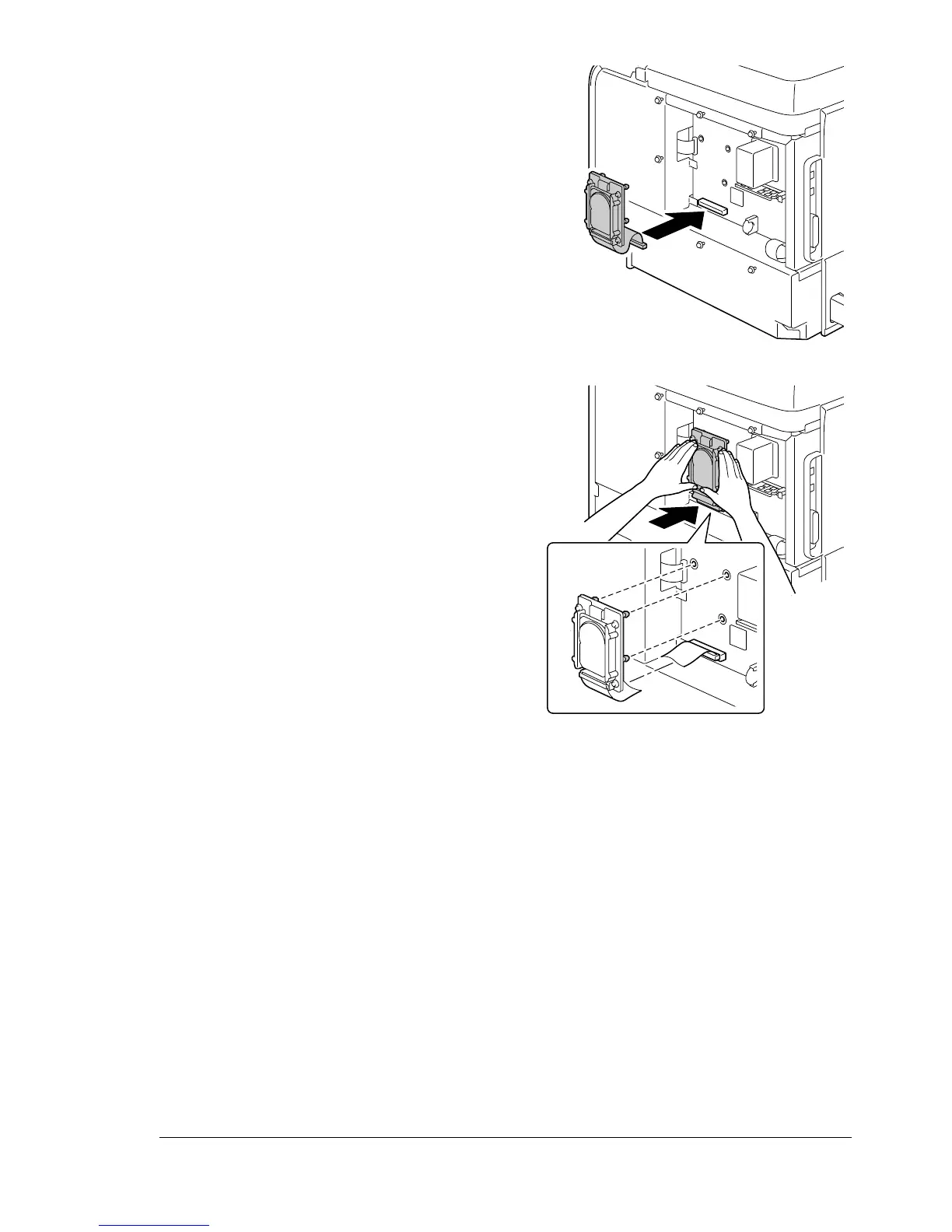
5 Plug the cable on the hard disk
kit into the connector on the con-
troller board.
6 Insert the three mounting pins
on the hard disk kit into the holes
in the controller board to mount
the hard disk kit onto the control-
ler board.
7 Reinstall the panel and tighten the seven screws.
8 Attach the rear cover.
9 Reconnect all interface cables.














 To Next Page