CompactFlash230
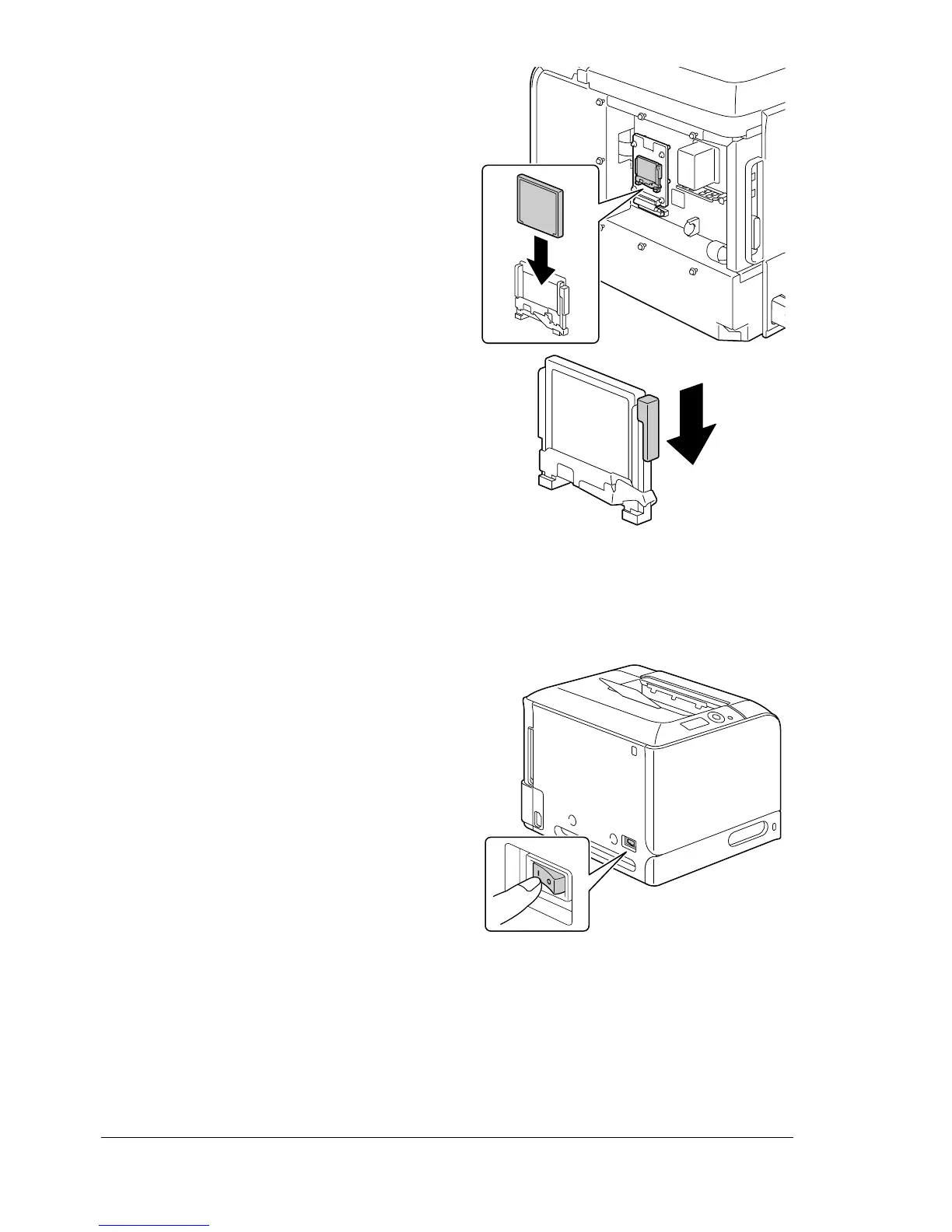
7 Fully insert the CompactFlash
card into the appropriate slot.
When the CompactFlash card is
correctly inserted, the button on
the top side of the slot (circled in
the illustration) slightly pops out.
" Before removing the
CompactFlash card,
press in this button.
8 Reinstall the panel and tighten the seven screws.
9 Attach the rear cover.
10 Reconnect all interface cables.
11 Reconnect the power cord, and
turn on the printer.
12 Declare the Memory card in the Windows printer driver (Properties/Con-
figure tab).














 To Next Page