6 Installation, removal
6.1 Dangers during installation, removal
6 Installation, removal
6.1 Dangers during installation, removal
The following safety instructions must be strictly observed:
o Have all work only carried out by electricians.
o Do not take apart the electronic unit.
6.2 Installing the electronic unit in the control cabinet
Personnel qualification: o Electrician
Personal protective equipment: o Work clothing
Aids: o KRAL tool set
Notice When the space is limited, mounting is also possible without a housing cover and without a seal with
cable entries.
Notice An adapter set is available for converting BEM4U to the electronic unit BEM500 Ä Accessor-
ies,Page42.
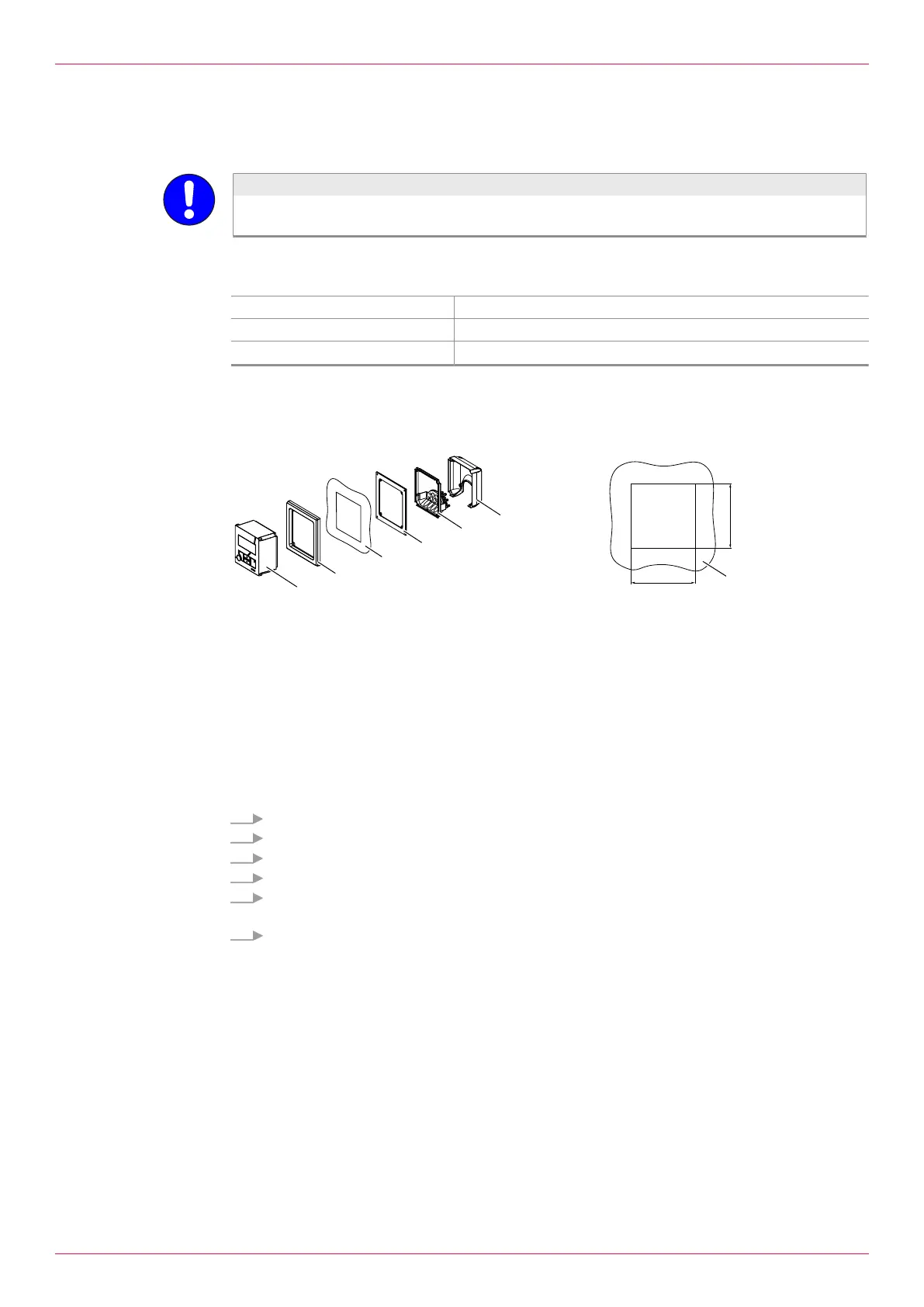
1 Electronic unit
2 Front frame
3 Control cabinet (section)
4 Sealing frame
5 Seal with cable entries
6 Housing cover
Requirement:
ü Control cabinet with plate thickness 0.5-5.0mm
ü Mounting depth min. 80mm
1. Create a control cabinet section.
2. If the space is limited, remove the housing cover6 and seal with cable entries5.
3. Slide the front frame2 from behind onto the electronic unit1.
4. Place the electronic unit with the front frame from the front into the control cabinet section.
5. Slide the sealing frame 4 from behind onto the electronic unit. In the process the sealing surface
must point to the front.
6. Fasten the front frame2 and sealing frame4 using the 4 supplied screws and wedge lock wash-
ers. Carefully tighten with 1Nm torque.
ð The electronic unit is ready for the connection of the cables.
16
OIE 12en-GB Edition 2020-03
Operating instructions


 To Next Page