11 Menu description
11.2 Start
No. Menu Information
3 Output settings
o 3.01Setting Function analog output
o 3.02Setting Allocation analog output1
o 3.03Setting Scale max. analog output1
o 3.04Setting Allocation analog output2
o 3.05Setting Scale analog max. output2
o 3.06Setting Averaging analog average
o 3.07Setting Function pulse output
o 3.08Setting Allocation pulse output1
o 3.09Setting Scale pulse output1
o 3.10Setting Allocation pulse output2
o 3.11Setting Scale pulse output2
o 3.12Setting Pulse output pulse width setting
o 3.13Setting Function relay1
o 3.14Setting Limit value bypass
o 3.15Setting Delay bypass
o 3.16Setting Waiting period repeat bypass
o 3.17Setting Switch Relay1
o 3.18Setting Switch Relay2
o 3.19Setting Modbus address
4 K-factors flow-
meterA
o 4.01K-factor VolumeterA Point1
o ...
o 4.07K-factor VolumeterA Point7
5 K-factors flow-
meterB
o 5.01K-factor VolumeterB Point1
o ...
o 5.07K-factor VolumeterB Point7
6* Density table1/
density calculation
o 6.01Density table1 Point1
o ...
o 6.10Density table1 Point10
o 6.20Density calculation
7* Density table2
o 7.01Density table2 Point2
o ...
o 7.10Density table2 Point10
8 Alarms
o 8.00No alarm. The electronic unit is working without problems.
o 8.01Alarm Password invalid.
o ...
o 8.21Alarm Max. FlowB exceeded. Check pick up!
* Representation depends on density determination selection, see 2.09Select setting density de-
termination.
11.2 Start
Menu item Description
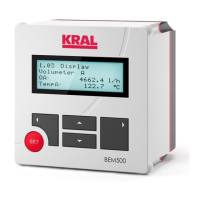
1.00Information = Start message with display of the serial number as well as version of the software and hardware.
After switching on the start message shows for three seconds that the electronic unit is ready to oper-
ate. After that the following is displayed 1.01Consumption display
Note:
Activate or deactivate start message, see 2.11Setting Display start message
Operating instructions
OIE 12en-GB Edition 2020-03
27


 To Next Page