2
INSTALLATION
18
OPTISONIC 3400
www.krohne.com 02/2015 - QS OPTISONIC 3400 - 4002741204-R04 en
2.18.2 Turning the display of the field housing version
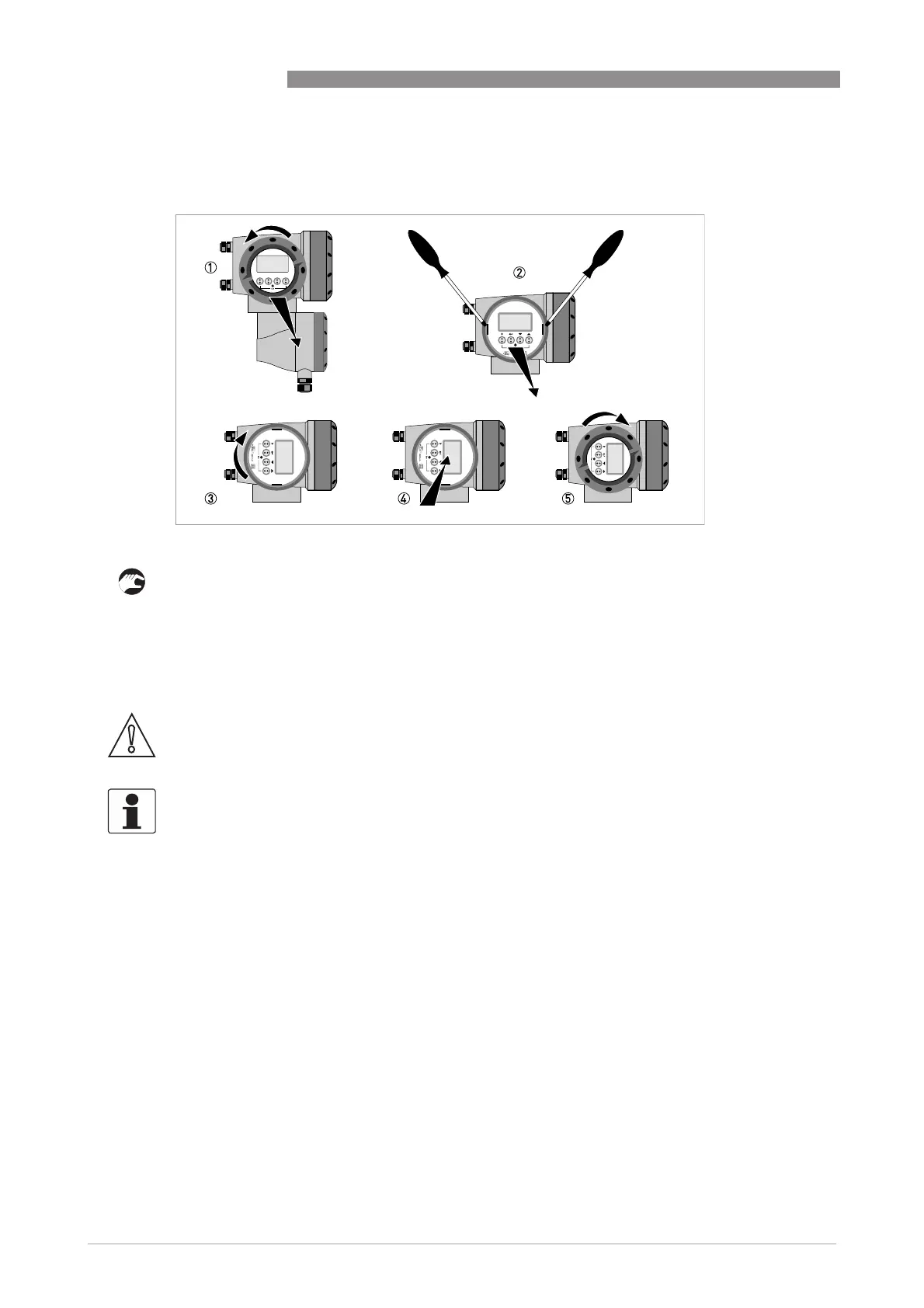
The display of the field housing version can be turned in 90° increments.
1 Unscrew the cover from the display and operation control unit.
2 Using a suitable tool, pull out the two metal puller devices to the left and right of the display.
3 Pull out the display between the two metal puller devices and rotate it to the required position.
4 Slide the display and then the metal puller devices back into the housing.
5 Re-fit the cover and tighten it by hand.
Figure 2-19: Turning the display of the field housing version
CAUTION!
The ribbon cable of the display must not be folded or twisted repeatedly.
INFORMATION!
Each time a housing cover is opened, the thread should be cleaned and greased. Use only resin-
free and acid-free grease.
Ensure that the housing gasket is properly fitted, clean and undamaged.







 To Next Page