III - 5
Preparing for Operation
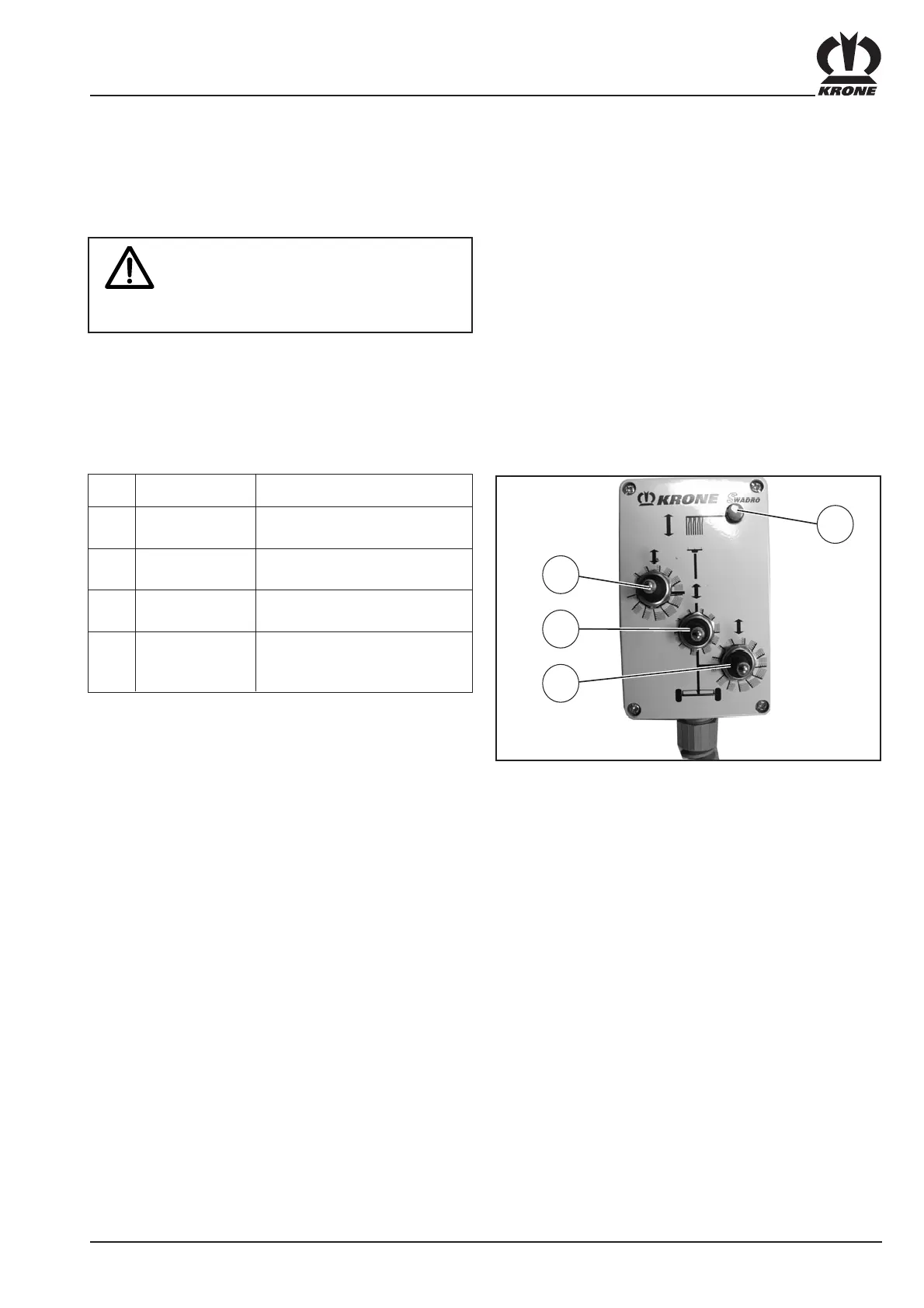
Always activate one function only on
the control unit.
The switches of all other functionss
must be set to neutral.
The following table shows the function of the different
switches.
3.3.5 Function of the switches on the
control unit
SW101008
2
3
4
1
Item Designation Function
1 Indicator light Lit when the
(green) rocker switch is activated
2 Rocker switch Adjusting the working depth
(touch-sensitive) Front left rotor
3 Rocker switch Adjusting the working depth
(touch-sensitive) Centre rotor
4 Rocker switch Adjusting the working depth
(touch-sensitive) Rear right rotor









 To Next Page