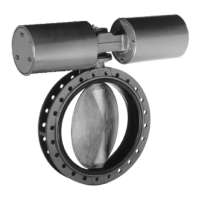
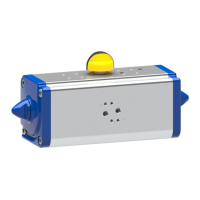
Fig.13: Water flow detection set-up
1 Accumulator 2 Water flow detector
3 Pressure indicator 4 Sensor cables
5 Shut-off element 6 Temperature sensor
The water flow detector responds every time water is added to and withdrawn from
the accumulator. At the same time, a temperature sensor measures the ambient
temperature. If no water has been added to or withdrawn from the accumulator for
a prolonged period of time, and/or the ambient temperature is too high,
BoosterControl Advanced outputs a message.
The limit values are parameterisable.
To issue warnings and alerts if the ambient temperature limit is exceeded or the
required number of water replacements is not reached.
ü The water flow detector has been connected to BoosterControl Advanced.
ü If applicable: The temperature sensor has been connected to BoosterControl
Advanced.
1. To activate the water flow detector, select parameter 3-3-4 and configure it as
follows, depending on the set-up of the system:
Log in to BoosterControl Advanced at the service or factory access level.
(ðSection6.6,Page31)
Table46: Activating the water flow detector
Possible values System configuration
1 tank
2 tanks
3 tanks
One to three accumulators
1 tank + temp.
2 tanks + temp.
3 tanks + temp.
One to three accumulators with temperature
sensor
Temperature Temperature sensor only
The following values are pre-set and can be adapted as required:
Log in to BoosterControl Advanced at service or factory access level.
(ðSection6.6,Page31)


 To Next Page