8 Commissioning/Start-up/Shutdown
49 of 88
BoosterControl Advanced
Table43: Optional parameter settings for inlet tank
Parameter Description Default Possible values
3-4-1-4-4 Level for dry running condition;
BoosterControl Advanced stops all
pumps
10 % 0 ... 99 %
3-4-1-4-5 Only visible if "no water" message
has been deactivated in parameter
3-9.
Level at which the dry running alert is
reset and all pumps are started again
15 % 0 ... 99 %
3-4-1-4-6 Critical water level 30 % 0 ... 99 %
3-4-1-4-7 High water level 105 % 0 ... 199 %
Further settings depend on the inlet tank valve used.
BoosterControl Advanced can control the following valves:
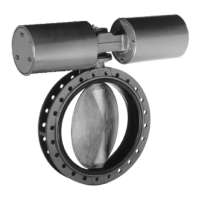
▪ Motorised gate valve (ðSection8.5.3.6,Page49)
▪ Proportional valve (ðSection8.5.3.1,Page47)
8.5.3.6 Level control via motorised gate valve
If a motorised gate valve is used.
Log in to BoosterControl Advanced at service or factory access level.
(ðSection6.6,Page31)
Set the following parameters:
Table44: Level control via motorised gate valve
Parameter Description Default Possible values
3-4-1-4-9-1 Level in the inlet tank at which the
motorised gate valve is to open
70 % 0 ... 100 %
3-4-1-4-9-2 Level in the inlet tank at which the
motorised gate valve is to close
90 % 0 ... 100 %
8.5.4 Parameterising the accumulator function (frequency-controlled systems only)
Before the system stops, an accumulator can be pressurised up to a certain limit
value. As the last pump is running, a check is periodically carried out while gradually
reducing pump output to determine if the switch-off point was reached. When this
switch-off point is reached, an accumulator can be charged to an increased pressure
before the system is stopped.
Subsequently tapped small quantities of water are then supplied from the
accumulator first before the system starts up again (energy-saving mode).
Log in to BoosterControl Advanced at service or factory access level.
(ðSection6.6,Page31)
Table45: Parameter settings for accumulator function
Parameter Description Default Possible values
3-5-4 Accumulator offset: Difference
between setpoint and minimum
pressure in the accumulator before
BoosterControl Advanced stops the
system
30 kPa 0 ... 999 kPa
8.5.5 Water flow detection (WSD)
The water flow detection function can be implemented by means of an accumulator
installed on the discharge side. If used, the set-up is as follows:
▪ Connect the water flow detector to inputs WSD1 to WSD3 (DI 1 - 3) as required.
▪ Connect the temperature sensor (PT1000) to terminal J401.


 To Next Page