4-9
Copying > Copying Functions
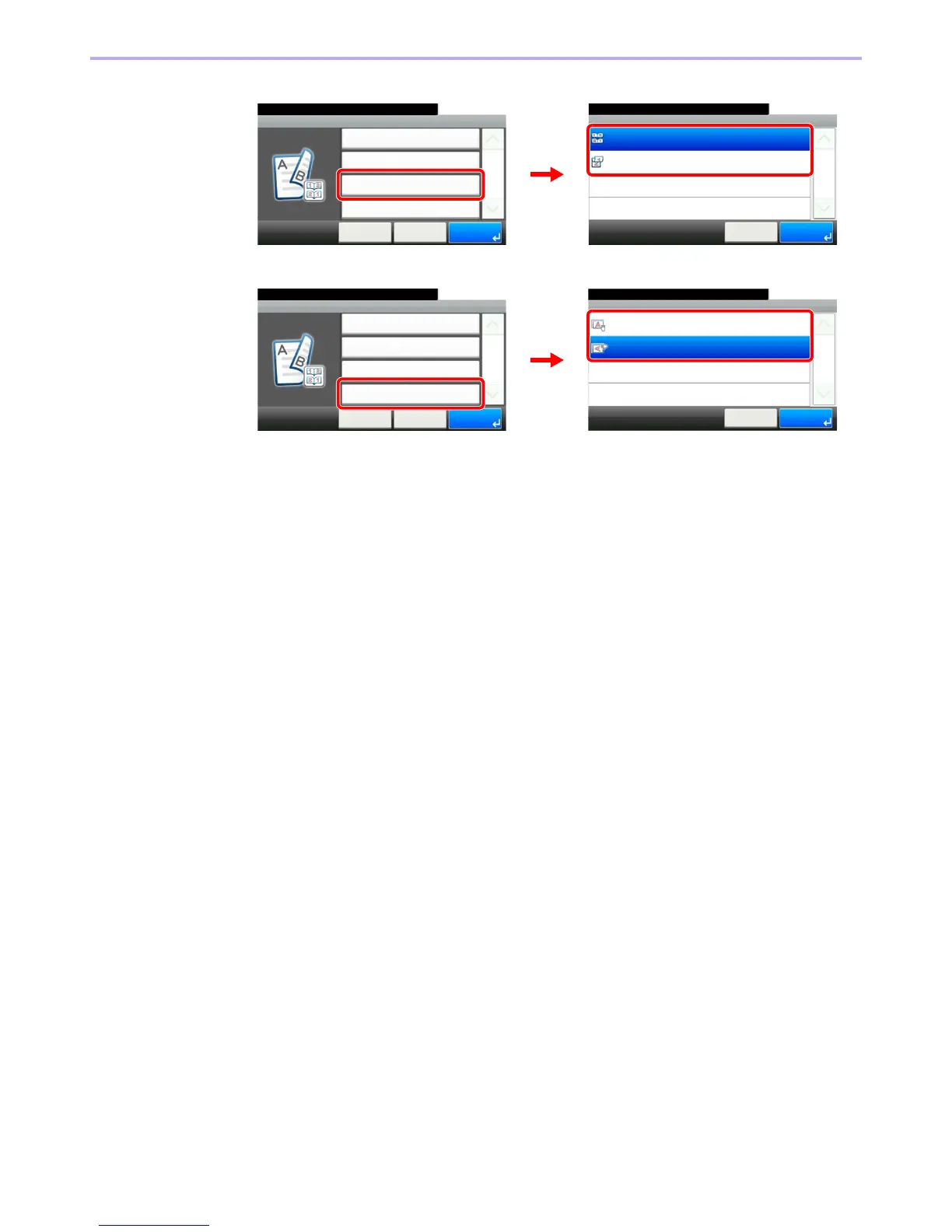
4 Select the binding edge of the finished copies.
5 Select the original orientation.
Duplex - Binding in Finishing
10:10
Top
Left/Right
Cancel
1/1
OK
Ready to copy. (Full Color)
Duplex - Duplex
Duplex
10:10
Cancel
Binding in Original
< Back
1/1
OK
2-sided>>2-sided
Left/Right
Binding in Finishing
Left/Right
Original Orientation
Top Edge on Left
Ready to copy. (Full Color)
GB0010_01
GB0012_00
1
2
Duplex - Original Orientation
10:10Ready to copy. (Full Color)
Top Edge on Left
Top Edge on Top
Cancel
1/1
OK
Duplex - Duplex
Duplex
10:10
Cancel
Binding in Original
< Back
1/1
OK
2-sided>>2-sided
Left/Right
Binding in Finishing
Left/Right
Original Orientation
Top Edge on Left
Ready to copy. (Full Color)
GB0010_01
GB0015_03
1
2



 To Next Page