6-44
Sending > Scanning using TWAIN
Scanning using TWAIN
This section explains how to scan an original using TWAIN.
The procedure for scanning using the TWAIN driver is explained as an example. The WIA driver is used in the same
way.
1
Display the window.
1 Activate the TWAIN compatible application.
2 Select the machine using the application and display the TWAIN dialog box.
2
Configure the function.
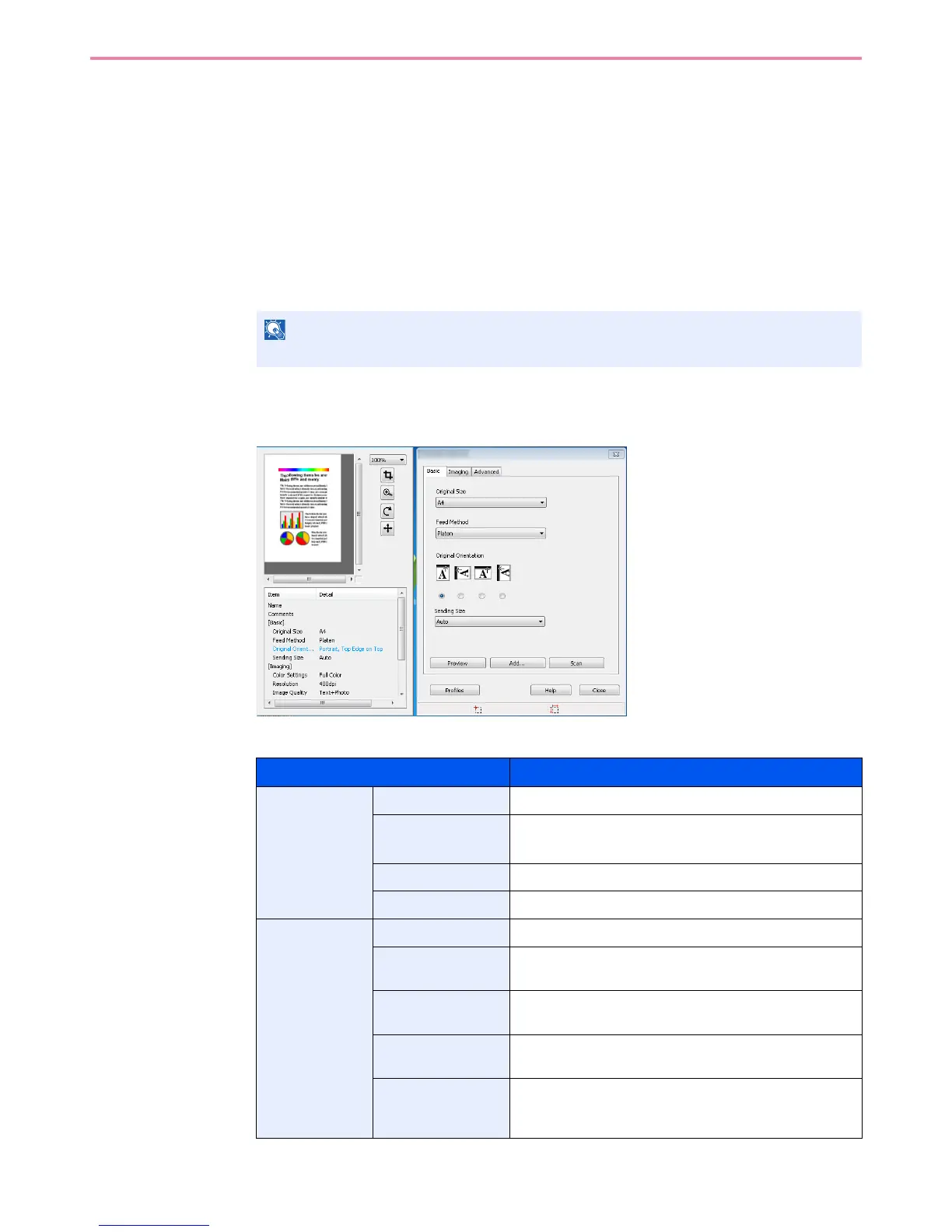
Select scanning settings in the TWAIN dialog box that opens.
The settings that appear in the TWAIN dialog box are as follows.
NOTE
For selecting the machine, see the Operation Guide or Help for each application software.
Item Detail
Basic Original Size This setting sets the size of the scan area.
Feed Method This setting specifies the feed method of the original.
Select the feed method from the list.
Original Orientation
This setting specifies the orientation of the original.
Sending Size This setting specifies the image size.
Imaging Color Settings This setting specifies the type of color for the image.
Resolution This setting specifies the dpi (dots per inch), or sharpness,
for the image.
Image Quality This setting specifies the overall image quality. Make sure
your selection matches the original that you are scanning.
Exposure Level This setting specifies the sharpness and clarity of the
image
Contrast This setting specifies the contrast between light and dark
areas of the image. This feature cannot be used when
Black & White is selected in the Color Settings.



 To Next Page