EasyManua.ls Logo

Kyocera TASKalfa 265ci - XPS Fit to Page

Kyocera TASKalfa 265ci
355 pages
Print Icon
To Next Page IconTo Next Page
To Previous Page IconTo Previous Page
Loading...
7-12
Document Box > Functions for Document Box
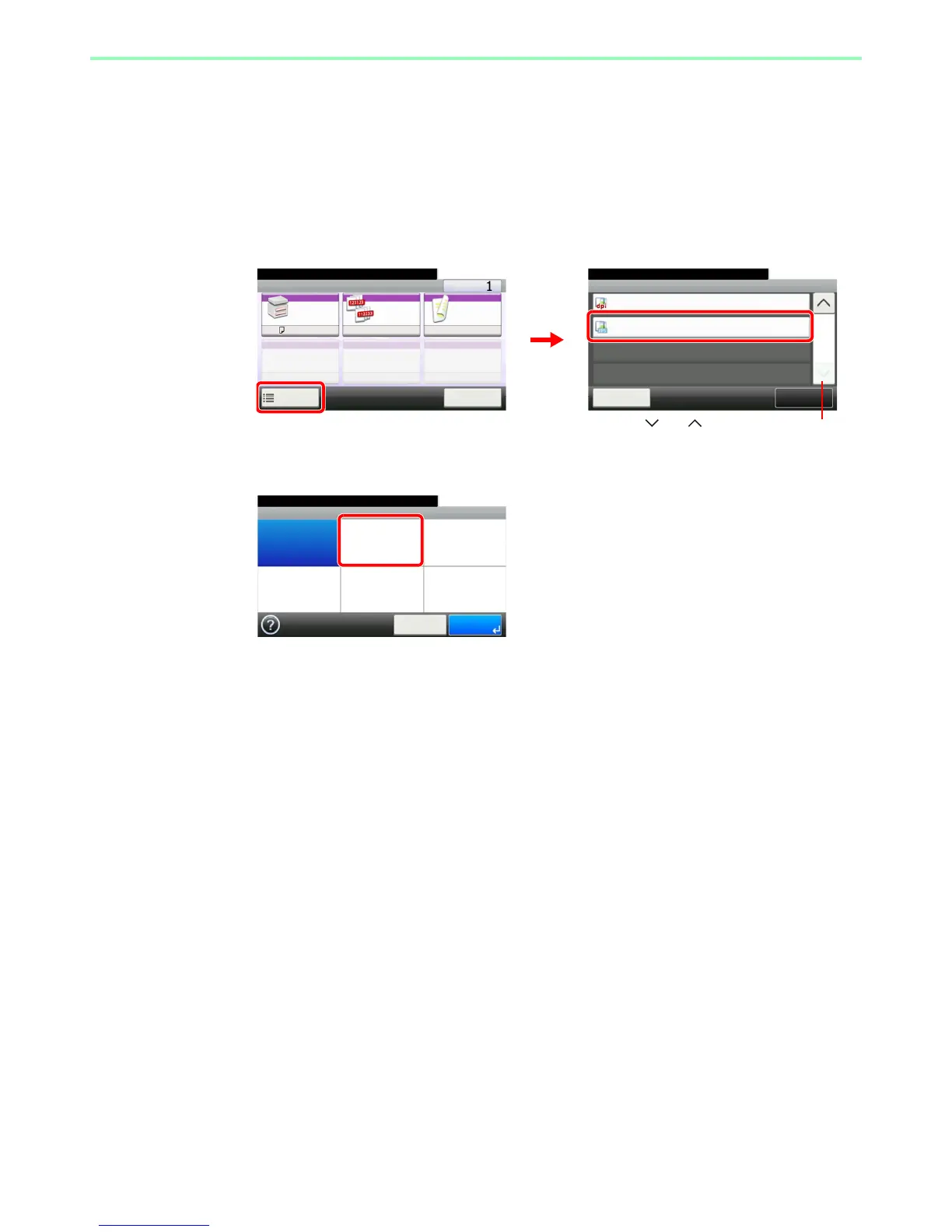
XPS Fit to Page
Reduces or enlarges the image size to fit to the selected paper size when printing XPS files.
1
Display the screen.
1 Referring to Printing Documents Stored in Removable USB Memory on page 7-2, display
the screen.
2
2
Select the function.
Ready to print from Box.
Functions
Close
10:10
JPEG/TIFF Print
Paper Size
Off
XPS Fit to Page
2/2
Add/Edit
Shortcut
Ready to print from Box.
Print Copies
Paper
Selection
Collate Duplex
A4
Functions
10:10
Cancel
On 1-sided
1
2
Use [ ] or [ ] to scroll up and down.
GB0097_00
GB0099_01
GB0102_00
Ready to print from Box.
XPS Fit to Page
Off On
10:10
Cancel OK

Table of Contents