6-33
Sending > Adding a Destination on One Touch Key
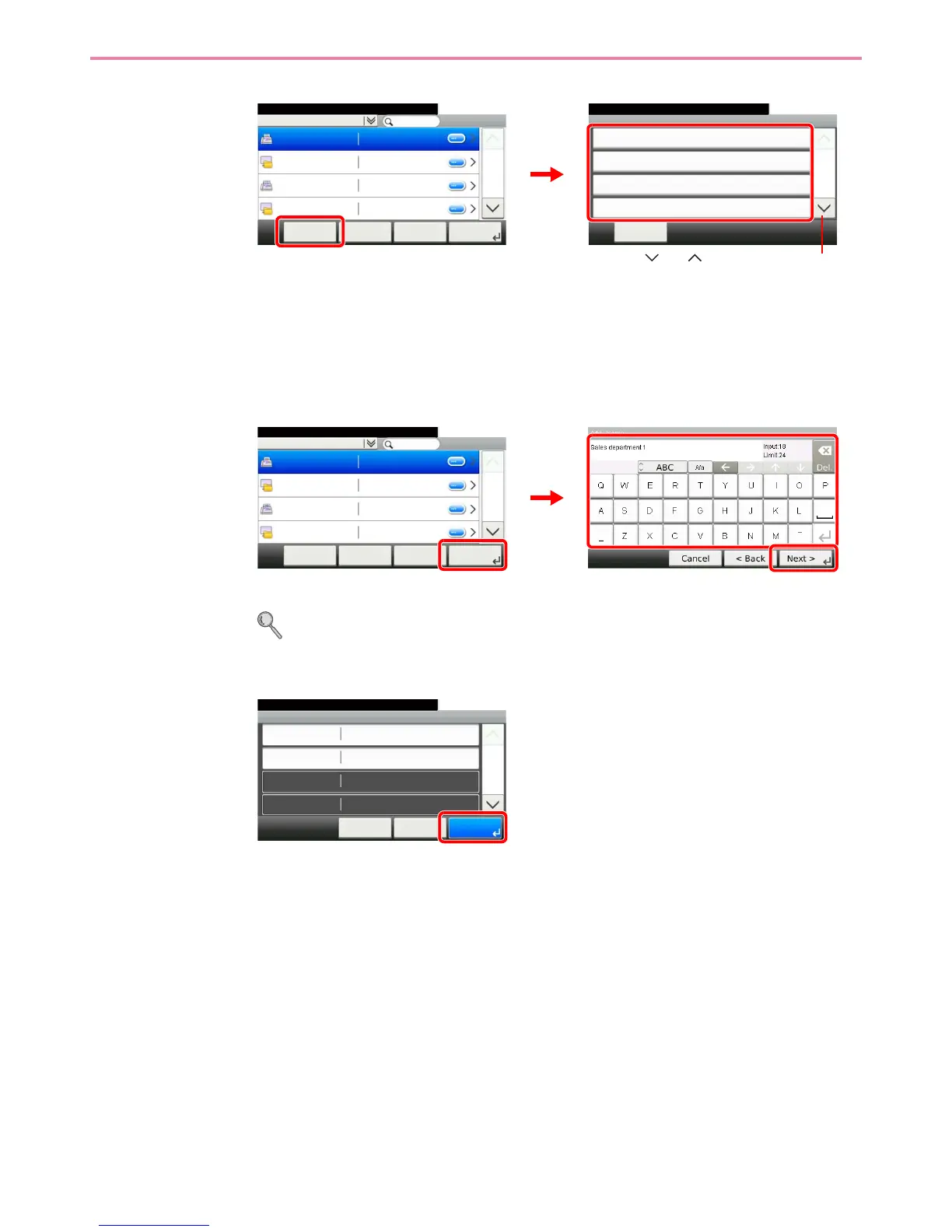
You can also press [Menu] to perform a more detailed search.
Narrow Down: Advanced search by type of registered destination (E-mail, Folder (SMB/FTP),
FAX or Group).
Search (Name) and Search (No.): Searches by destination name or address number.
Sort (Name) and Sort (No.): Sorts the list by destination name or address number.
4
Enter the One Touch Key name.
Up to 24 characters can be entered.
Refer to Character Entry Method on page 11-7 for details on entering characters.
5
Register the destination.
Address Book (All)
10:10System Menu/Counter.
Sales department 1
Menu
1/2
Next >
0123456
Sales department 1 abc
Support department
0234567
Support department .BOX
Cancel < Back
Menu
Narrow Down
10:10
Close
Search (Name)
Search(No.)
Sort (Name)
1/2
GB0396_00
GB0429_00
Use [ ] or [ ] to scroll up and down.
1
2
GB0057_18
2
3
Address Book (All)
10:10System Menu/Counter.
Sales department 1
Menu
1/2
Next >
0123456
Sales department 1 abc
Support department
0234567
Support department .BOX
Cancel < Back
GB0429_00
1
GB0754_00
Add - Confirmation
Sales department 1
10:10
Cancel
System Menu/Counter.
FAX Number
Sub Address
TX Start Speed
Name
0123456
33600bps
< Back
1/2
Save



 To Next Page