9-27
Setup, Registration, and User Management > System Menu
2
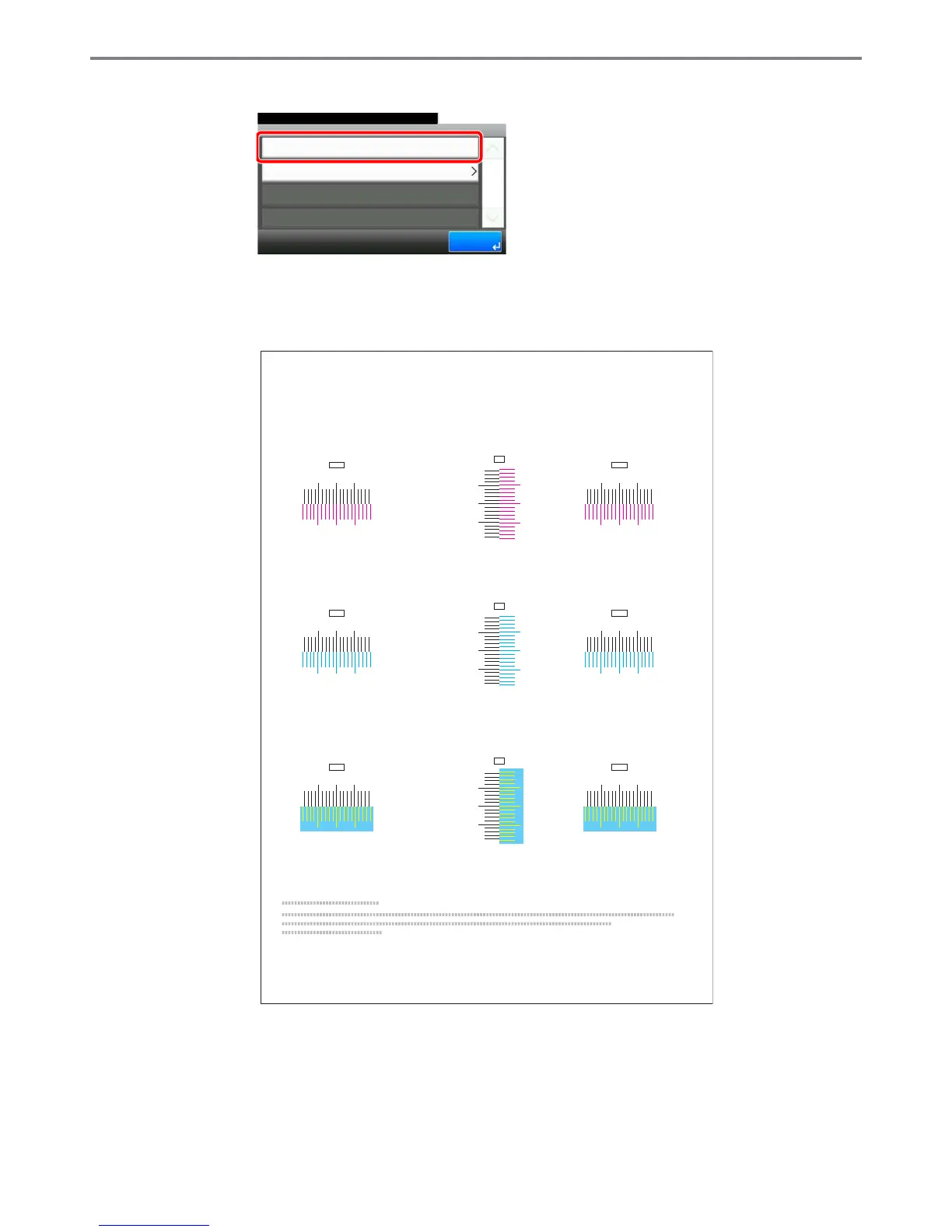
Print the chart.
A chart is printed. On the chart, for each of M (magenta), C (cyan) and Y (yellow), 3 chart
types are printed on one sheet: H-L (left), V (vertical), H-R (right).
Chart Example
GB0642_00
Color Registration - Normal
10:10System Menu/Counter.
Registration
Print Chart
1/1
End
I
H
G
F
E
D
C
B
A
0
1
2
3
4
5
6
7
8
9
MH-L
I
H
G
F
E
D
C
B
A
0
1
2
3
4
5
6
7
8
9
CH-L
I
H
G
F
E
D
C
B
A
0
1
2
3
4
5
6
7
8
9
YH-L
I
H
G
F
E
D
C
B
A
0
1
2
3
4
5
6
7
8
9
MH-R
I
H
G
F
E
D
C
B
A
0
1
2
3
4
5
6
7
8
9
CH-R
I
H
G
F
E
D
C
B
A
0
1
2
3
4
5
6
7
8
9
YH-R
MV
9
8
6
4
2
0
B
D
F
H
7
5
3
1
A
C
E
G
I
CV
YV
9
8
6
4
2
0
B
D
F
H
7
5
3
1
A
C
E
G
I
9
8
6
4
2
0
B
D
F
H
7
5
3
1
A
C
E
G
I
Color Registration Correction Chart



 To Next Page