9-38
Setup, Registration, and User Management > User Login Administration
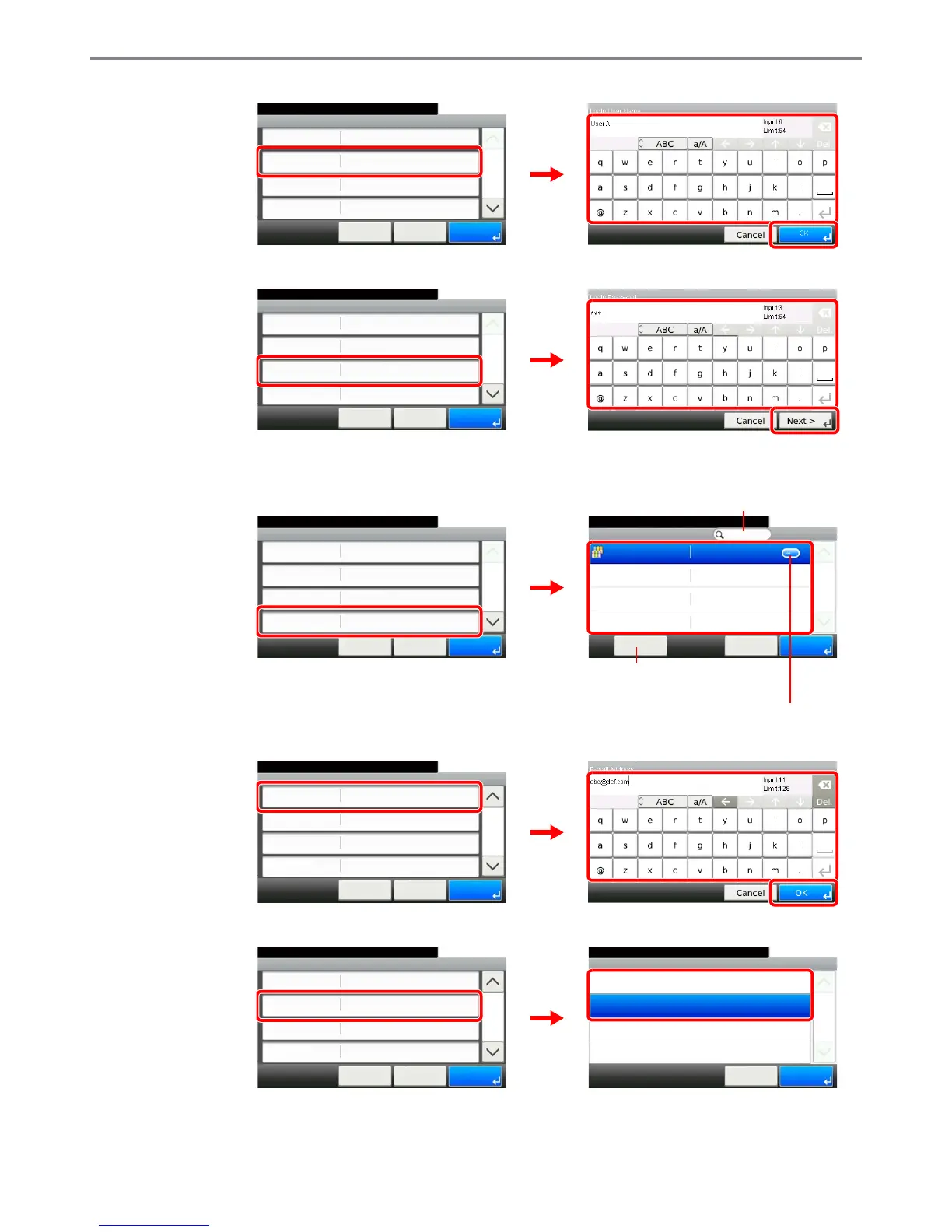
[Login User Name]
[Login Password]
Enter the same login password twice for confirmation purposes.
[Accounting Name]
[E-mail Address]
[Access Level]
Select the user access privilege.
GB0446_00
GB0057_28
Add - Confirmation
User A
10:10
Cancel
Select the item that you want to change.
Login User Name
Login Password
Account Name
User Name
User A
**********
< Back
1/2
Save
Others
1
2
3
GB0446_00
GB0057_29
Add - Confirmation
User A
10:10
Cancel
Select the item that you want to change.
Login User Name
Login Password
Account Name
User Name
User A
**********
< Back
1/2
Save
Others
1
2
3
GB0446_00
GB0603_00
Add - Confirmation
User A
10:10
Cancel
Select the item that you want to change.
Login User Name
Login Password
Account Name
User Name
User A
**********
< Back
1/2
Save
Others
1
Account Name
10:10System Menu/Counter.
Others
Menu
1/1
OKCancel
2
Displays details for individual account names.
Allows you to search for an account
name and sorts results.
Searches by account name.
GB0057_30
GB0446_01
Add - Confirmation
10:10
Cancel
System Menu/Counter.
Access Level
My Panel
Local Authorization
E-mail Address
User
< Back
2/2
Save
1
2
3
Access Level
10:10System Menu/Counter.
User
Administrator
Cancel
1/1
OK
GB0443_00
GB0446_01
Add - Confirmation
10:10
Cancel
System Menu/Counter.
Access Level
My Panel
Local Authorization
E-mail Address
User
< Back
2/2
Save
1
2



 To Next Page