9-63
Setup, Registration, and User Management > Job Accounting
3
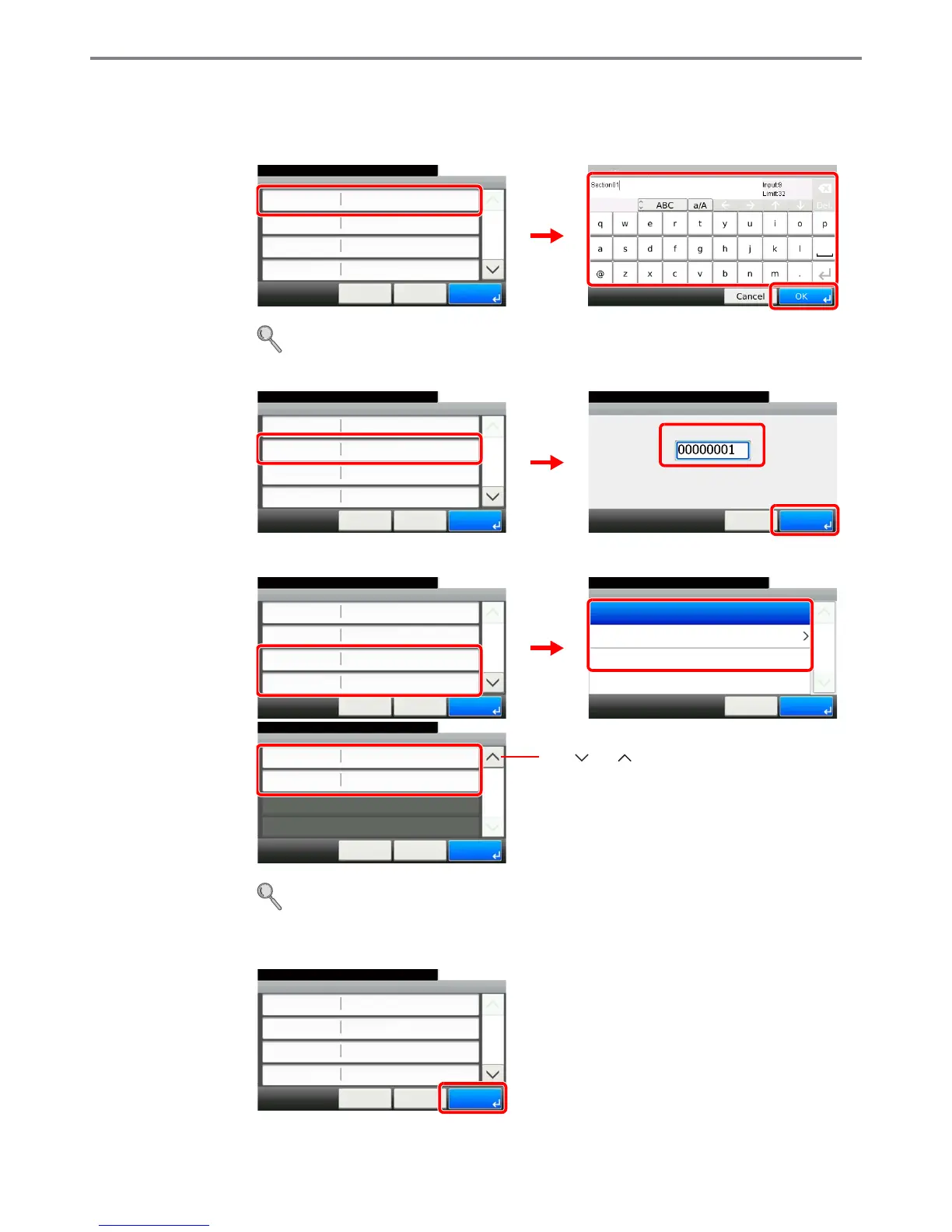
Check the settings.
Check the settings and change or add information as needed.
[Account Name]
Refer to Character Entry Method on page 11-7 for details on entering characters.
[Account ID]
Restrictions
For details, refer to Restricting the Use of the Machine on page 9-66.
4
Register the account.
Add - Confirmation
Section 01
10:10
Cancel
Select the item that you want to change.
Account ID
Print (Total)
Account Name
00000001
< Back
1/2
Save
Off
Print (Full Color) Off
GB0480_00
GB0057_64
2
3
1
Account ID
10:10System Menu/Counter.
(0 㵨 99999999)
Cancel OK
Add - Confirmation
Section 01
10:10
Cancel
Select the item that you want to change.
Account ID
Print (Total)
Account Name
00000001
< Back
1/2
Save
Off
Print (Full Color) Off
GB0480_00
1
3
2
GB0476_00
Print (Total)
10:10System Menu/Counter.
Counter Limit
Reject Usage
Off
Cancel
1/1
OK
GB0480_00
GB0474_00
Add - Confirmation
Section 01
10:10
Cancel
Select the item that you want to change.
Account ID
Print (Total)
Account Name
00000001
< Back
1/2
Save
Off
Print (Full Color) Off
1
2
GB0480_01
Add - Confirmation
10:10
Cancel
Select the item that you want to change.
FAX Transmission Off
< Back
2/2
Save
Scan (Others)
Off
Use [ ] or [ ] to scroll up and down.
GB0480_00
Add - Confirmation
Section 01
10:10
Cancel
Select the item that you want to change.
Account ID
Print (Total)
Account Name
00000001
< Back
1/2
Save
Off
Print (Full Color) Off



 To Next Page