EasyManua.ls Logo

Kyocera TASKalfa 265ci - Page 86

Kyocera TASKalfa 265ci
355 pages
Print Icon
To Next Page IconTo Next Page
To Previous Page IconTo Previous Page
Loading...
3-22
Common Operations > Favorites
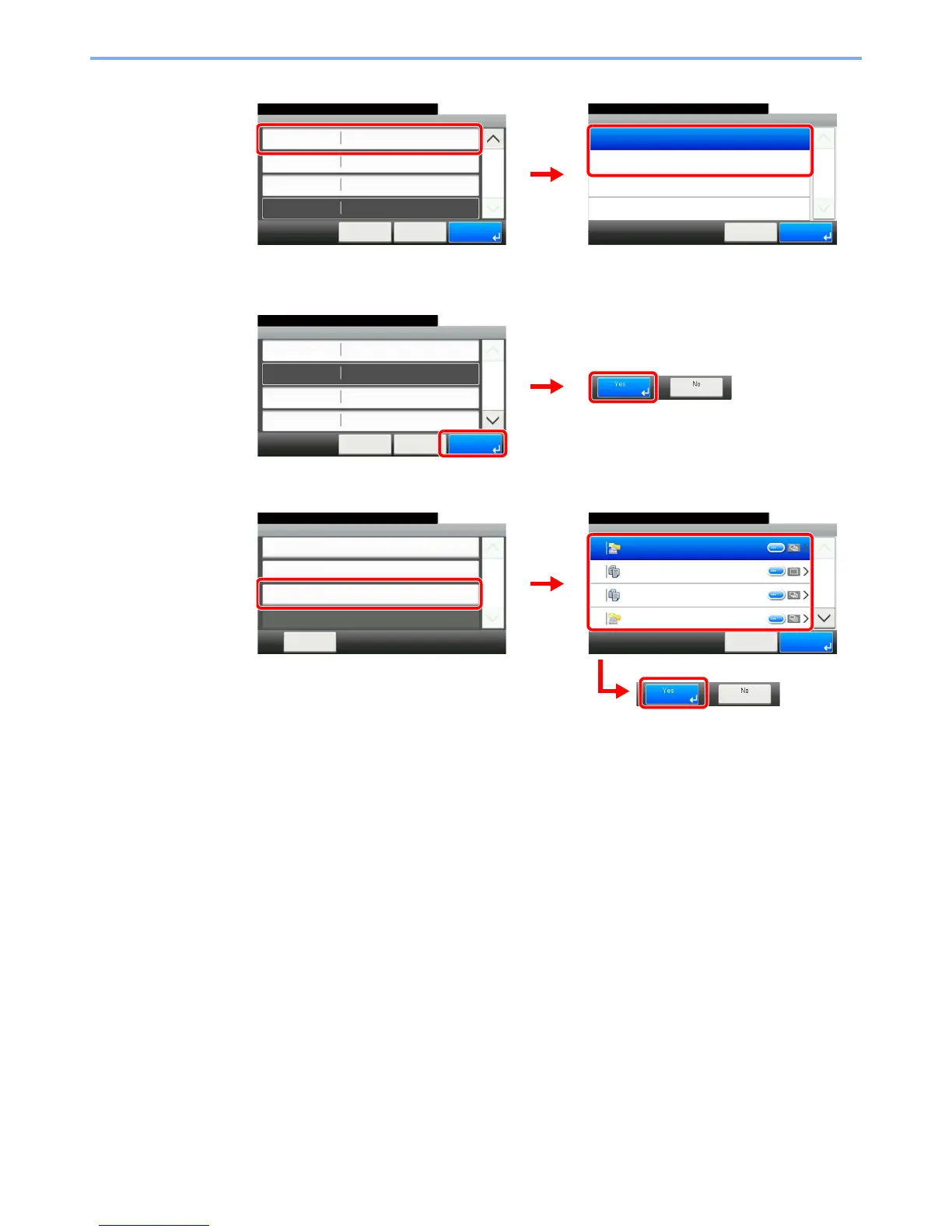
[Permission]
Configures permission settings for favorites to determine how they are shared with other users.
3 Register the favorite.
To delete
Select the favorite you wish to delete.
Favorites:E-mail TX
Shared
10:10
Cancel
Functions
Function Type
Permission
< Back
2/2
Save
2
Wizard
Address BookDestination
Permission
10:10
Shared
Private
Cancel
1/1
OK
GB0305_00
GB0781_02
1
2
GB0781_02
Favorites:E-mail TX
10:10
Cancel
Job Type
Number
Owner
Name
Multi Sending
01
< Back
1/2
Save
Admin
Sending Job - E-mail
GB0781_00
1
2
10:10
DeleteCancel
1/2
01 Sending Job - E-mail
15 ID Card Copy
16 Paper Saving Copy
17 Scan to PC(Address Entry)
Delete
Menu
Add
10:10
Close
Edit
Delete
1/1
GB0779_00
1
GB0782_00
2
3

Table of Contents

Other manuals for Kyocera TASKalfa 265ci

Related product manuals