Echo Liquid Handler Software 5-9
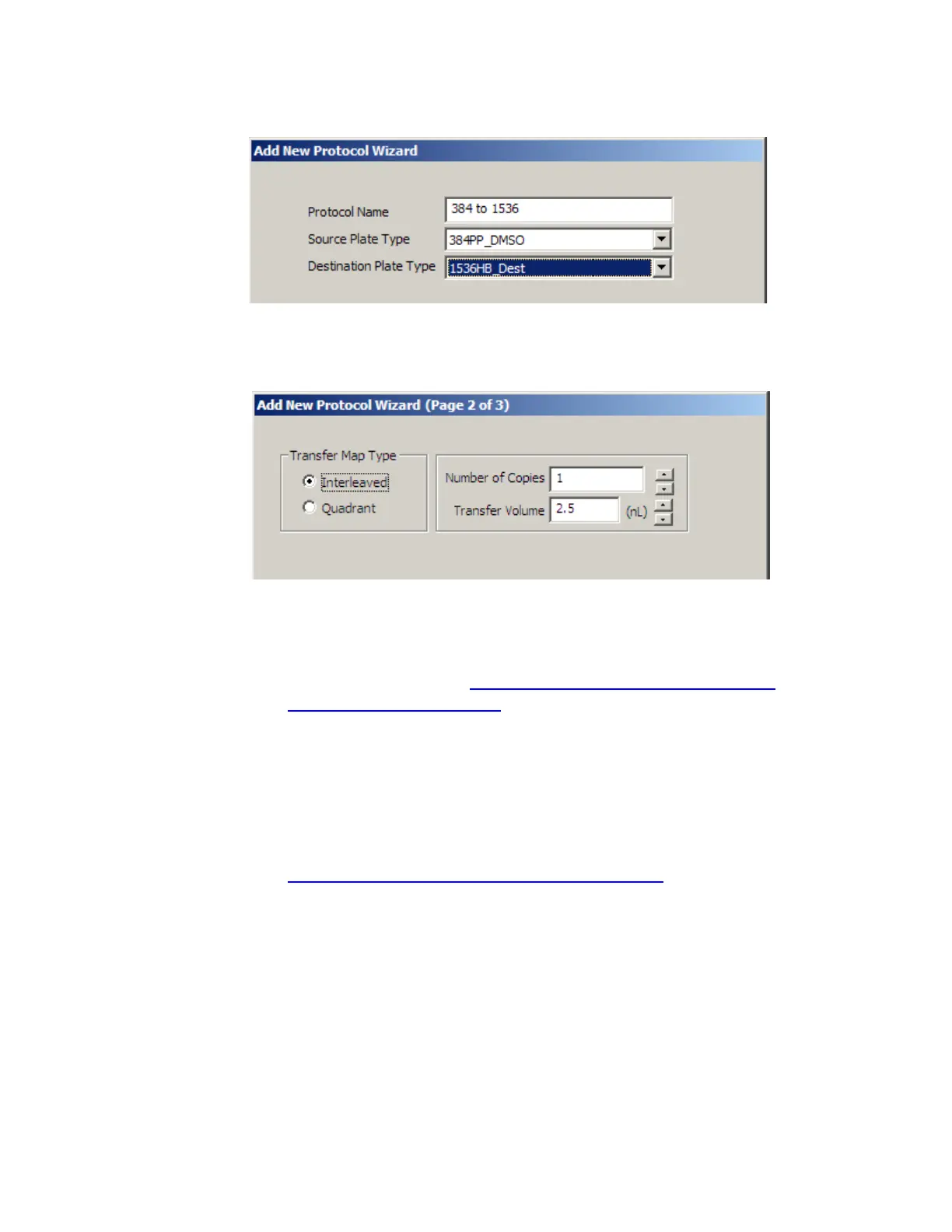
Figure 5.9 Add new protocol wizard, page 1 of 2
2. Click the N
EXT button to open the second ADD NEW PROTOCOL WIZARD
dialog box.
Figure 5.10 Add new protocol wizard page 2 of 3
Enter the following information:
Transfer Map Type: Select an interleaved or a quadrant liquid
transfer protocol type. See “What types of liquid transfer are
supported?” on page 1-12.
Number of Copies: Enter the number of times the protocol will be
executed. The valid range is 1 to 10,000 copies. You are prompted to
load and unload the source microplate and the specified number of
destination microplates.
Transfer Volume: Enter the total volume of fluid to be transferred.
The valid range is dependent on the source microplate (see
“
Maximum Transferred Volume:” on page 3-21). For example, for the
Labcyte 384-well PP source microplate, the valid range is 2.5 to
10000 nL in increments of 2.5 nL. If you enter the transfer volume
directly instead of using the increment/decrement buttons, remember
that the value must be an even multiple of the minimum transfer
volume.



 To Next Page