Table Height:
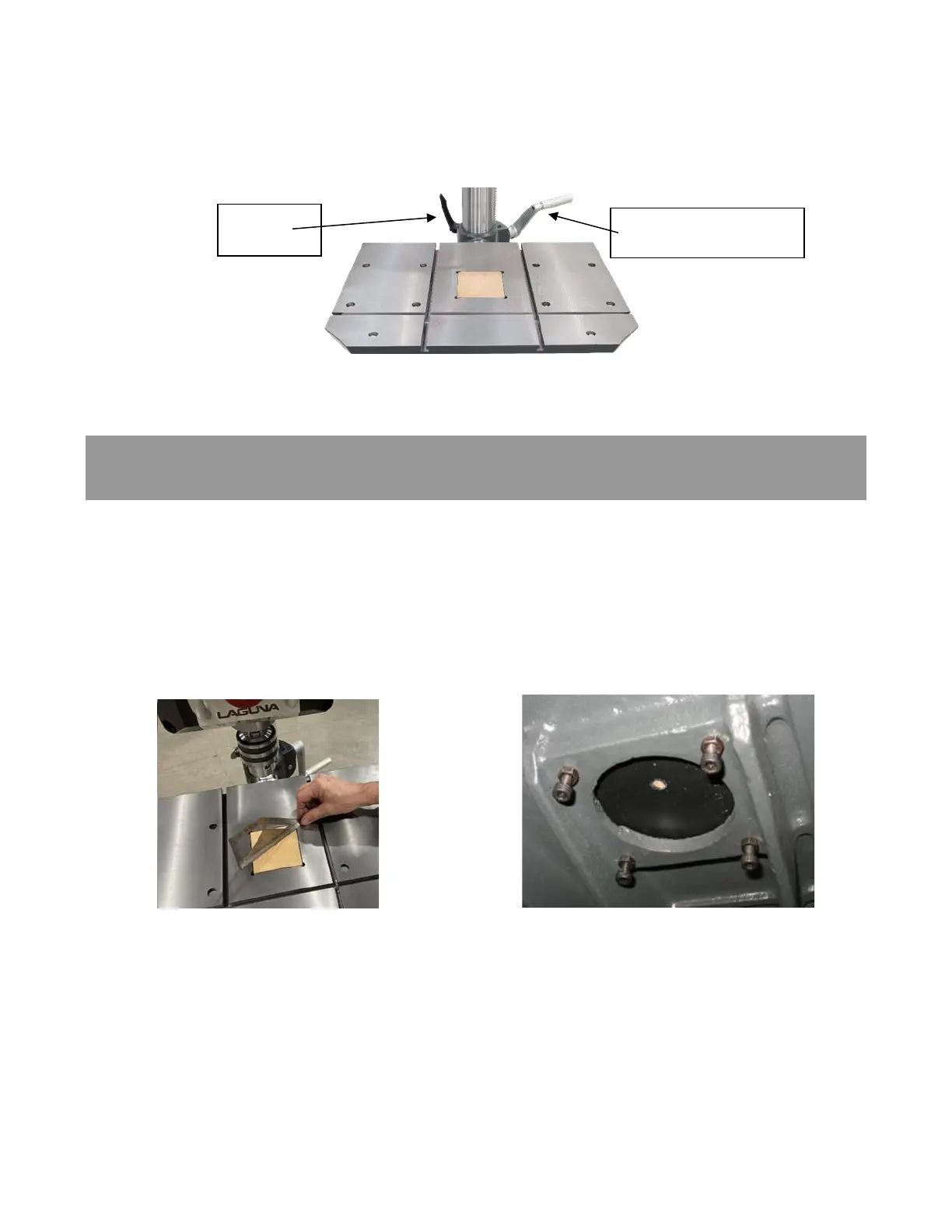
The height of the Table can be adjusted along the length of the Column. To adjust the Table Height,
loosen the Column Lock on the Table Support Casting and turn the height adjustment handle to move
the table to the desired height. Tighten the Column Lock to prevent the Table from moving.
Figure 31: Table Controls
The machine is supplied with a removable table insert. It is held in position with friction. The table insert
can be removed when support is not desired, but through drilling is required. The insert is made of MDF,
if the bit contacts the insert, such as for a zero-clearance application, there is less chance of damaging
the drill bit. The insert can be removed by grabbing with a fingernail at the divot in the table and lifting.
Or it can be pushed up from under the table. The table insert can be leveled with the tabletop by
adjusting the four leveling bolts from under the table. Loosen the locking nut and adjust the leveling bolts
until the insert is in the desired location and tighten the four locking nuts.
Figure 32: Table insert leveling Figure 33: Table insert leveling bolts



 To Next Page