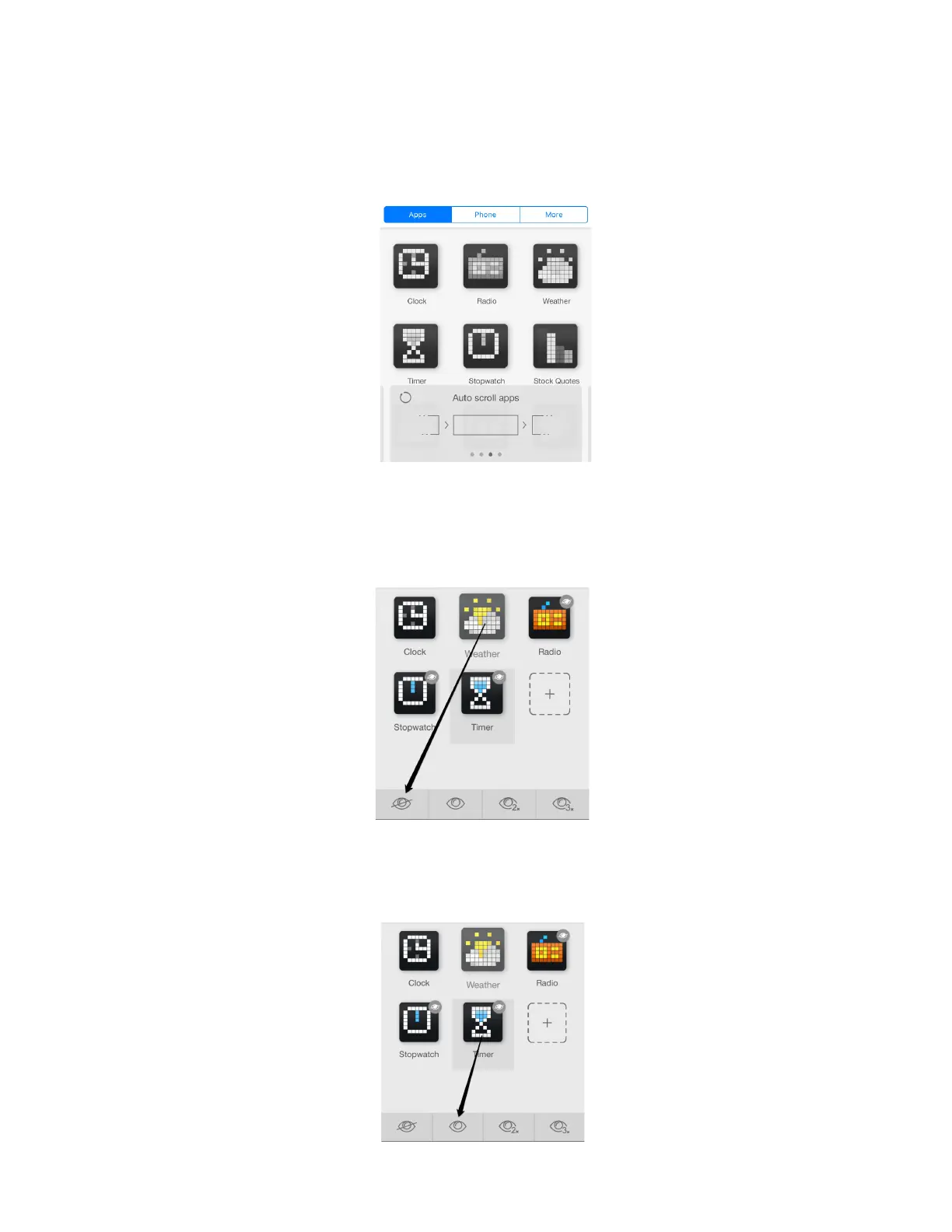
4.4.2. Auto Scroll apps
If you wish to change apps on the screen of LaMetric automatically, choose Auto Scroll Apps . This
mode is the most suitable for shared use of LaMetric when you use it with the family or colleagues. Put
LaMetric on a shelf or a desk to make it visible for everyone. Track the information you need. Please
note, that Radio, Stopwatch and Timer will not be displayed in this mode.
Sometimes it may be necessary to hide some apps in this mode. You may wish to make only a few of
them visible while scrolling, for example just Clock and Weather. To do that – drag app icon to the
bottom bar on top of the crossed ‘eye’ icon.
If you wish to make the hidden app visible again in this mode, drag the app icon to the bottom bar on
top of the ‘eye’ icon.
35



 To Next Page