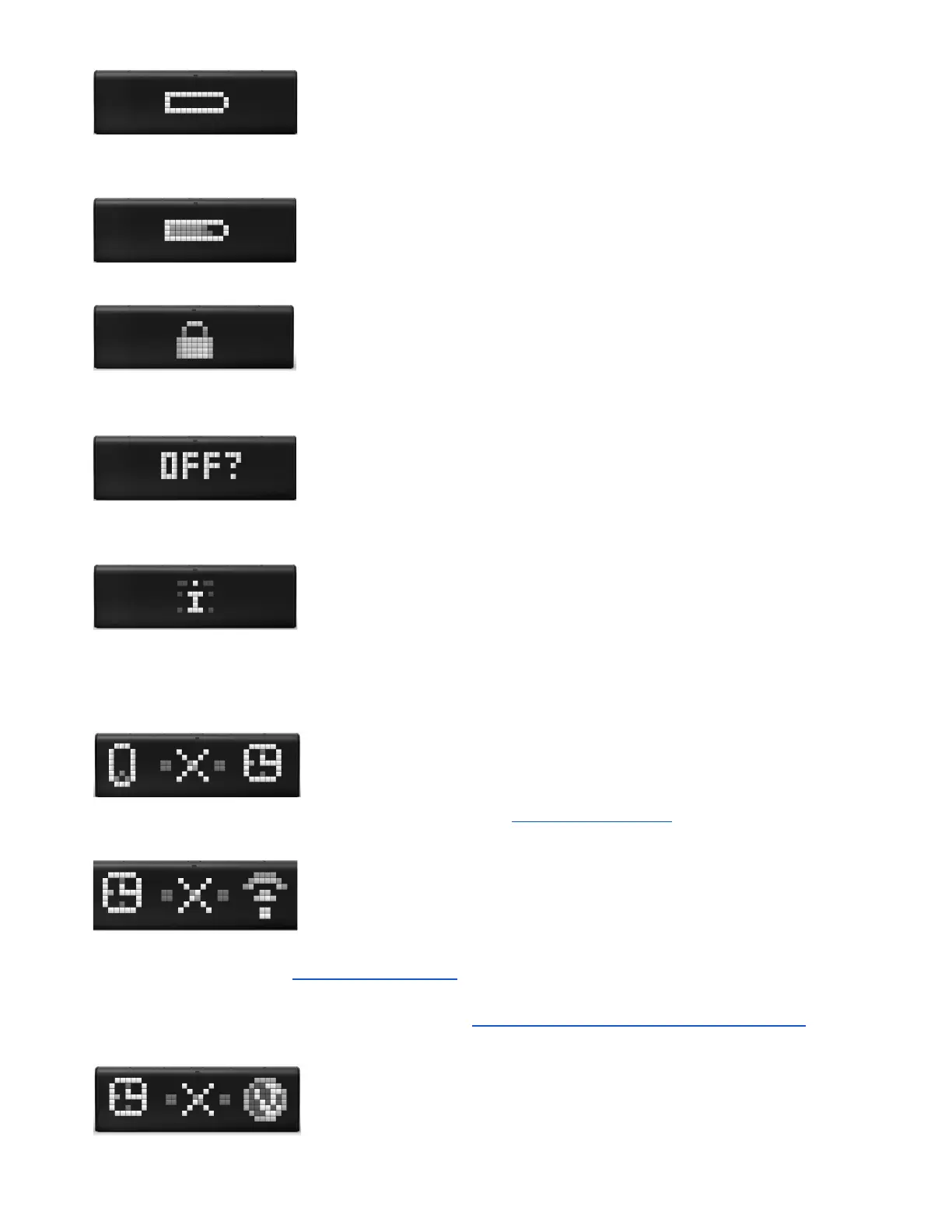
- Low battery notification. If you see it, charge the device by connecting to
the power outlet via USB cable and power adapter.
- LaMetric is being charged.
- notification of locked LaMetric. You may see this notification when you
connect it to your PC and it will detect new mass storage device.
- LaMetric is asking whether you really want to switch it off. If yes, press the
Action button .
- you got new notification from an app on your LaMetric.
5.7.2. Errors notifications
- your smartphone has disconnected from LaMetric. To connect Lametric
to smartphone again please read the second section of 3.3.2. Configuration .
- LaMetric lost Wi-Fi. To connect your device to the last Wi-Fi network, use
the short press of the Action button . If the device was moved to another place, you should begin
configuration process from 3.3.2. Configuration . This notification may also appear during configuration
process if you entered an incorrect password to your Wi-Fi network or some additional settings on your
Wi-Fi router are required. In this case please read 3.3.3. Errors of the configuration process .
- Wi-Fi network doesn't have the Internet connection. Make sure, that your
Wi-Fi network has access to the Internet and contact your Internet service provider if necessary.
58



 To Next Page