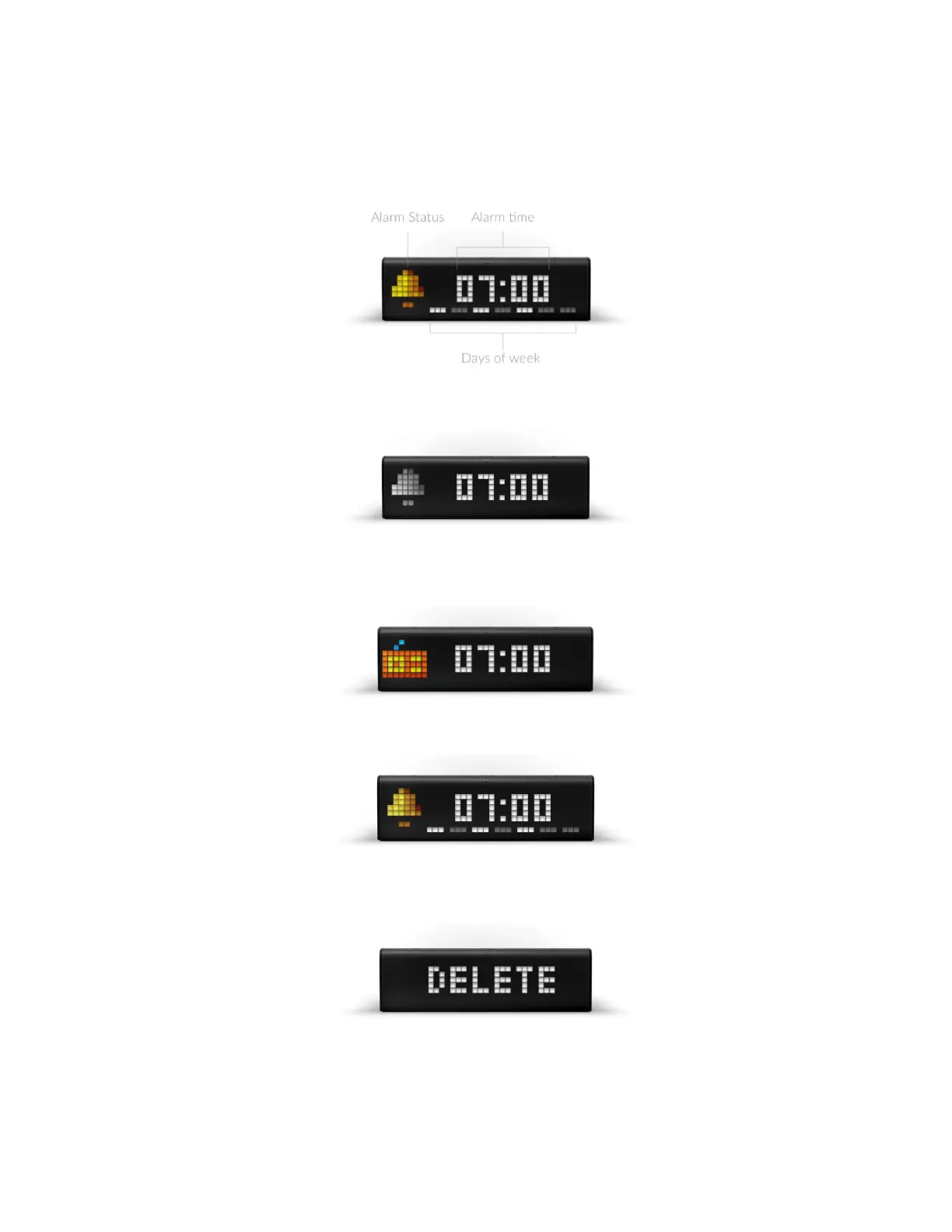
● You can now configure time the alarm will wake you up, the day it will play enable/disable it, set
Wake up with radio .
● In edit mode, current section that can be changed starts to blink. Left or Right navigation
buttons allow moving between sections. Action Button changes value
● First section - Alarm Status . When handbell is colored - the alarm is on , when it is black&white
- off
● When you choose radio icon in the first section and set the alarm, radio will start to play instead
of alarm sound
● Select days when you'd like alarm to play
● To delete alarm use Left navigation button when you are in the edit mode. Confirm action with
the short press on Action Button
● After you have changed all you needed, press and hold a few seconds the Action Button to
confirm the configuration. After that short click on Action Button to return to the current time
● If you will not perform any actions in edit mode - it will return to current time automatically after
15 seconds.
52



 To Next Page