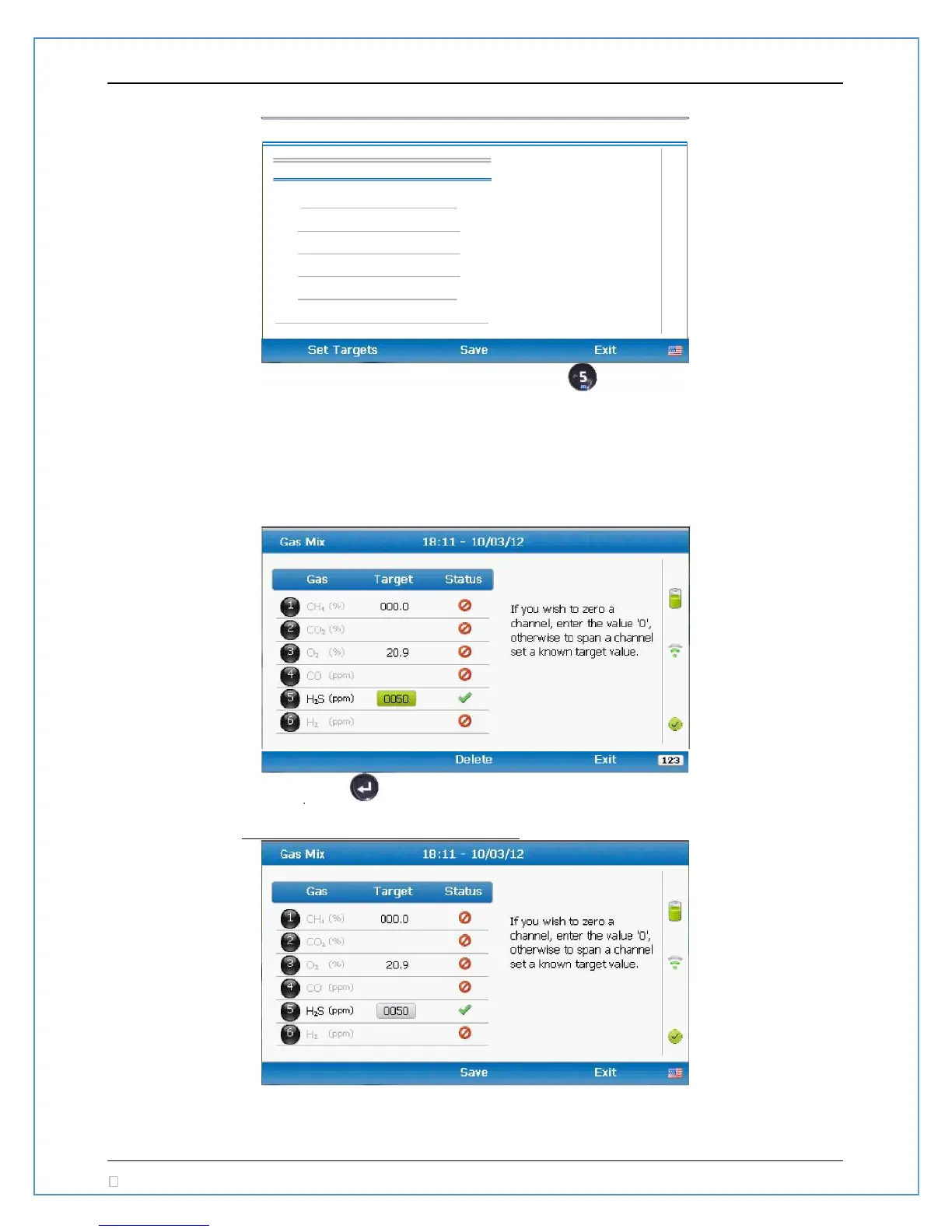
Press the number corresponding to the desired gas to edit. Press set H2S as a gas that will be
targeted for this gas mix. Once targeted a will appear in the Status column indicating this gas has
been targeted. A indicates the gas is NOT targeted and will be ignored during the check or
calibration. Once all gases are selected for targeting press ‘Set Targets’ to edit the concentrations for
each of your targeted gases.
Press the 5 key to edit the target value for H2S. To set the target to 50ppm you will need to enter in
‘0 0 5 0’.
To leave the editing for H2S press .
Once all gases are entered, the option for ‘Save’ will appear



 To Next Page