EasyManua.ls Logo

Lattec Herd Navigator - Page 51

Default Icon
108 pages
Print Icon
To Next Page IconTo Next Page
To Previous Page IconTo Previous Page
Loading...
April 8, 2011 HN FAQ Memo, Version 2.0 Page 51 of 108
HN2
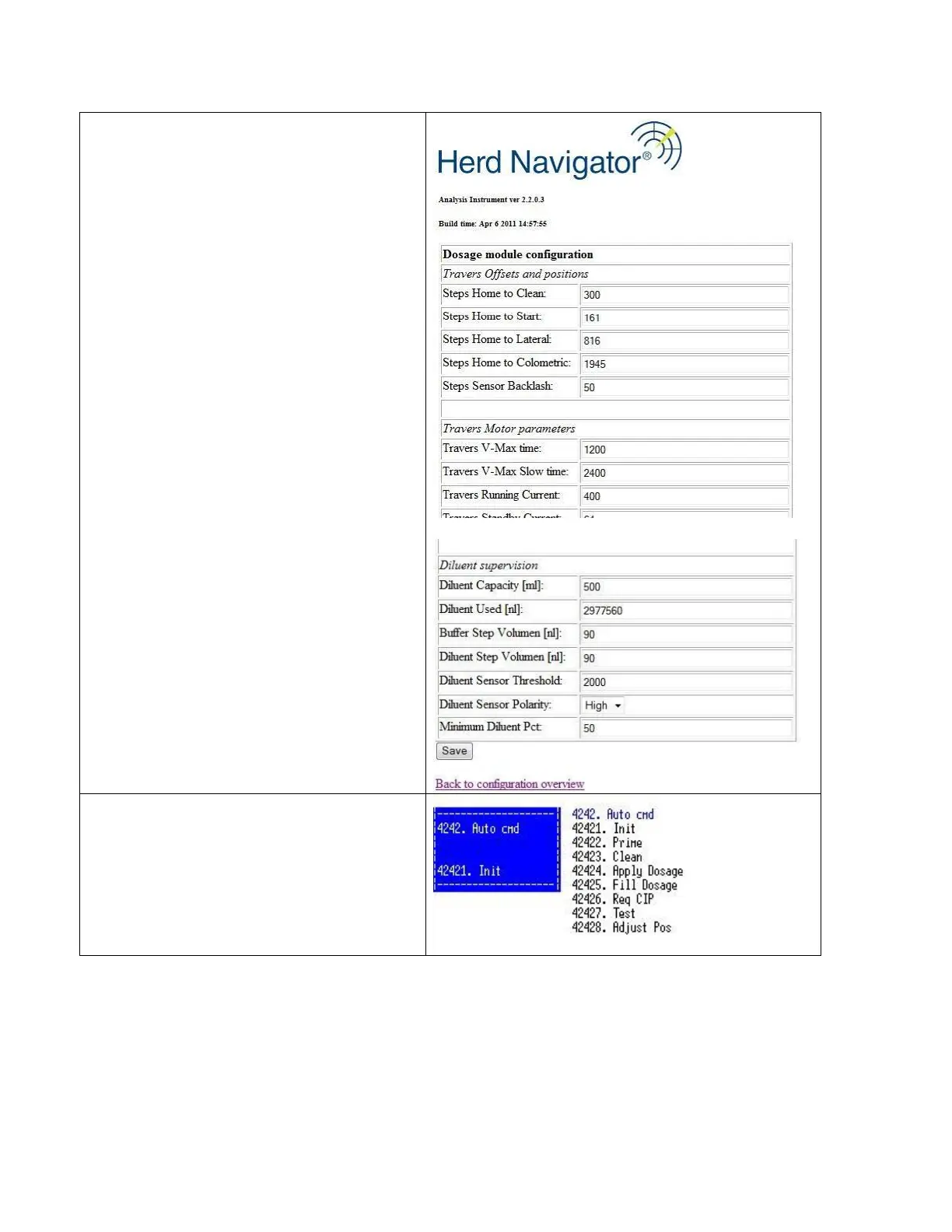
If the position needs adjusting, open the Dosage
module configuration page in the AI web interface.
Change the setting “Steps home to clean”.
±40 steps represent approximately ±1mm change in
needle position.
Remember to click the “save” button below on the
page, to save the new value.

HN2
Initialize dosage module and check the position
again
(menu 42421).

Table of Contents