Proline Low-temperature Thermostats
YACE0072 / 21.08.07 Starting up 29
Brightness Contrast
The brightness and contrast can be set on the
Command Console:
− The works setting can be changed via
Æ Settings Æ Basic settings Æ
Display Æ Brightness or Æ Contrast .
− The brightness of the LCD illumination can
be selected from eight steps or switched
off completely.
− The contrast can be set in eight steps.
Screen
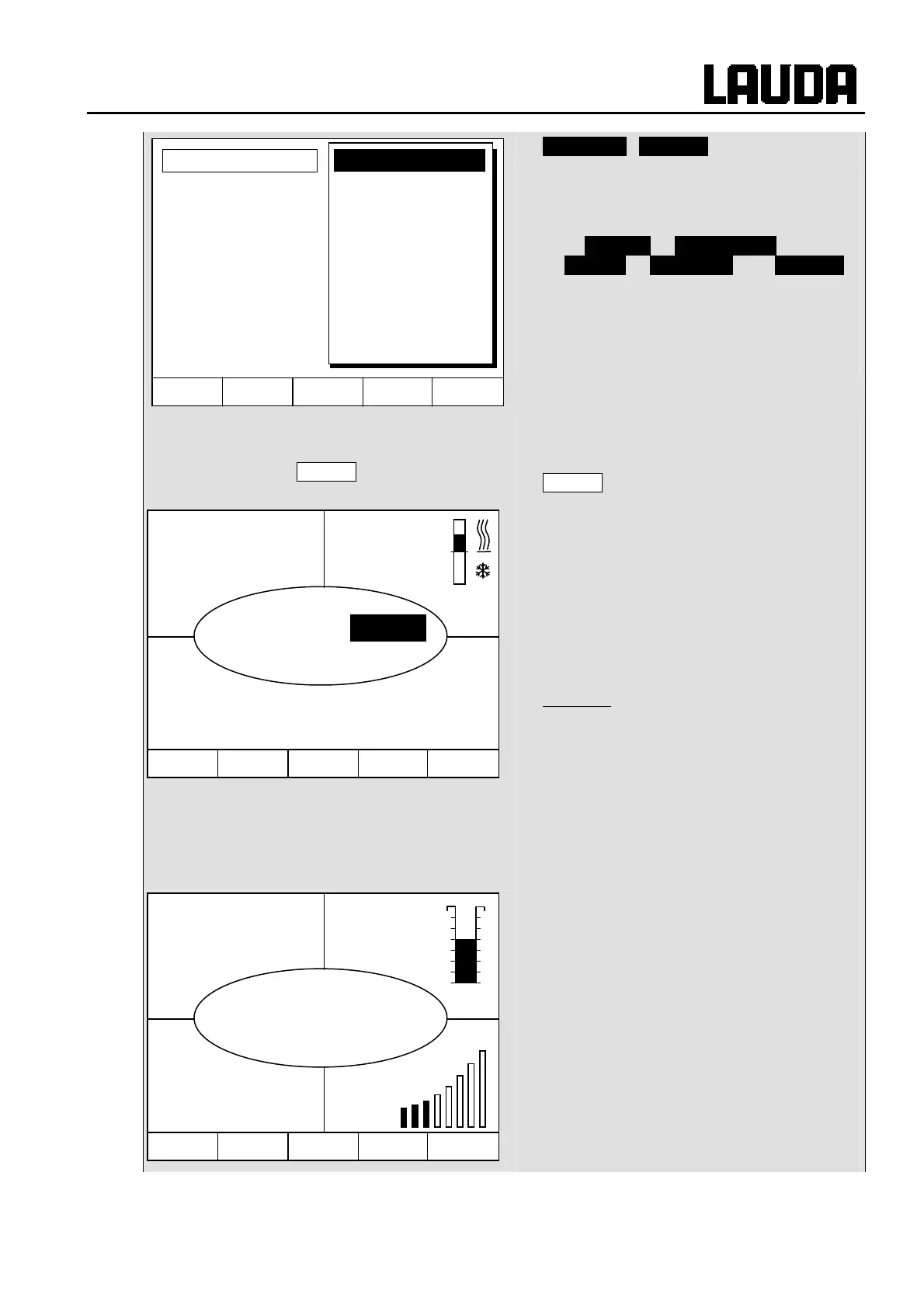
There are four different screen displays
available.
The screen is switched over with the soft key
Screen :
1. Basic window with the three most
important items of information:
− T
int
, current bath temperature,
− T
set
, setpoint of the bath or external
temperature,
− Information: Heating / cooling. Here,
heating is taking place at 55.3% and
0.0% cooling.
Soft keys:
− Help: Help function.
− Menu: Set unit parameters.
− Screen: Changes between basic, normal,
super and graphics recorder windows.
− T
set
: Changes setpoint temperature.
− T
fix
: Calling and setting of saved
setpoints.
2. Standard window with five important
items of information:
− T
int
, current bath temperature,
− T
set
, setpoint,
− T
ext
, current temperature on external probe
(if connected),
− Level of heat carrier liquid in cm above the
minimum level,
− Pump level of the VarioFlex Pump.
Soft keys see as above.
Hel
Menu Screen T
set
T
fix
T
int
°C
25.01
T
set
°C
25.00
55.3
Y(%)
0.0
Hel
Menu Screen T
set
T
fix
T
int
°C
25.01
T
set
°C
25.00
Level
4
T
ext
°C
25.02
Pump
3
Hel
Menu End T
set
T
fix
Brightness
Contrast
Display
Sounds Master
Sounds Command
Language
Master Mode
Autostart
Current Consumpt.
Standby



 To Next Page